New to Telerik UI for WinForms? Start a free 30-day trial
Tree Lines and Rows
Updated on Aug 27, 2026
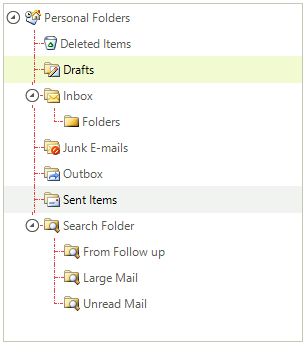
To display lines connecting nodes in RadTreeView set the ShowLines property to true. Control the appearance of the lines using the LineStyle and LineColor properties. LineStyle is of type TreeLineStyle and includes the following members Solid, Dash, Dot, DashDot, DashDotDot.
C#
radTreeView1.ShowLines = true;
radTreeView1.LineStyle = TreeLineStyle.DashDot;
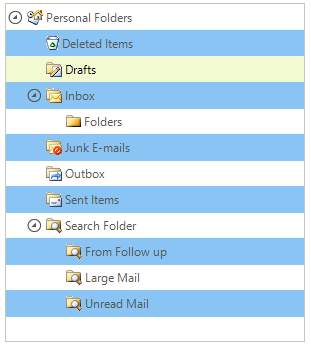
To select rows spanning the entire width of RadTreeView (rather than just the node label), set the FullRowSelect property to true and ShowLines to false. In addition you can set the alternating row color by setting the AllowAlternatingRowColor and AlternatingRowColor properties.
C#
radTreeView1.TreeViewElement.AllowAlternatingRowColor = true;
radTreeView1.TreeViewElement.AlternatingRowColor = Color.LightBlue;