Layout Strategies
By the end of this help topic, you will learn about the Layout Strategies which are responsible for data tiling in the RadTreeMap control. Treemap algorithms represent hierarchical data sets via recursive subdivision of the initial rectangle. The area of each rectangle in the treemap is proportional to the size of that particular node.
Layout Strategies are always applied to child nodes.
Currently there are two Layout Strategies to visualize the data:
Squarified
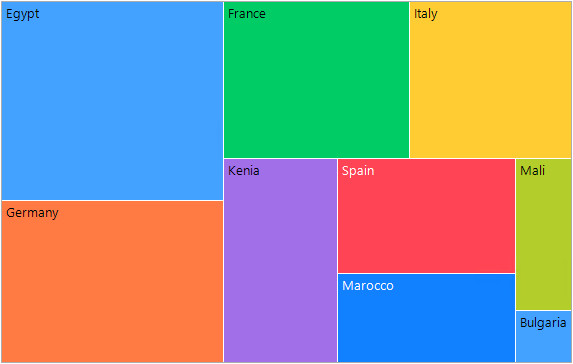
It creates rectangles with best aspect ratio:
SquarifiedAlgorithm squarifiedAlgorithm = new SquarifiedAlgorithm();
this.radTreeMap1.Algorithm = squarifiedAlgorithm;The default layout is Squarified.
Slice and Dice
It creates rectangles with high aspect ratio and displays them sorted either horizontally or vertically:
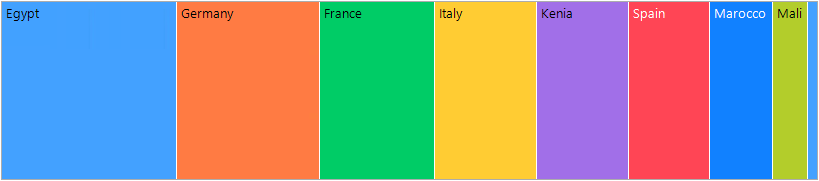
For the Slice and Dice algorithm you can specify Orientation (Horizontal, Vertical or Smart) and SortDirection (Ascending or Descending):
SliceDiceAlgorithm sliceDiceAlgorithm = new SliceDiceAlgorithm();
sliceDiceAlgorithm.Orientation = SliceDiceOrientation.Horizontal;
sliceDiceAlgorithm.SortDirection = ListSortDirection.Descending;
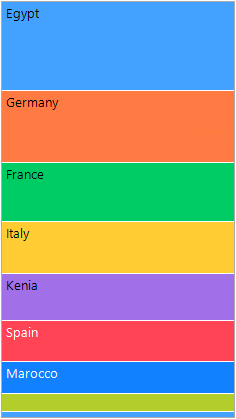
this.radTreeMap1.Algorithm = sliceDiceAlgorithm;Setting the Orientation to Smart means that the algorithm will automatically choose the most appropriate orientation depending on your data and the available space.
SliceDiceAlgorithm sliceDiceAlgorithmSmart = new SliceDiceAlgorithm();
sliceDiceAlgorithmSmart.Orientation = SliceDiceOrientation.Smart;
this.radTreeMap1.Algorithm = sliceDiceAlgorithmSmart;Vertical Slice and Dice