New to Telerik UI for WinForms? Start a free 30-day trial
Associated Control
Updated on May 7, 2026
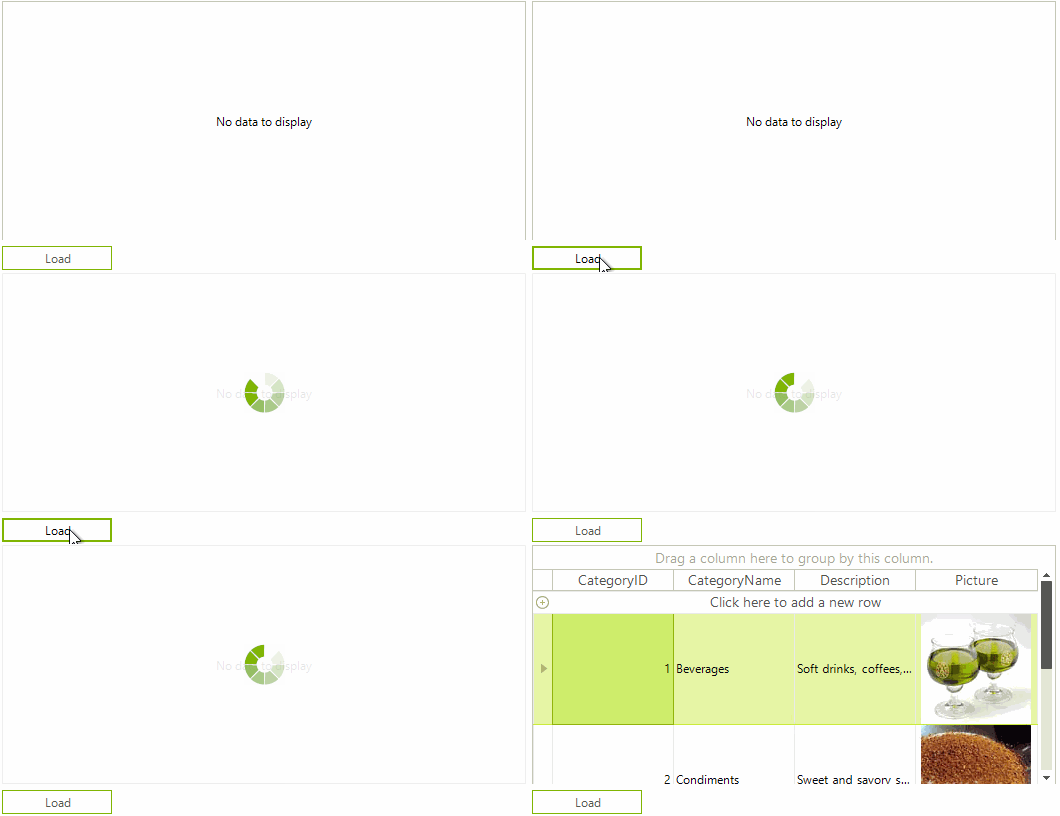
RadWaitingBar allows you to associate it to any control indicating its load time.
Fig.1 Load indication

The following tutorial demonstrates how to indicate the data loading operation in RadGridView.
Fig.2 Load data
- Add RadWaitingBar, RadGridView and RadButton to the form.
- Subscribe to the Click event of RadButton and set the RadWaitingBar.AssociatedControl property to the grid. Thus, the waiting bar will be displayed over the grid while data is loading. After the data is loaded, set the AssociatedControl property to null. Use the following code snippet:
Data loading
C#
System.Windows.Forms.Timer timer = new System.Windows.Forms.Timer();
private void radButton1_Click(object sender, EventArgs e)
{
    timer.Interval = 3000;
    timer.Tick += timer_Tick;
    this.radWaitingBar1.AssociatedControl=this.radGridView1;
    this.radWaitingBar1.StartWaiting();
    timer.Start();
}

private void timer_Tick(object sender, EventArgs e)
{
    timer.Stop();
    this.radWaitingBar1.AssociatedControl=null;
    this.radGridView1.DataSource = this.categoriesBindingSource;
}