New to Telerik UI for WinForms? Start a free 30-day trial
Creating a RadPanel with Rounded Corners
Updated over 1 year ago
Built on the Telerik Presentation Framework, the RadPanel control supports all features that come with it including gradient background colors, transparency and shapes.
The following steps describe how to apply a rounded rectangle shape to the RadPanel control:
-
Add a RadPanel control to your form
-
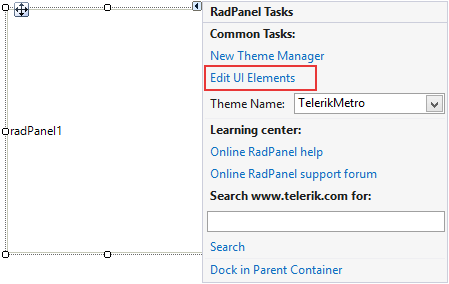
From its Smart Tag choose the Edit UI Elements action
-
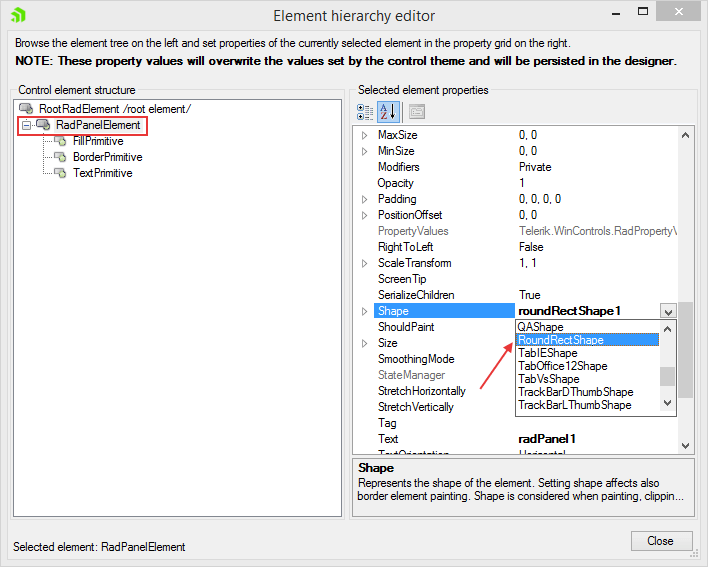
In the Element Hierarchy Editor dialog select the RadPanelElement node in the tree view on the left:
-
In the Property Grid on the right find the Shape property and from its drop down select the RoundRectShape.
-
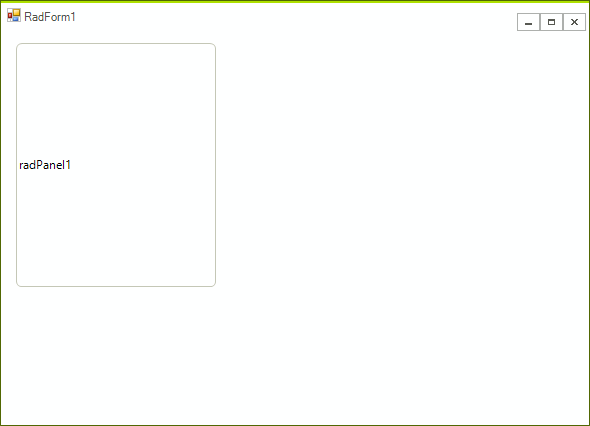
Close the Element Hierarchy Editor. The rounded corner shape should be applied to the RadPanel control: