New to Telerik UI for WinForms? Start a free 30-day trial
Dialog Factory
Updated on Aug 27, 2026
RadImageEditor uses ImageEditorDialogFactory to create objects that represent the dialogs. It requires only the CreateDialog method's implementation.
Make sure that a reference to Telerik.WinControls.UI.ImageEditor.Dialogs library is included in your project.
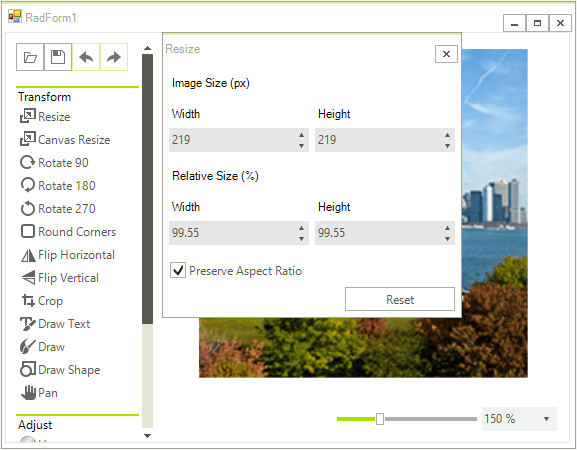
This factory is very useful when you want to create a custom dialog. You just need to create a custom factory that inherits from the ImageEditorDialogFactory and override the CreateDialog method in order to customize the default look of the dialog. For example, if you want to customize the ResizeDialog and set the checked state of the Preserve Aspect Ratio checkbox which by default is unchecked.
C#
public class CustomImageEditorDialogFactory : ImageEditorDialogFactory
{
    public override ImageEditorBaseDialog CreateDialog(Type type, RadImageEditorElement imageEditorElement)
    {
        ImageEditorBaseDialog dialog = base.CreateDialog(type, imageEditorElement);
        if (dialog is ResizeDialog)
        {
            ((RadCheckBox)dialog.Controls[0].Controls["radCheckBoxAspectRation"]).Checked = true;

        }
        return dialog;
    }
}
Then, you need to apply this custom factory to your RadImageEditor:
C#
this.radImageEditor1.ImageEditorElement.DialogFactory = new CustomImageEditorDialogFactory();