New to Telerik UI for WinForms? Start a free 30-day trial
Printing Events
Updated on May 7, 2026
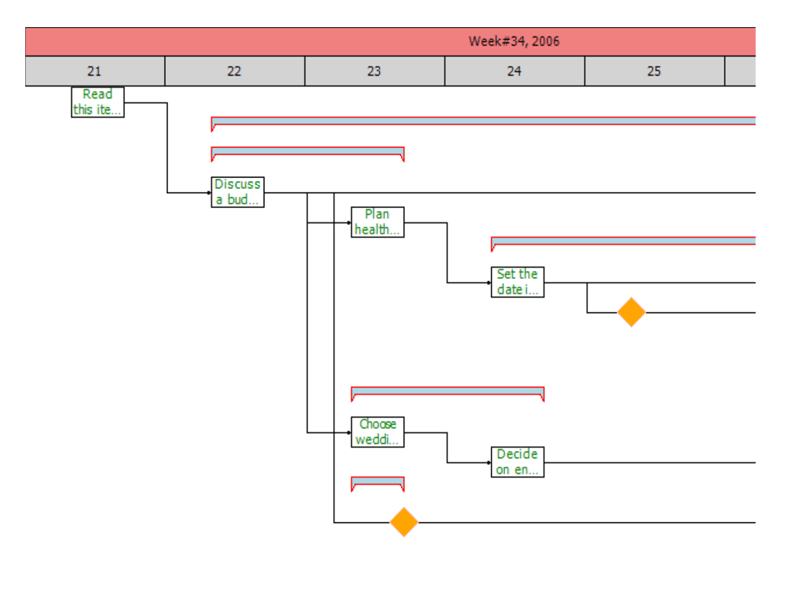
You can customize the print output through the PrintElementFormatting and PrintElementPaint events. PrintElementFormatting provides you with a print element which has style properties available so you can customize it as you see fit. The PrintElementPaint gives you direct access to the graphical context and allows you to directly draw to the print output.
PrintElementFormatting
The following example demonstrates how you can use the PrintContext property to determine what element is being printed and to change the styling accordingly.
C#
private void radGanttView1_PrintElementFormatting(object sender, GanttViewPrintElementFormattingEventArgs e)
{
    switch (e.PrintContext)
    {
        case GanttViewPrintElementContext.HeaderCell:
            e.PrintElement.BackColor = Color.LightBlue;
            break;
        case GanttViewPrintElementContext.DataCell:
            e.PrintElement.BorderColor = Color.Cyan;
            break;
        case GanttViewPrintElementContext.TaskElement:
            e.PrintElement.ForeColor = Color.Green;
            break;
        case GanttViewPrintElementContext.SummaryTaskElement:
            e.PrintElement.BorderColor = Color.Red;
            break;
        case GanttViewPrintElementContext.MilestoneElement:
            e.PrintElement.BackColor = Color.Orange;
            break;
        case GanttViewPrintElementContext.TimelineUpperElement:
            e.PrintElement.BackColor = Color.LightCoral;
            break;
        case GanttViewPrintElementContext.TimelineBottomElement:
            e.PrintElement.BackColor = Color.LightGray;
            break;
    }
}
PrintElementPaint
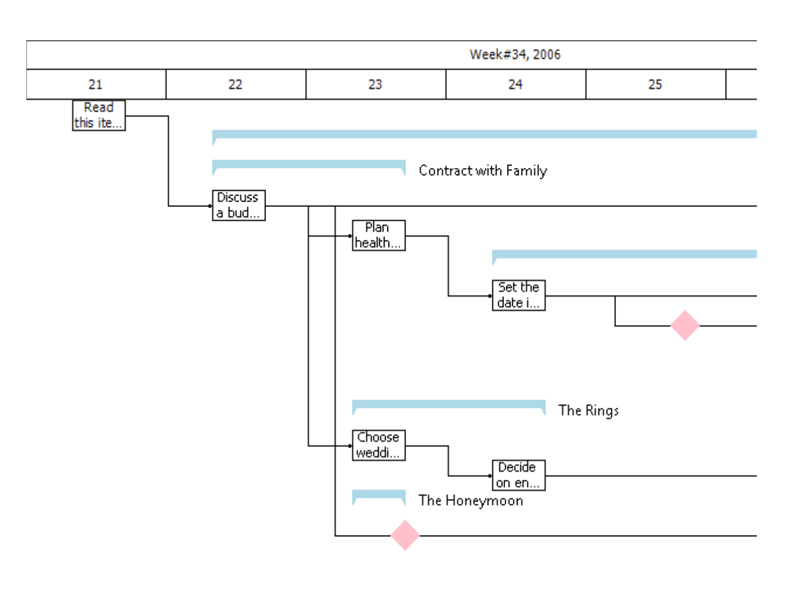
This example demonstrates how you can paint the text of summary items next to the printed graphical representation.
C#
private void radGanttView1_PrintElementPaint(object sender, GanttViewPrintElementPaintEventArgs e)
{
    if (e.PrintContext == GanttViewPrintElementContext.SummaryTaskElement)
    {
        GanttViewDataItem dataItem = e.DataContext as GanttViewDataItem;

        SizeF textSize = e.Graphics.MeasureString(dataItem.Title, this.radGanttView1.Font);
        RectangleF rect = new RectangleF(e.Rectangle.Right + 10, e.Rectangle.Y, textSize.Width, e.Rectangle.Height);
        e.Graphics.TextRenderingHint = System.Drawing.Text.TextRenderingHint.SingleBitPerPixelGridFit;
        e.Graphics.DrawString(dataItem.Title, this.radGanttView1.Font, Brushes.Black, rect);
    }
}