New to Telerik UI for WinForms? Start a free 30-day trial
Adding Columns
Updated over 1 year ago
The GanttViewTextViewColumn CollectionEditor allows you to add columns to the gantt view at design time.
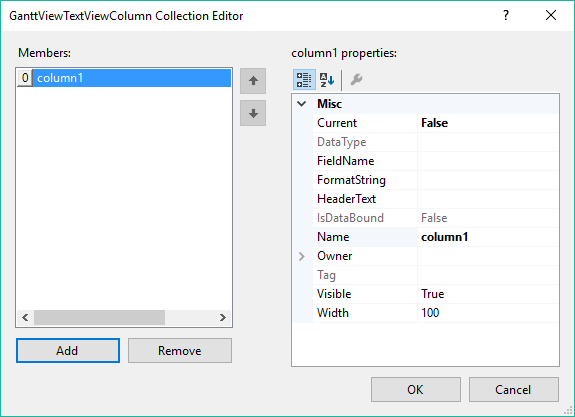
The more important properties of the column you need to set up are:
-
HeaderText: This is the text displayed in the header cell of the column.
-
Name: The name of the column. Must be unique for each column in the gantt view.
-
Visible: Determines whether this column is visible or not.
-
Width: Determines the width in pixels of the column.
-
FieldName: In bound mode should be set to a property name of the data bound item of each GanttViewDataItem. The cells in this column will display the data from this property. In unbound mode should be set to a property of GanttViewDataItem or if you are using a custom data item to a property of this data item.