New to Telerik UI for WinForms? Start a free 30-day trial
Custom Places
Updated over 1 year ago
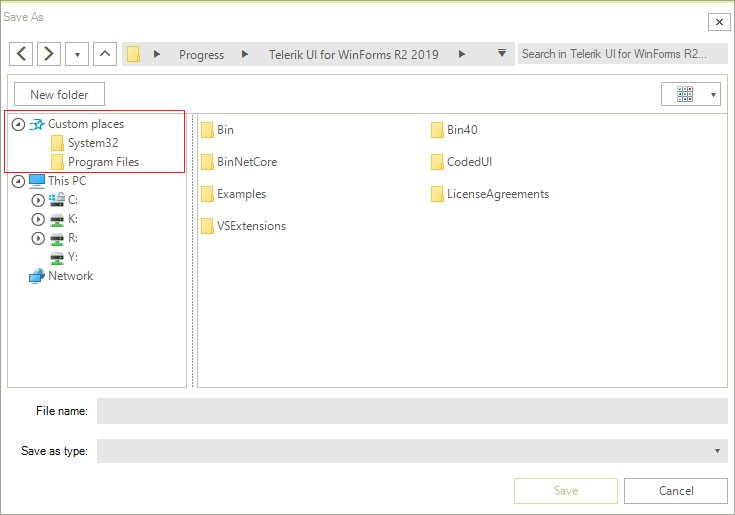
File dialogs provide you with the option to specify a list of directories to be displayed to the left of the Main Pane above the Tree Navigation Pane similarly to Windows' Quick Access view.
To enable this functionality, you should add a list of directories to the control's CustomPlaces collection. It is of type IList.
Defining custom places
C#
RadSaveFileDialog saveFileDialog = new RadSaveFileDialog();
saveFileDialog.CustomPlaces.Add(@"C:\Windows\System32");
saveFileDialog.CustomPlaces.Add(@"C:\Program Files\");
saveFileDialog.ShowDialog();
Note that this collection is read-only - you can only add and/or remove items from it but you cannot replace it with another collection.
The specified folders will then appear in the dialogs navigation pane.
Custom directories shown in the navigation pane