New to Telerik UI for WinForms? Start a free 30-day trial
Navigation Modes
Updated on May 7, 2026
The embedded RadCalendar has HeaderNavigationMode property, which determines what will be the behavior of control when the end-users clicks on the header of RadCalendar. In this article we will demonstrate how to change the default navigation mode.
| HeaderNavigationMode | Design |
|---|---|
| Zoom | 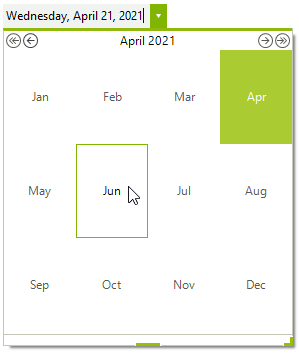 |
| Popup | 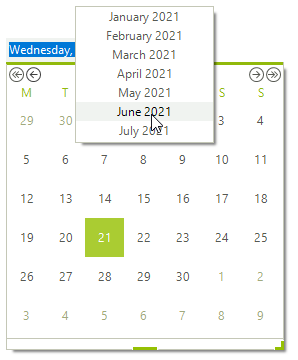 |
Setting the value of RadDateTimePicker
C#
this.radDateTimePicker1.DateTimePickerElement.Calendar.HeaderNavigationMode = HeaderNavigationMode.Zoom;