New to Telerik UI for WinForms? Start a free 30-day trial
Customize RadCalendar Programmatically
Updated over 1 year ago
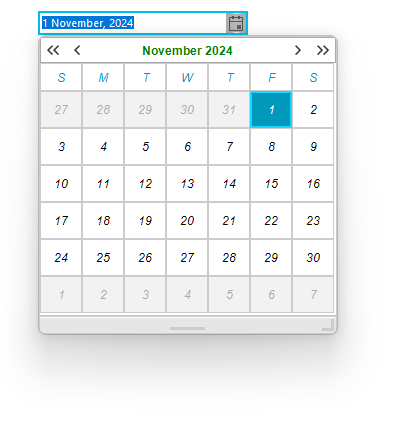
In order to customize RadCalendar in RadDateOnlyPicker, you should first take the instance of the RadCalendar. You can do so by calling the GetCurrentBehavior() method. For example, if we want to change the font and colors of the RadCalendar navigation title, we need to use the following code snippet:
Changing the font of RadCalendar navigation title
C#
Font headerFont = new Font("Arial", 9.0f, FontStyle.Bold);
Font datesFont = new Font("Arial", 9.0f, FontStyle.Italic);
this.radDateOnlyPicker1.CalendarSize = new Size(300,300);
RadDateOnlyPickerCalendar calendarBehavior = this.radDateOnlyPicker1.DateOnlyPickerElement.GetCurrentBehavior() as RadDateOnlyPickerCalendar;
RadCalendar calendar = calendarBehavior.Calendar as RadCalendar;
RadCalendarElement calendarElement = calendar.CalendarElement as RadCalendarElement;
calendarElement.CalendarNavigationElement.Font = headerFont;
calendarElement.CalendarNavigationElement.ForeColor = Color.Green;
calendarElement.CalendarNavigationElement.BackColor = Color.White;
calendarElement.CalendarNavigationElement.BackColor2 = Color.Gray;
calendarElement.CalendarNavigationElement.BackColor3 = Color.DarkGray;
calendarElement.CalendarNavigationElement.BackColor4 = Color.Gainsboro;
calendarElement.CalendarNavigationElement.BorderColor = Color.DarkGray;
MonthViewElement monthView = calendarBehavior.Calendar.CalendarElement.CalendarVisualElement as MonthViewElement;
foreach (RadItem item in monthView.TableElement.Children)
{
    item.Font = datesFont;
}
Figure 1: The result from the above code:
Show Clear and Today Buttons
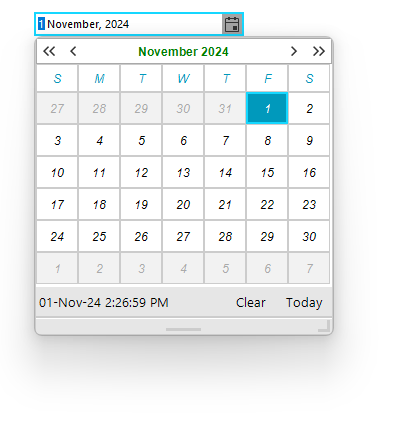
The Clear and Today buttons of the calendar are located in its footer. The footer of the calendar is hidden in the RadDateOnlyPicker control. To show it, we need to call the GetCurrentBehavior() method to gen an instance of the RadCalendar inside the RadDateOnlyPicker control.
C#
RadDateOnlyPickerCalendar calendarBehavior = this.radDateOnlyPicker1.DateOnlyPickerElement.GetCurrentBehavior() as RadDateOnlyPickerCalendar;
calendarBehavior.Calendar.ShowFooter = true;