New to Telerik UI for WinForms? Start a free 30-day trial
Design time
Updated on May 7, 2026
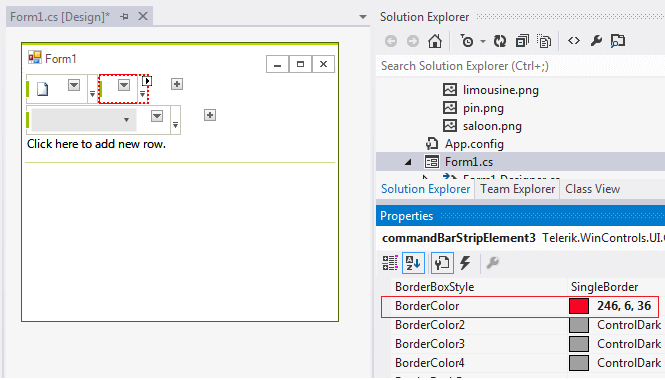
You can access and modify the style for different elements in RadCommandBar by selecting the element and customizing its look by the Properties section in Visual Studio
Figure 1: Customizing CommandBarStripElement's border at design time.
Programmatically
You can customize the elements at run time as well:
Figure 2: Customize elements
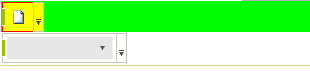
Customize elements at run time
C#
this.radCommandBar1.Rows[0].BackColor = Color.Lime;
this.radCommandBar1.Rows[0].DrawFill = true;
this.radCommandBar1.Rows[0].GradientStyle = Telerik.WinControls.GradientStyles.Solid;
this.radCommandBar1.Rows[0].Strips[0].BackColor = Color.Yellow;
this.radCommandBar1.Rows[0].Strips[0].BorderColor = Color.Red;