Themes
This help article will demonstrate a step by step tutorial how to customize the Metro theme for RadChat
-
Open Visual Style Builder
-
Export the built-in themes in a specific folder by selecting
File>>Export Built-in Themes. -
Load a desired theme from the just exported files by selecting
File>>Open Package. -
Expand RadChat and select the
ChatMessageBubbleElement.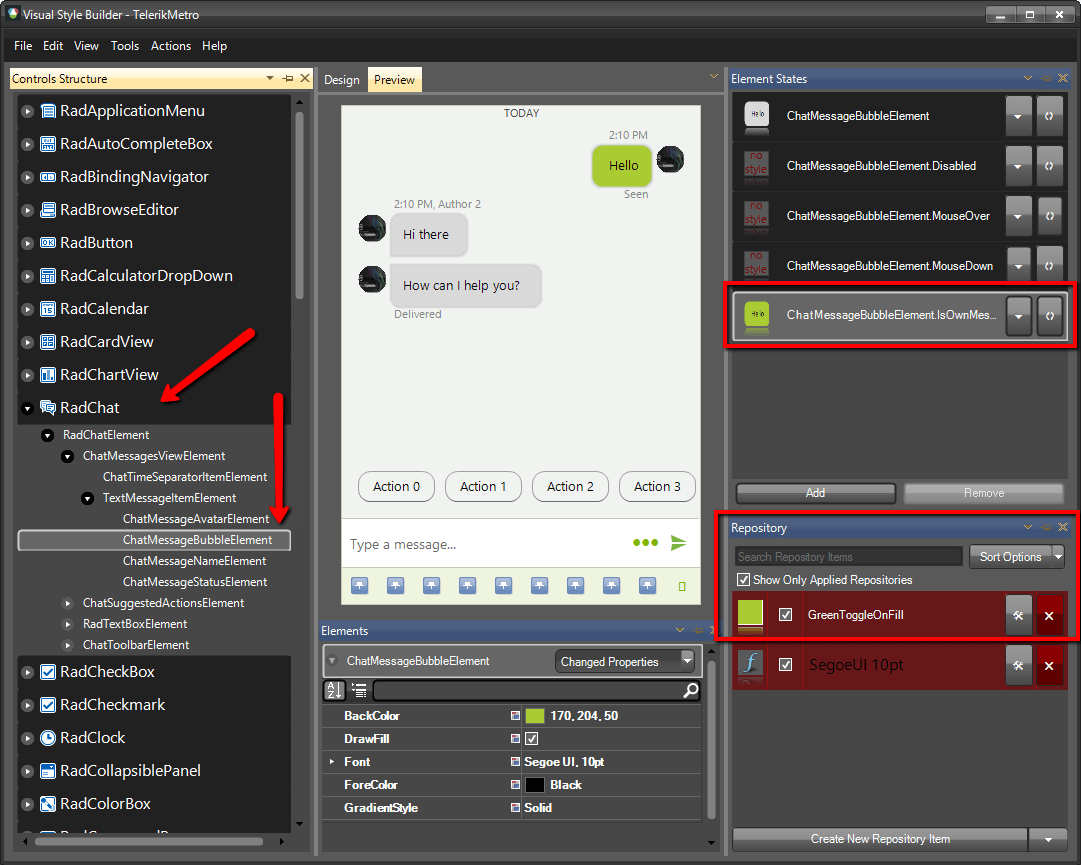
-
For the
IsOwnMessageelement state, open theEdit Repository Itemdialog and change theBackColor: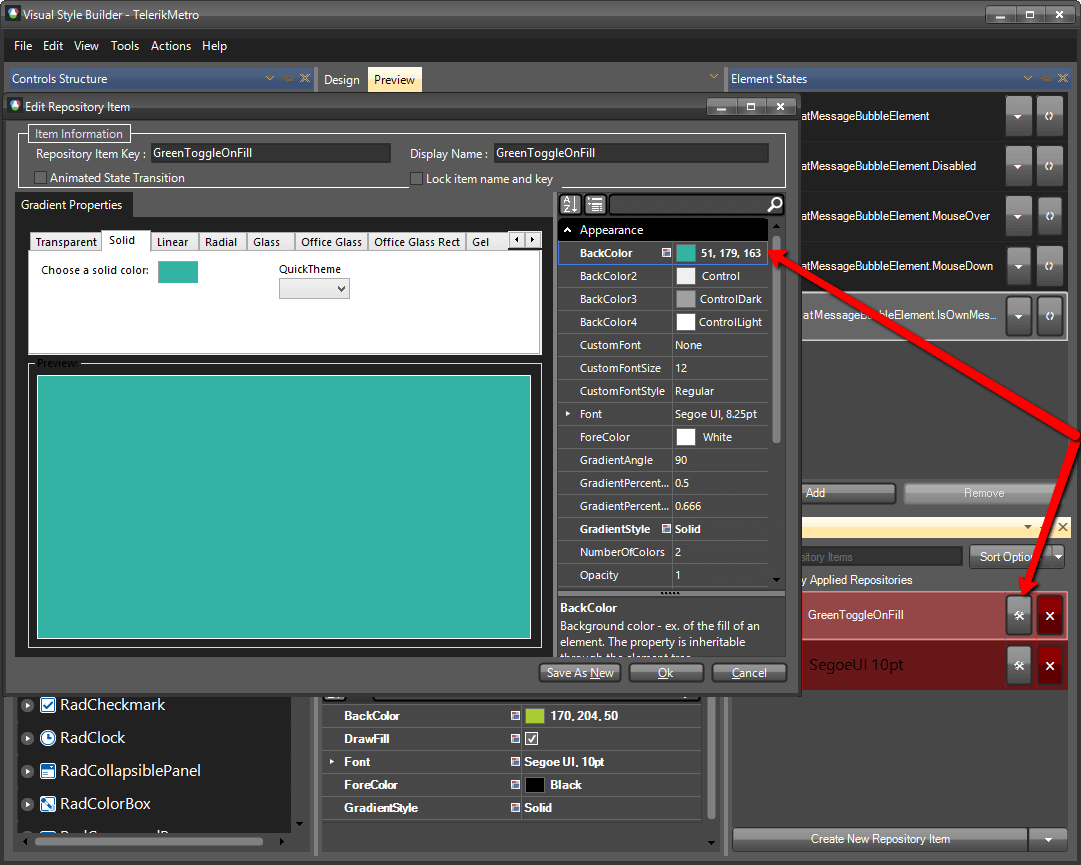
-
Expand the RadTextBoxElement and select the
ChatShowToolbarElement.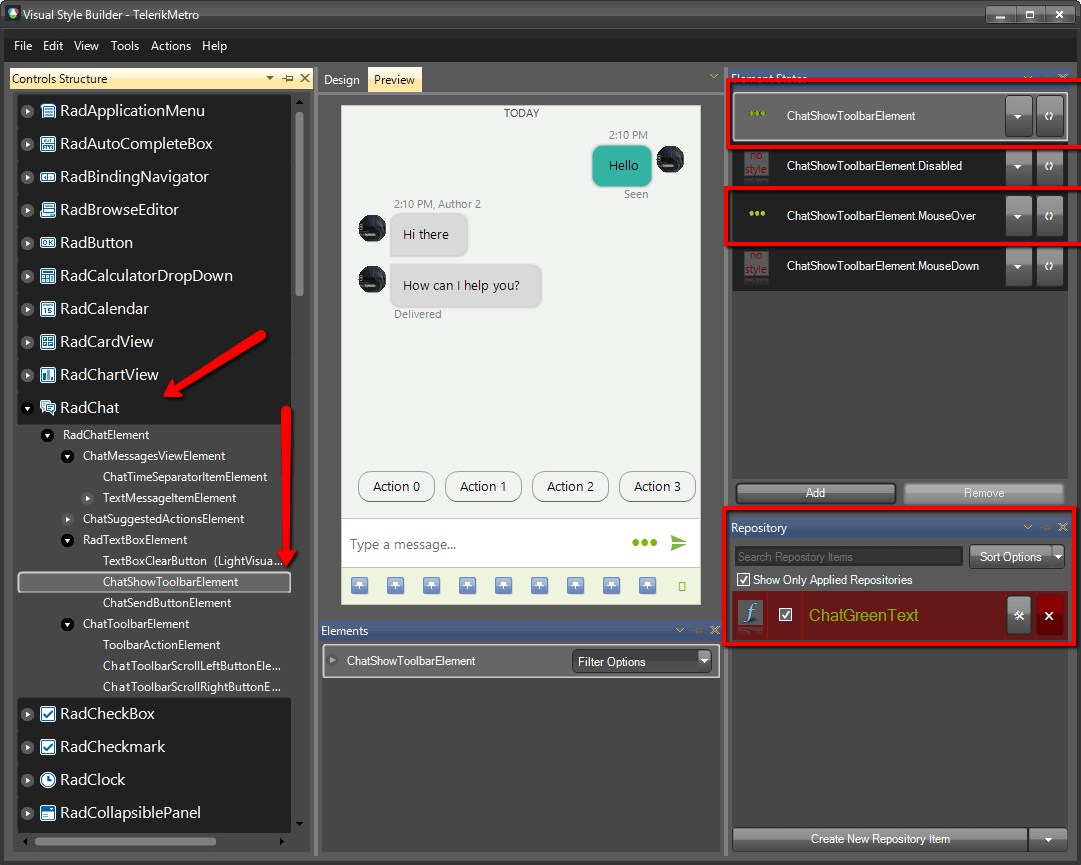
-
For the default and
MouseOverelement states, open theEdit Repository Itemdialog and change theForeColor: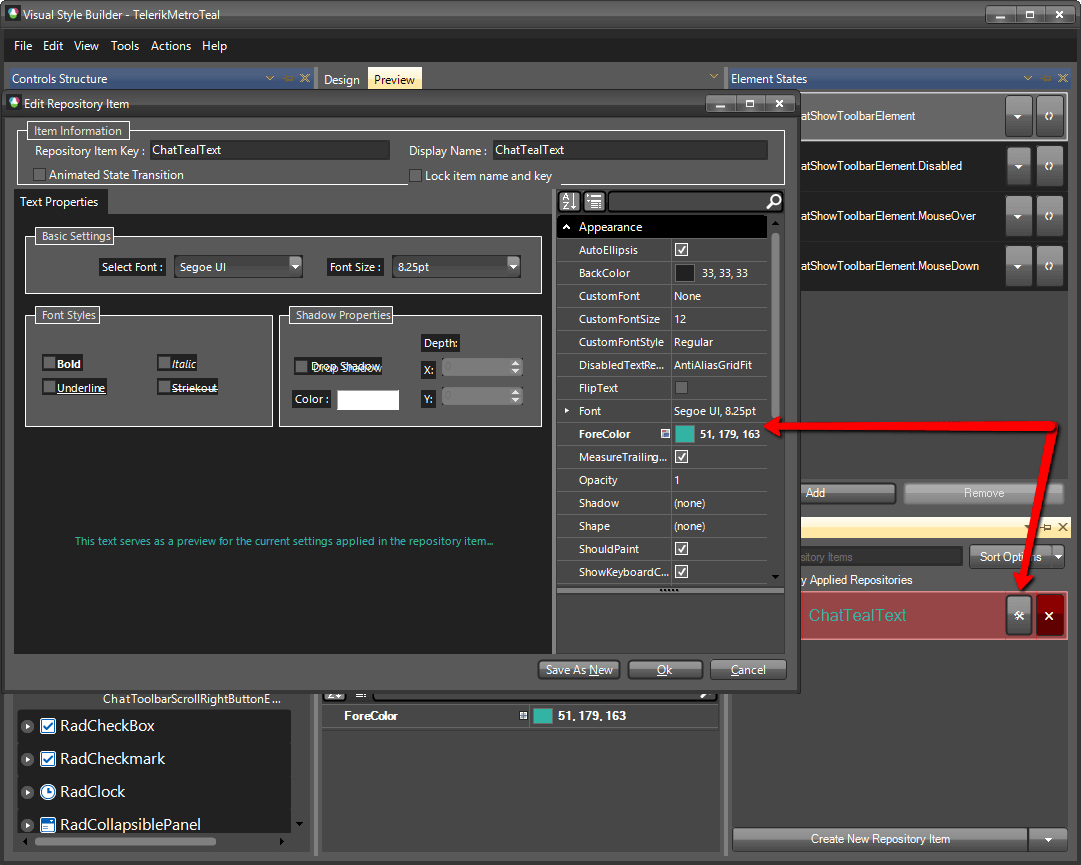
-
Select the
ChatSendButtonElement.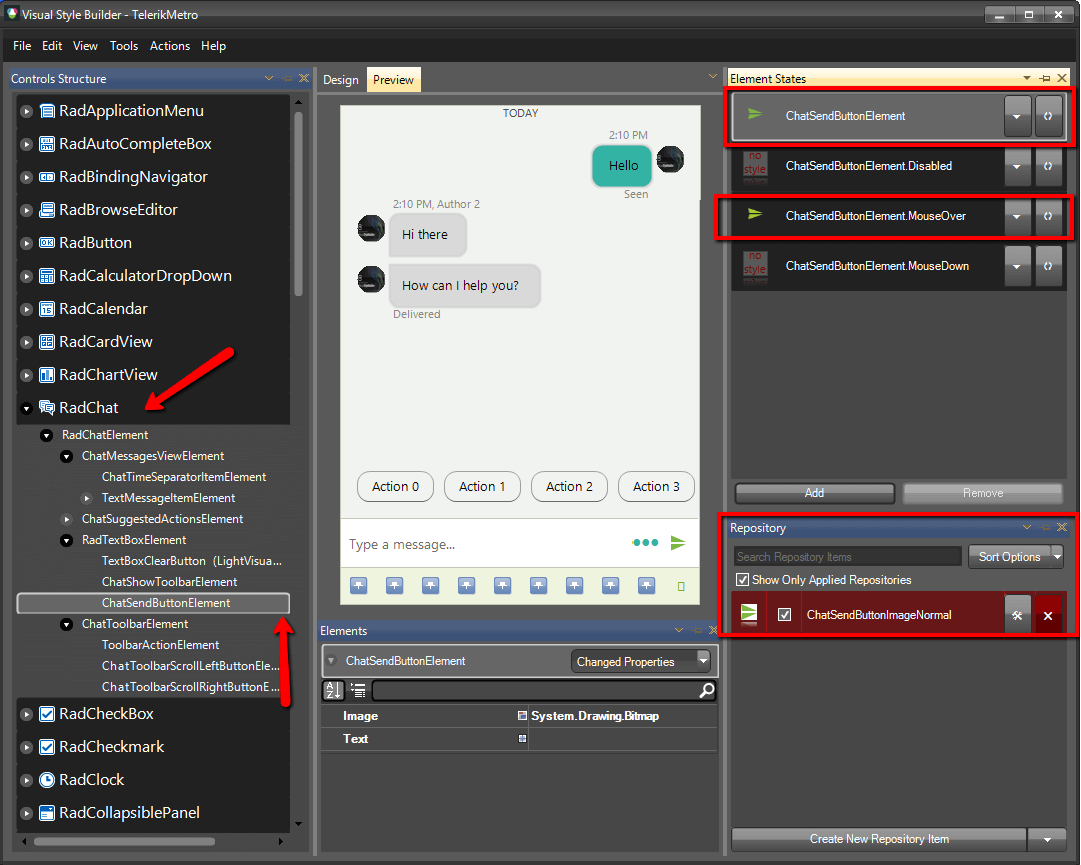
-
For the default and
MouseOverelement states, open theEdit Repository Itemdialog and change theImage: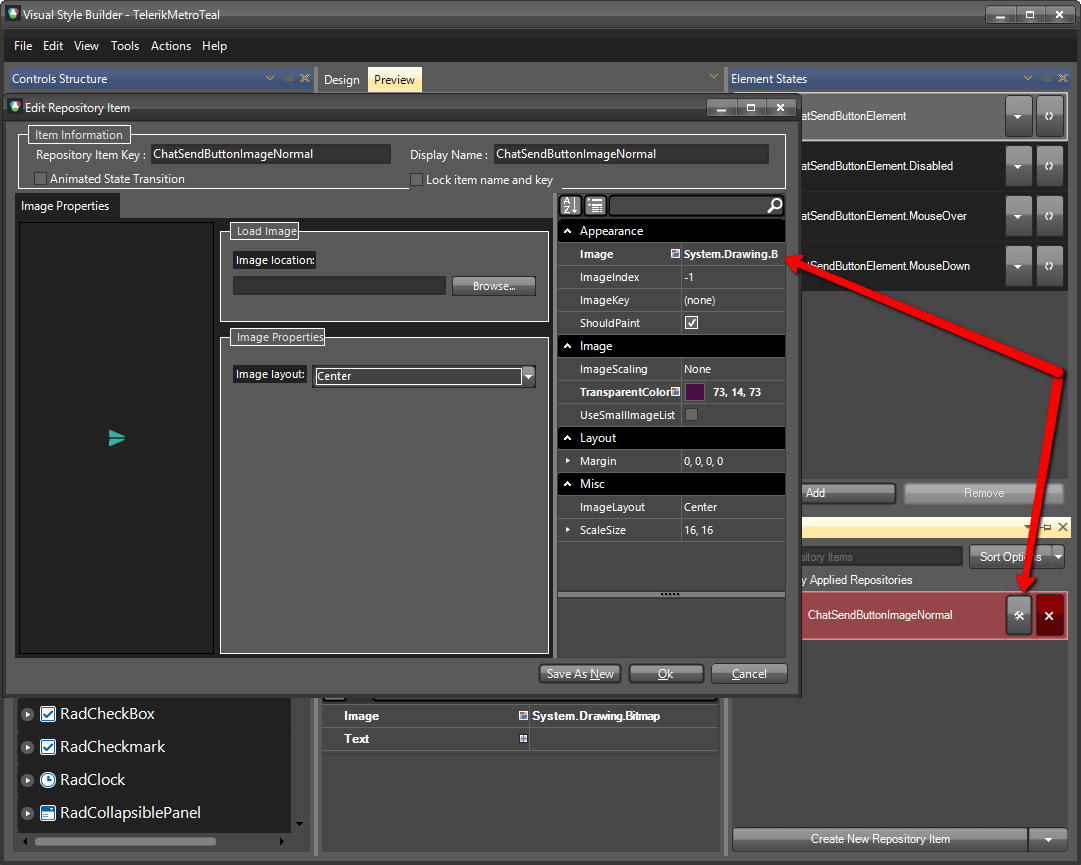
-
The bellow image shows the result.
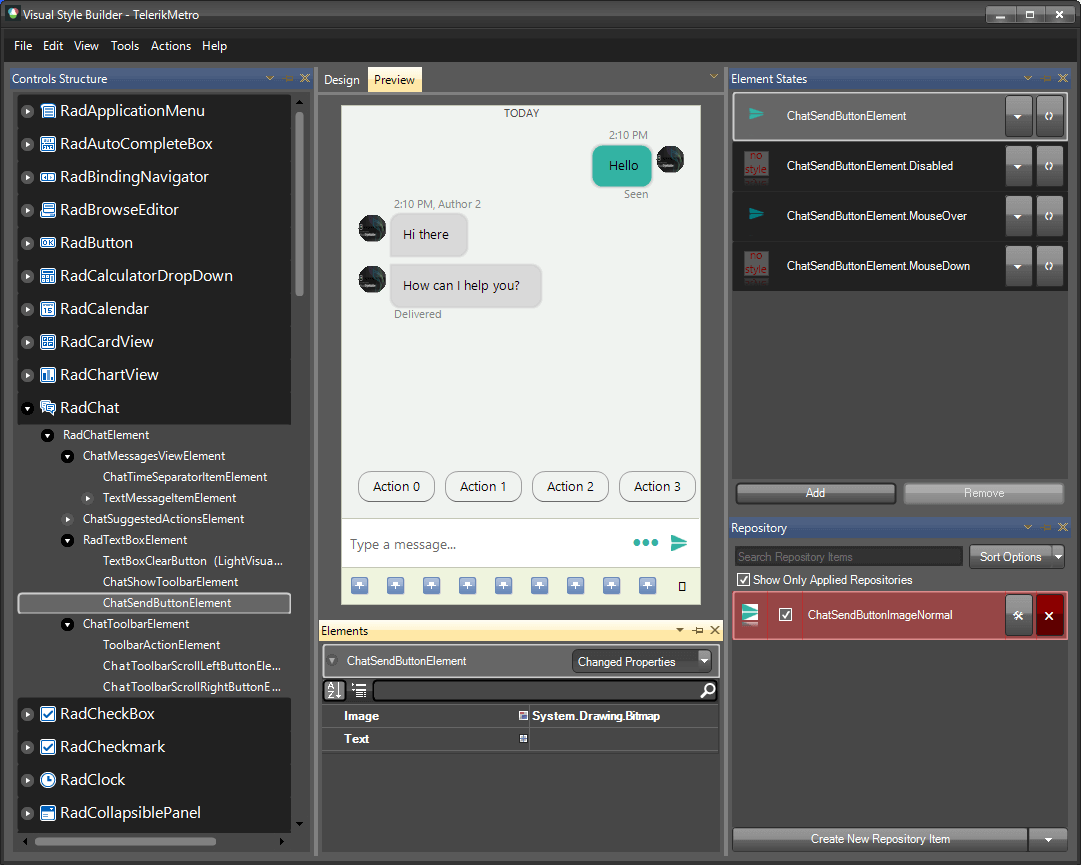
The following article shows how you can use the new theme: Using Custom Themes.