New to Telerik UI for WinForms? Start a free 30-day trial
Setting Bezier Path Design-Time
Updated over 1 year ago
You can set the bezier path for the carousel using the Visual Studio designer.
-
Drag the RadCarousel control in your form.
-
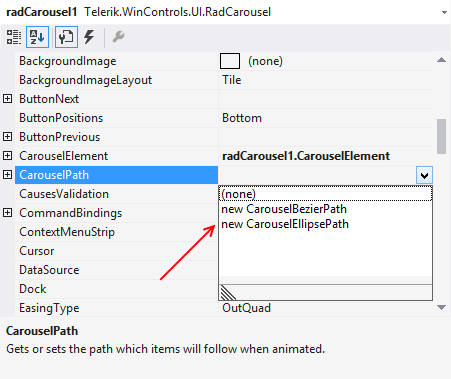
In Properties, set CarouselPath to new CarouselBezierPath:
-
Drag the four control points and set the bezier as desired:
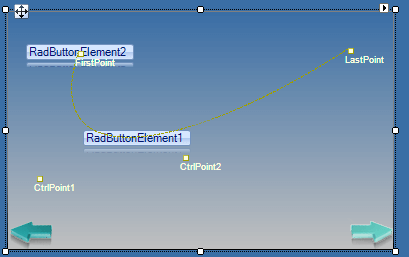
Note : You can arrange the points only in 2D. The Z coordinate (if needed) should be set programmatically. You can drag the bezier points over the whole designer area, i.e. you are not limited to the form only.