New to Telerik UI for .NET MAUI? Start a free 30-day trial
.NET MAUI TemplatedPicker Visual Structure
Updated on Aug 11, 2026
The visual structure of the .NET MAUI TemplatedPicker represents the anatomy of the UI control. Being familiar with the visual elements of the TemplatedPicker allows you to quickly find the information required to configure them.
The images in this article show the anatomy of the TemplatedPicker and its building blocks.
Before and After Selection

- Placeholder—The visualized text before the user picks a value from the popup. You can customize the placeholder through the
PlaceholderTemplateproperty. For more information, review the Templates article.
Popup Visual Structure
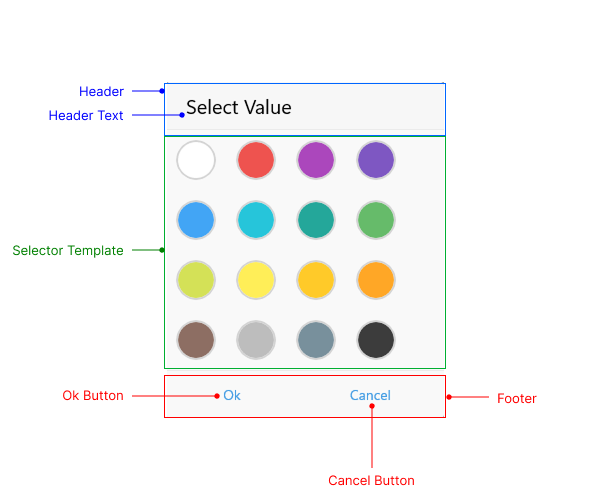
- Header—The header of the popup. For more information, review the Templates article.
- Header Text—The text that is visualized in the header of the popup.
- Selector Template—Defines the template used for displaying the selector of the picker. For more information, review the Templates article.
- Footer—The footer of the popup. For more information, review the Templates article.