



[Solved] TaskBoard drag-and-drop causes crash and multiple UI glitches

1 Answer 14 Views
TaskBoard
Nurik
Top achievements
Rank 2
Iron
Iron
Iron
Nurik asked on 18 Mar 2026, 05:11 AM | edited on 18 Mar 2026, 05:26 AM
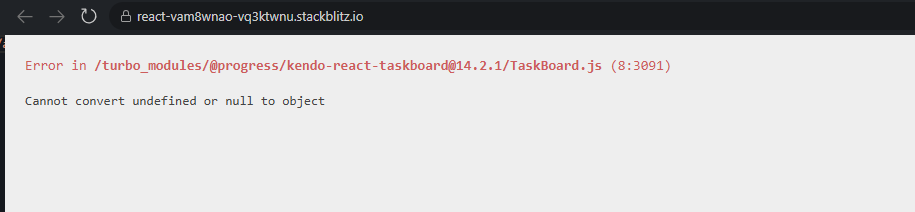
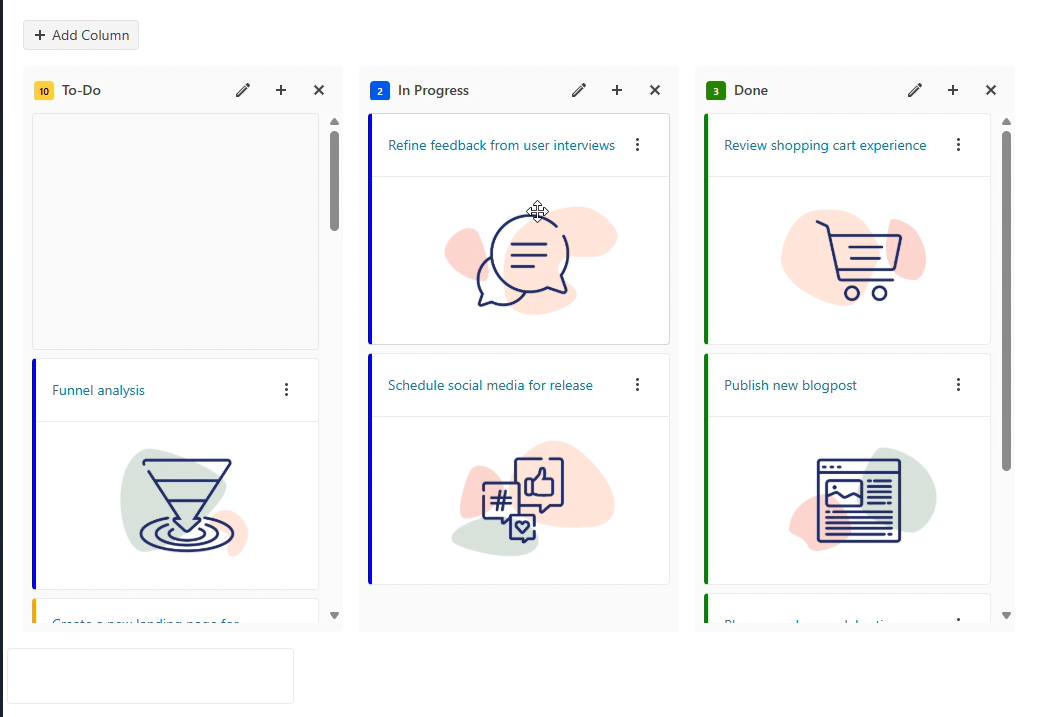
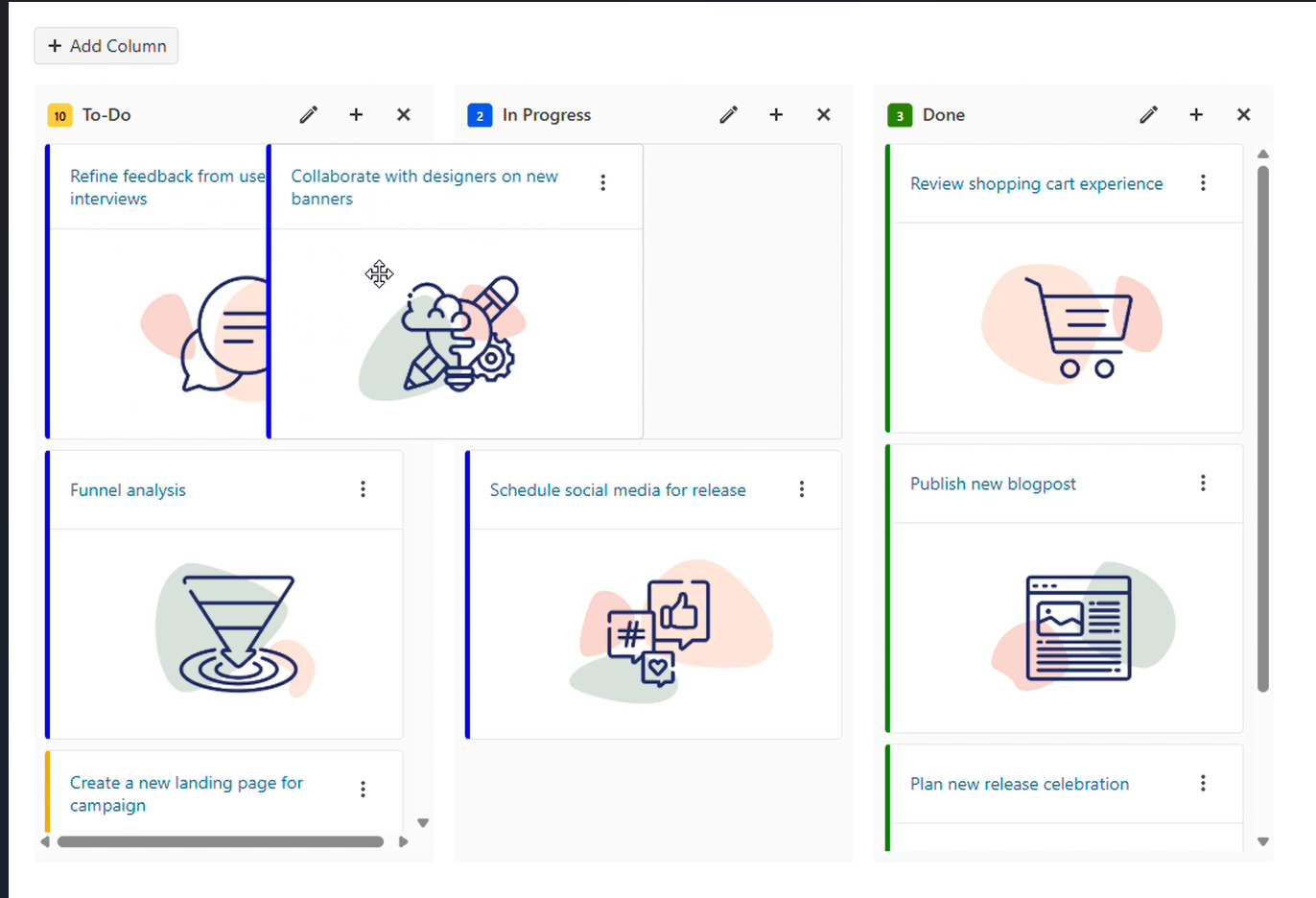
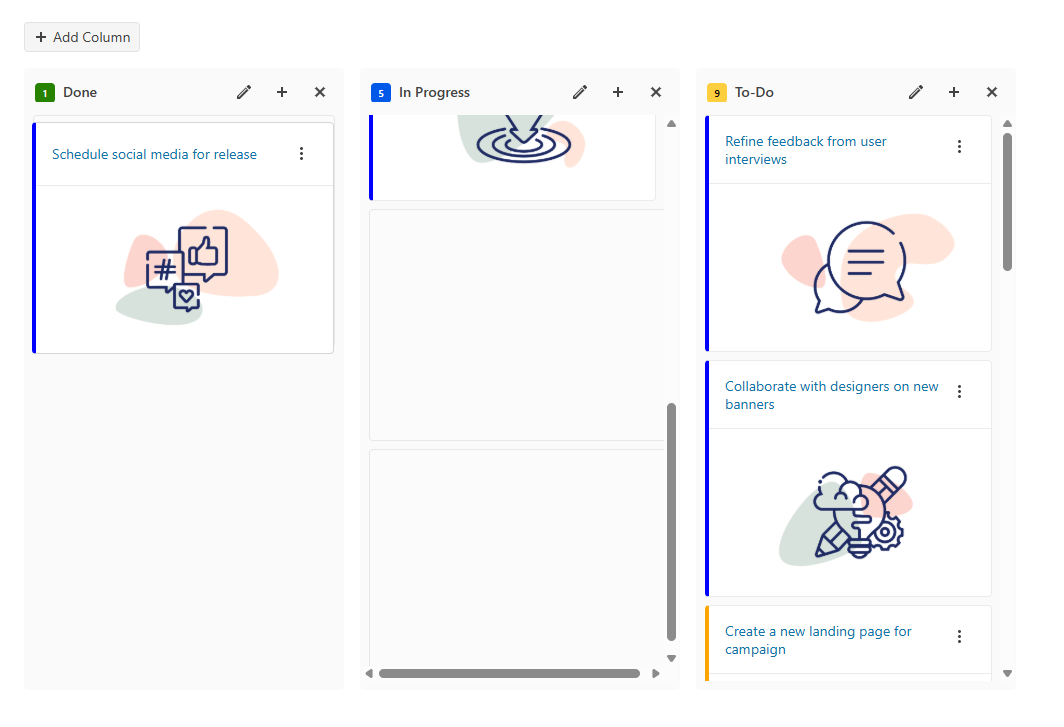
While testing the TaskBoard component , I encountered several issues: (1) simply dragging cards sometimes causes a crash with Cannot convert undefined or null to object, (2) during drag-and-drop the bottom of the board flickers, (3) a horizontal scrollbar appears inside columns unexpectedly, and (4) cards sometimes disappear or leave visual artifacts (ghosts/shadows) while dragging between columns), and (5) in some cases cards get stuck and it becomes impossible to replace or move them; all of this happens with minimal/default setup, suggesting problems in internal drag-and-drop or state handling.

1.
2.
3. 
4.
1 Answer, 1 is accepted

Sort by
-1
Vessy
Telerik team
answered on 19 Mar 2026, 02:14 PM

Hi, Nurik,

Thank you for outlining the issues you've encountered with the TaskBoard component. I tested the TaskBoard component but was not able to replicate neither one of the reported issues. Can you, please, share some more details on the exact setup under which you are observing the reported problems so that I can examine them further?

I performed my tests on Chrome on Mac, using this demo:

Can you replicate the issues in it? If so, please, share the exact steps required to reproduce the problems so that I can proceed with logging them.

Regards,
Vessy
Progress Telerik

Love the Telerik and Kendo UI products and believe more people should try them? Invite a fellow developer to become a Progress customer and each of you can get a $50 Amazon gift voucher.

Nurik
Top achievements
Rank 2
Iron
Iron
Iron
commented on 20 Mar 2026, 04:56 AM | edited

I perfermed my test on Chrome on Windows, using your demo:

  1. The error "Cannot convert undefined or null to object" appears rarely and unpredictably. It is unclear what exact action triggers it. In your demo I don't get this error but in your example of component, error appear when I drag fast from one column to another:

     https://demos.telerik.com/kendo-react-ui/taskboard/overview/func?theme=default-ocean-blue-a11y&Program+Language=Typescript&action=open-stack-blitz&source-url=https%3A%2F%2Fwww.telerik.com%2Fkendo-react-ui%2Fcomponents%2Ftaskboard

  2. The bottom part of the board sometimes flickers and shows shadows when cards are dragged quickly or abruptly.


    3. When dragging a card into a column that already has enough items to enable vertical scrolling, a horizontal scrollbar unexpectedly appears.


    4. In scrollable columns, dragged cards may disappear or render incorrectly — shadows are misplaced, and the dragged card is not aligned with its placeholder.


    5. Occasionally, cards get “stuck” during dragging. The card appears frozen while the column behind it continues to scroll, as if the dragged element is detached from the layout.

    All these issues seem to occur during fast or aggressive drag interactions, especially in columns with active scrolling.

    These issues significantly impact the user experience, so it would be great if your team could investigate them, create issues, and work on fixes.
Tags
TaskBoard
Asked by
Nurik
Top achievements
Rank 2
Iron
Iron
Iron
Answers by
Vessy
Telerik team
Share this question
or
