or
2 answers
1.1K+ views
How do you change the width of each of the tabs on a TabStrip?
This style change has no effect. Thanks
div#tabs li.k-item { width:300px; color: red;}This style change has no effect. Thanks

1 answer
1.9K+ views
if I wanted to have a column with just visual icons, png files representing the status of a ticket on each row for open or closed states, what's the best way to go about doing that with the kendo grid?
if I were to use templates it'd be something like this
<td>{{status}}</td>
<td><img src="img/{{status}}.png" class="{{status}}" /></td>
if I were to use templates it'd be something like this
<td>{{status}}</td>
<td><img src="img/{{status}}.png" class="{{status}}" /></td>
0 answers
103 views
Hello,
Why DatePicker allowed to enter text in date fieldtext ????
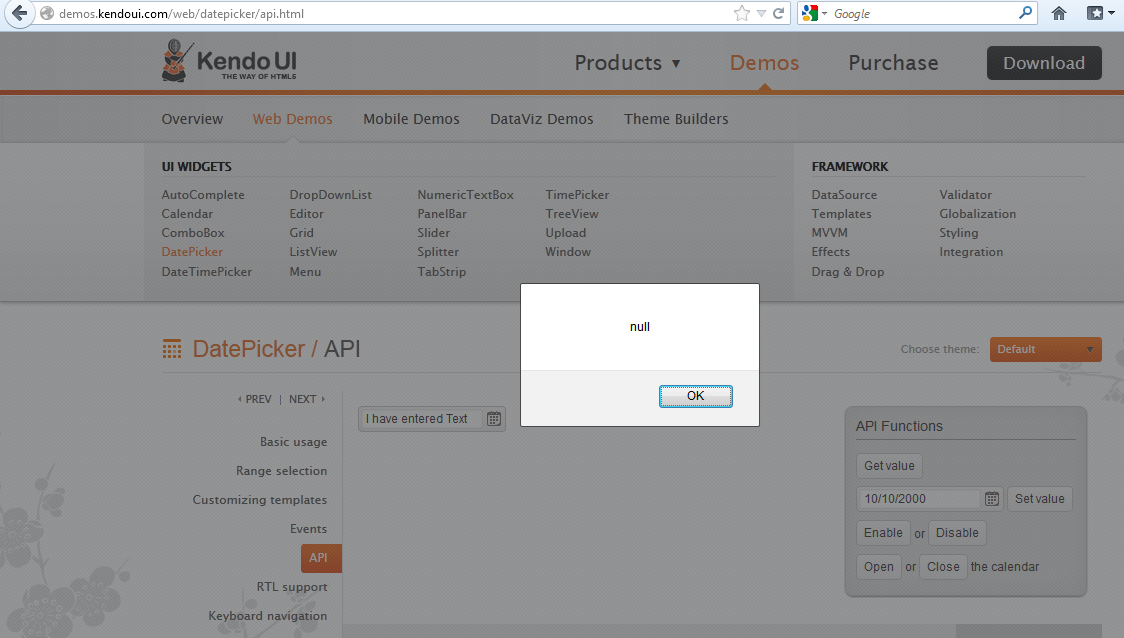
Thanks,
Jayesh Goyani
Why DatePicker allowed to enter text in date fieldtext ????
Thanks,
Jayesh Goyani

Jayesh Goyani
Top achievements
 Rank 2
Rank 2
asked
on
24 Nov 2012
0 answers
368 views
**answer found -- Grid has an autoBind property specifically for this**
Team,
I have a situation where I am providing the data source with initial data and providing a read url for all further requests.
In this situation the read request is being call for no reason basically on the page load since I have provided a set of data already. My thought was to cancel the first request via the DataSource's RequestStart event but cannot seem to figure out how to do this. Is there another way to do this?
I found the following post searching the forums from early this year but nothing more current. Is there any update to the following post?
Hello Richard,
Currently it is not possible to cancel the RequestStart event of the DataSource. We will provide such functionality in the future releases. I am sorry for the inconvenience.
All the best,
Petur Subev
the Telerik team
Team,
I have a situation where I am providing the data source with initial data and providing a read url for all further requests.
In this situation the read request is being call for no reason basically on the page load since I have provided a set of data already. My thought was to cancel the first request via the DataSource's RequestStart event but cannot seem to figure out how to do this. Is there another way to do this?
I found the following post searching the forums from early this year but nothing more current. Is there any update to the following post?
Hello Richard,
Currently it is not possible to cancel the RequestStart event of the DataSource. We will provide such functionality in the future releases. I am sorry for the inconvenience.
All the best,
Petur Subev
the Telerik team

Dan
Top achievements
 Rank 1
Rank 1
asked
on
24 Nov 2012
17 answers
368 views
Hi,
I'm using the free trial to get familiar with Kendo and see if I can use it for our PhoneGap app. Now I ran into a problem when I combine a tabstrip with a form input text or password field. I think this problem is device-specific, since we had similar problems when using Sencha on my HTC Desire.
Problem:
I have a listview with two input fields: a text field (email) and a password field (password), as shown on screen 134912.
When I tap on one of the fields to provide input, I see a white box where I need to type in, but this box is linked to the wrong field. This is shown on screenshot 134930, where you see that next to the e-mail text there seems to be a passwordfield while it is not. When I type in some text, it is shown next to the e-mail field correctly. If I want to type in the passwordfield the white text box comes up next to the email text.
If I tap back and forth on the fields, I get the problem shown in screenshot 134957.
I don't have this problems when I use the same code without the tabstrip. I think these probems occur because the coordinates of the input field don't take the tabstrip into account.
Specifications:
HTC Desire with Android 2.2.2 and PhoneGap 1.7.0 and Kendo mobile v2012.1.515
I'm using the free trial to get familiar with Kendo and see if I can use it for our PhoneGap app. Now I ran into a problem when I combine a tabstrip with a form input text or password field. I think this problem is device-specific, since we had similar problems when using Sencha on my HTC Desire.
Problem:
I have a listview with two input fields: a text field (email) and a password field (password), as shown on screen 134912.
When I tap on one of the fields to provide input, I see a white box where I need to type in, but this box is linked to the wrong field. This is shown on screenshot 134930, where you see that next to the e-mail text there seems to be a passwordfield while it is not. When I type in some text, it is shown next to the e-mail field correctly. If I want to type in the passwordfield the white text box comes up next to the email text.
If I tap back and forth on the fields, I get the problem shown in screenshot 134957.
I don't have this problems when I use the same code without the tabstrip. I think these probems occur because the coordinates of the input field don't take the tabstrip into account.
Specifications:
HTC Desire with Android 2.2.2 and PhoneGap 1.7.0 and Kendo mobile v2012.1.515
Tom
Top achievements
Rank 1
Rank 1
answered
on
23 Nov 2012
0 answers
143 views
Hi,
I use a cascade drop down list, and it's working fine... but now, I try to use that dropdownlist inside my popup editor, but it does not work.. Is there any way to do that?
Here is my custom popup editor:
And this is part of my cascade dropDownList:
Obs: I apologise for any mistakes in my english!
Thankz!
I use a cascade drop down list, and it's working fine... but now, I try to use that dropdownlist inside my popup editor, but it does not work.. Is there any way to do that?
Here is my custom popup editor:
<script id="popup_editor" type="text/x-kendo-template"> <div class="k-edit-label"> <label for="idState">State</label> </div> <input id="dropDownListState" name="IdState">
</script> $("#dropDownListState" + id).kendoDropDownList({ dataSource: { transport: { read: { type: "GET", url: function () { return RecebimentoRoutes.LoadState()}, contentType: 'application/json; charset=utf-8' } } }, dataTextField: "Text", dataValueField: "Value", change: function () { value = this.value(); CityDataSource.filter({ field: "Value", operator: "eq", value: parseInt(value) }); listCity.enable(); } }).data("kendoDropDownList");Obs: I apologise for any mistakes in my english!
Thankz!
0 answers
243 views
I've got a Grid configured to be inline editable. It has a couple of numeric fields which for which I've created custom validation.
The validation sets the min and max values based on another field which requires an $.ajax call.
This is working fine -- but I need the NumericTextBoxes to support 4 decimal places.
I've tried using a custom editor and setting the decimal and format parameters -- this allows 4 decimal places but breaks the custom validation. I've also tried editing the culture file and setting numberFormat to 4 decimals -- but this doesn't work -- the last two decimals are ignored.
Is there a way I can either set the default number format to 4 decimal places, or use a custom editor AND custom validator for a NumericTextBox?
Thanks
The validation sets the min and max values based on another field which requires an $.ajax call.
This is working fine -- but I need the NumericTextBoxes to support 4 decimal places.
I've tried using a custom editor and setting the decimal and format parameters -- this allows 4 decimal places but breaks the custom validation. I've also tried editing the culture file and setting numberFormat to 4 decimals -- but this doesn't work -- the last two decimals are ignored.
Is there a way I can either set the default number format to 4 decimal places, or use a custom editor AND custom validator for a NumericTextBox?
Thanks
4 answers
206 views
Hello,
Grid not displayed any record.
I want grid with autogeneratecolumn = true.
any help would be appreciated......
public ActionResult getData([DataSourceRequest]DataSourceRequest request) { List<Class1> c1s = new List<Class1>(); for (int i = 0; i < 5; i++) { Class1 c1 = new Class1(); c1.ID = i; c1.Name = "Name" + i; c1s.Add(c1); } return Json(c1s.ToDataSourceResult(request), JsonRequestBehavior.AllowGet); }
[Serializable] public class Class1 { public int ID { get; set; } public string Name { get; set; } }
<div id="mygrid"></div><script type="text/javascript"> $(document).ready(function () { $("#mygrid").kendoGrid({ dataSource: { type: "odata", serverPaging: true, serverSorting: true, pageSize: 100, transport: { read: "/Home/getData" } }, height: 280, scrollable: { virtual: true }, sortable: true }); });</script>
Note : There is not any JS error.
If i tried with below read method then its works.
read: "http://demos.kendoui.com/service/Northwind.svc/Orders"
Thanks,
Jason
Jayesh Goyani
Top achievements
Rank 2
Rank 2
answered
on
23 Nov 2012
1 answer
288 views
I am trying to create a custom RemoteTransport subclass, that provides WebSQL, IndexedDB and OData V2/V3 compliancy to KendoUI with JayData.
The thing is almost perfect, only that I am not able to reject a row delete. The user presses the "Delete" grid command, the row disappears, and my code in the RemoteTransport.destroy is not able to restore it anyhow. I can call success and error on the input parameter object, but nothing happens. I tried returning false (can not work in async mode) or tried returning a promise and rejecting that but these did not help either.
Calling grid.cancelChanges is not an option for me, as my code runs in the data layer and has no knowledge of UI controls.
The thing is almost perfect, only that I am not able to reject a row delete. The user presses the "Delete" grid command, the row disappears, and my code in the RemoteTransport.destroy is not able to restore it anyhow. I can call success and error on the input parameter object, but nothing happens. I tried returning false (can not work in async mode) or tried returning a promise and rejecting that but these did not help either.
Calling grid.cancelChanges is not an option for me, as my code runs in the data layer and has no knowledge of UI controls.
Alexander Valchev
Telerik team

answered
on
23 Nov 2012
2 answers
518 views
Is there a reason why the default view of the numerictextbox, without any parameters added to it, looks like a disabled normal textbox? Not only is it grey, but when you hover the mouse over it, the cursor becomes a circle with a slash across it, which is basically the universal symbol for 'you can't do anything here'. Sure, i can still click on the box, and when i do it turns white, but it's not really an optimal UI design. Any way i can change both of these defaults (the non-focused color of the textbox, and the mouse cursor)?
This question has been added as a request here:
http://feedback.kendoui.com/forums/127393-kendo-ui-feedback/suggestions/3015693-not-make-the-numeric-textbox-look-disabled-when-
This question has been added as a request here:
http://feedback.kendoui.com/forums/127393-kendo-ui-feedback/suggestions/3015693-not-make-the-numeric-textbox-look-disabled-when-
M
Top achievements
Rank 1
Rank 1
answered
on
23 Nov 2012











