
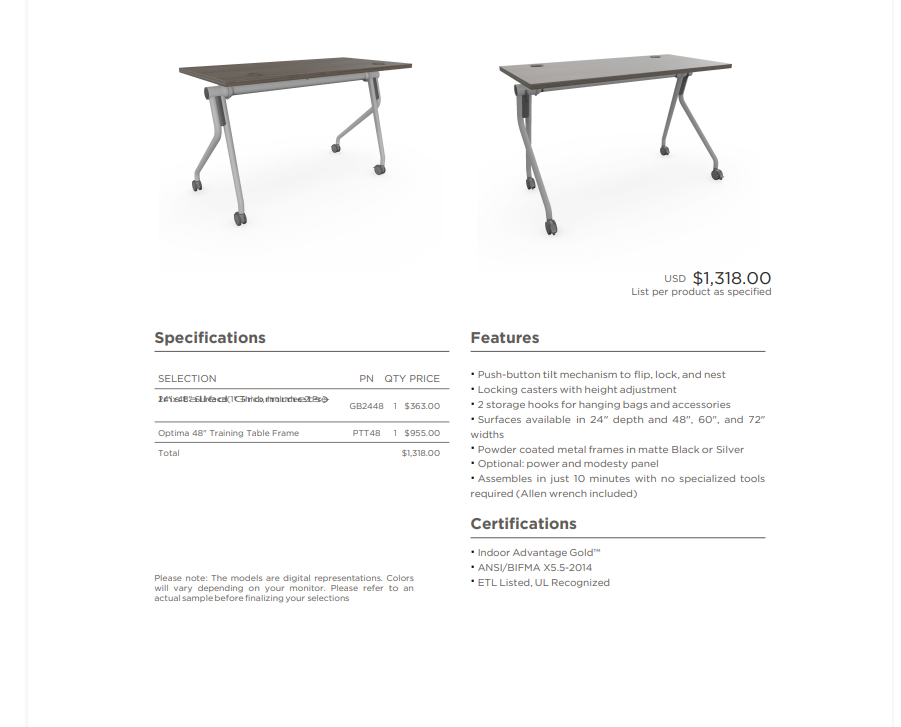
Hi guys , im new here but i wanted to get some support on kendo PDF exporting library, Im using it to export a pdf and it works just fine on all windows devices but its a different story on IOs devices, the bug is really simple when having a cell on a table with a text that is long enouhg to break into 2 lines the engine renders both lines in the same space so the text looks overlapped, have tried a lot of css to try and force the engine to split the lines but havent been able to accomplish it , here is some of the css, the table is a div with elements div.line inside, those have 4 cells as you can see in the image, the selection .sel, the partnumber .pn, the quantity .qty and the price .price, I even tried wrapping the text of the selection inside span to force the calculation of the 2 lines but didnt work either, so at this point im kinda giving up on something that shouldnt be so difficult, I would appreciatte some help in this matter , if anyone needs more information about this problem you can just let me know , thanks in advance :
#pdf-table{
display: table;
font-family: "Gotham";
}
#pdf-table .line{
display: table-row;
align-items: flex-start;
border-bottom: 1px solid var(--graphitewash);
font-size: 12px;
}
#pdf-table .header.line{
font-size: 14px;
}
.line > div{
display: table-cell;
padding: 5px 0;
line-height: 1.5 !important;
}
.line .line-sel{
position: relative;
vertical-align: top;
white-space: normal;
word-break: break-word;
height: auto !important;
min-height: 18px;
overflow: visible !important;
letter-spacing: 0.2px;
width: 65%;
text-align: start;
padding-right: 5px;
}
.line .line-sel span{
display: block;
line-height: 1.5 !important;
}
.line .line-pn{
width: 15%;
text-align: center;
vertical-align: middle;
}
.line .line-qty{
width: 5%;
text-align: center;
vertical-align: middle;
}
.line .line-price{
width: 15%;
text-align: end;
vertical-align: middle;
padding-right: 8px;
}
Juan David
commented on 27 Mar 2026, 01:29 PM
Top achievements
 Rank 1
Rank 1
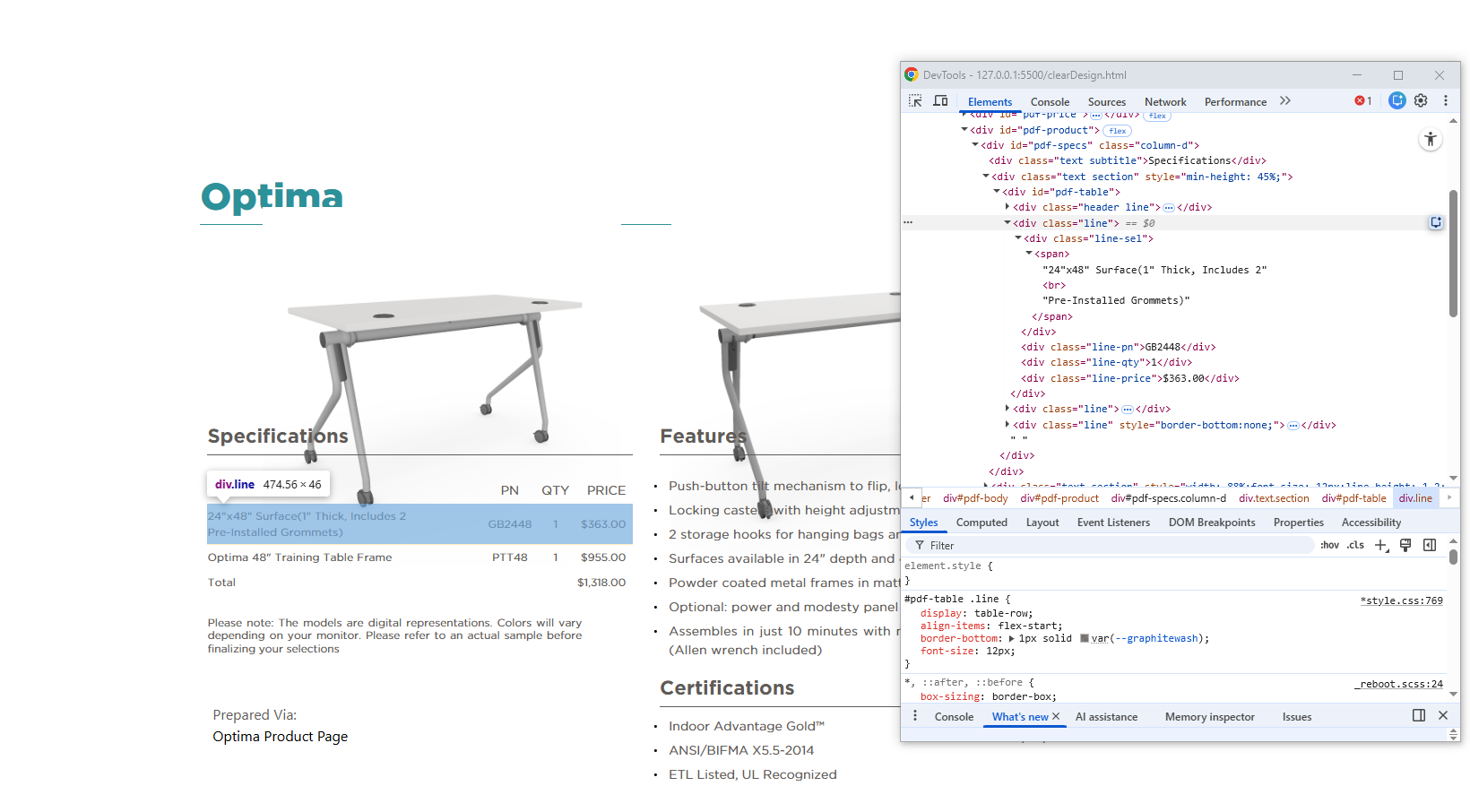
for better context this is how its built:
Juan David
commented on 27 Mar 2026, 02:56 PM
Top achievements
Rank 1
Rank 1
You know what Nevermind guys i finally got it solved, dont know what did the trick but most likely the <br> forcing the line split i guess