View Cookie Information
Updated on Oct 5, 2026
-
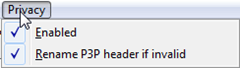
Install the Privacy Scanner Fiddler Classic add-on. Fiddler Classic will gain a new top-level menu named Privacy.
-
Ensure Privacy > Enabled is checked. The add-on will add a Privacy Info column to the session list and will flag HTTP/HTTPS responses which set cookies. Evaluation of any P3P statements that come along with those cookies will change the session's background color:
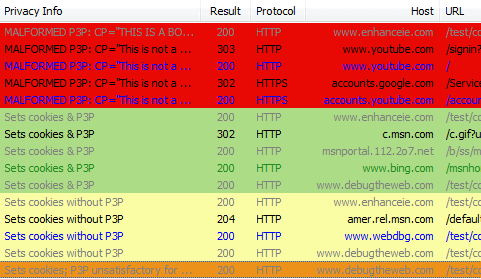
- Green sessions send a satisfactory P3P policy.
- Yellow sessions set a cookie without a P3P policy.
- Orange sessions send a P3P policy that does not permit use of the cookie in a 3rd party context.
- Red sessions send invalid P3P policies.