New to Telerik Document Processing? Start a free 30-day trial
Signing a PDF Document with a SignatureWidget
Updated on Jun 9, 2026
Environment
| Version | Product | Author |
|---|---|---|
| 2024.1.124 | RadPdfProcessing | Desislava Yordanova |
Description
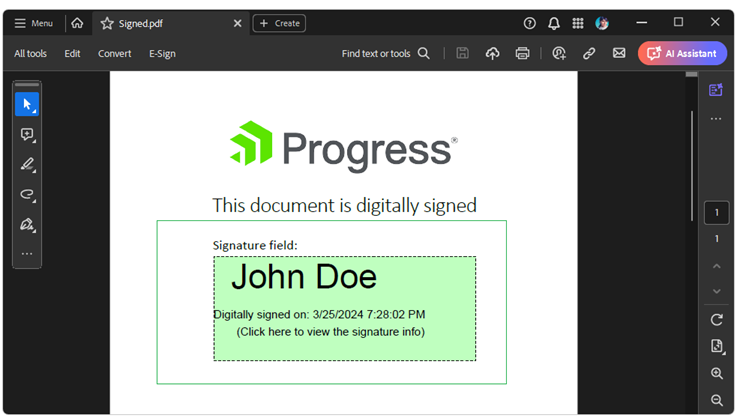
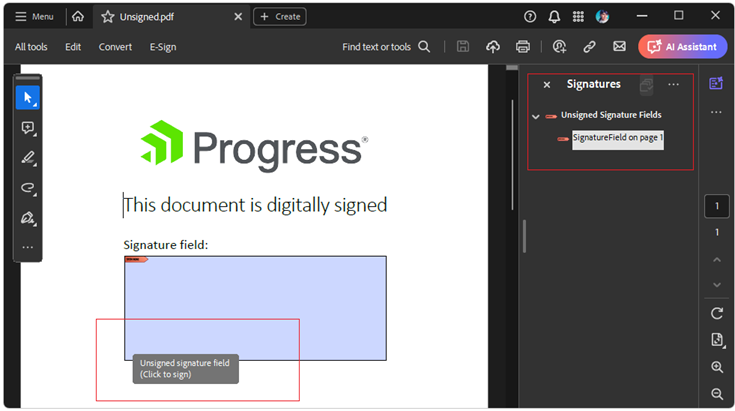
This article shows how to digitally sign an existing PDF document that already contains a SignatureField.
Solution
Use the PdfFormatProvider to import the existing document and find the SignatureField to sign the document:
csharp
PdfFormatProvider provider = new PdfFormatProvider();
RadFixedDocument document = provider.Import(File.ReadAllBytes("Unsigned.pdf"));
FormSource formSource = new FormSource();
formSource.Size = new Size(420, 150);

X509Certificate2 certificate = new X509Certificate2("Certificate.pfx", "Password");
SignatureField signatureField = document.AcroForm.FormFields.Where(f => f.FieldType == FormFieldType.Signature).FirstOrDefault() as SignatureField;
if (signatureField != null)
{
    signatureField.Signature = new Signature(certificate);
    SignatureWidget widget = signatureField.Widgets.FirstOrDefault();
    if (widget != null)
    {
        formSource = widget.Content.NormalContentSource;
        FixedContentEditor ed = new FixedContentEditor(formSource);
        ed.TextProperties.FontSize = 60;
        ed.Position.Translate(30, 0);
        ed.DrawText("John Doe");
        ed.Position.Translate(0, 90);
        ed.TextProperties.FontSize = 20;
        ed.DrawText("Digitally signed on: " + DateTime.Now.ToString());
        ed.Position.Translate(40, 120);
        ed.TextProperties.FontSize = 20;
        ed.DrawText("(Click here to view the signature info)");
    }

    document.Pages[0].Annotations.Add(widget);

    string signedDocumentFilePath = "Signed.pdf";
    File.Delete(signedDocumentFilePath);
    using (Stream output = new FileStream(signedDocumentFilePath, FileMode.OpenOrCreate, FileAccess.ReadWrite))
    {
        provider.Export(document, output);
    }
}