License Activation Errors and Warnings
Starting with the 2025 Q1 3.0.0 release, using Telerik UI for WinUI without a license or with an invalid license causes specific license warnings and errors. This article defines what an invalid license is, explains what is causing it, and describes the related license warnings and errors.
A missing, expired, or invalid license will result in:
-
A watermark appearing on application startup.
-
A modal dialog appearing on application startup. Clicking the OK button of the dialog closes the dialog and removes the banner until the next application startup.
-
A warning message similar to the following appearing in the build log:
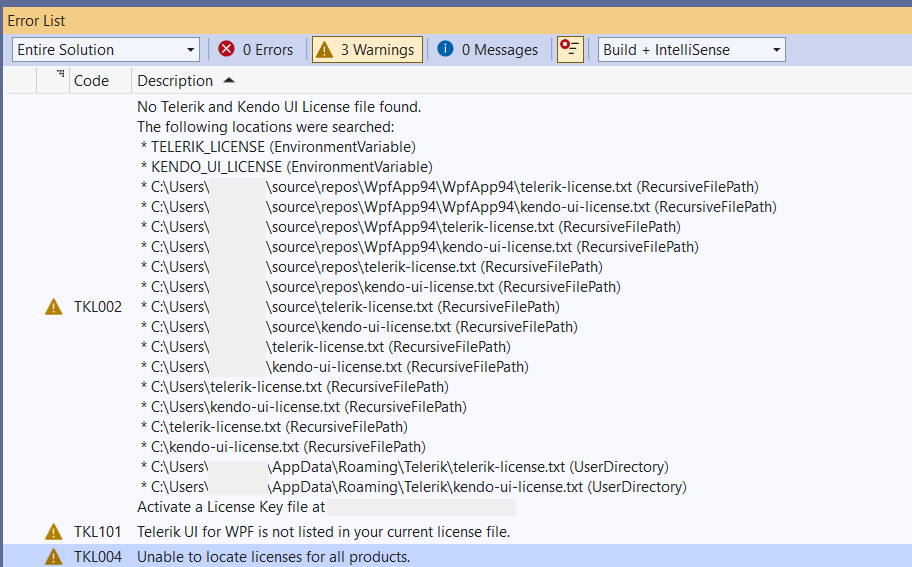
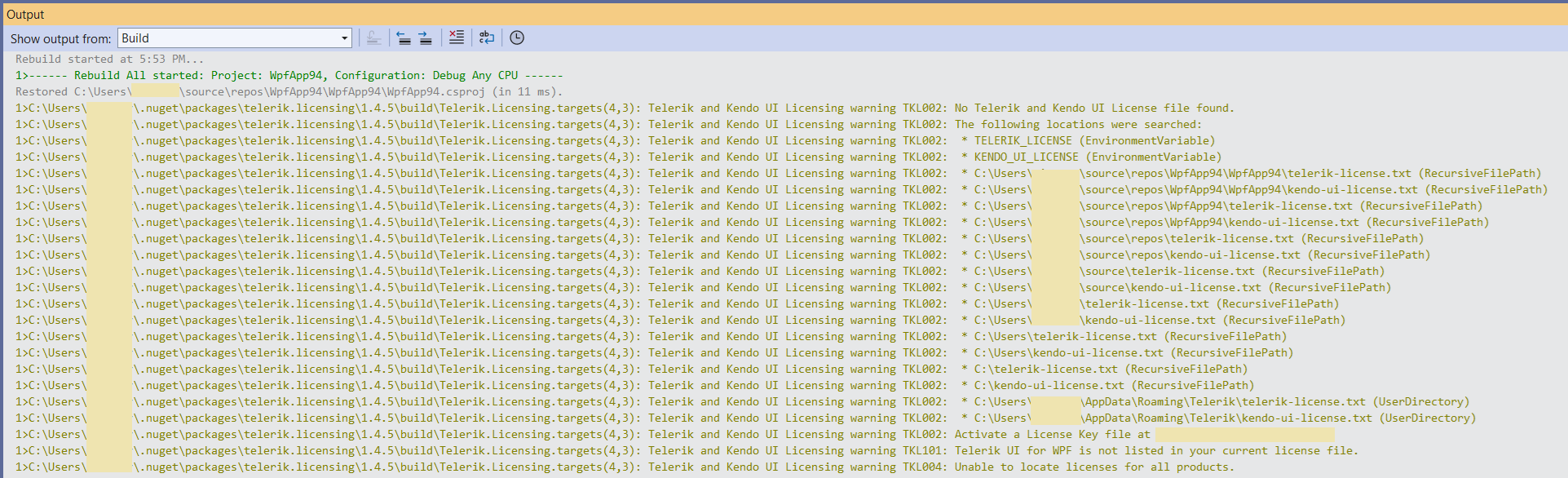
Invalid License
An invalid license can be caused by any of the following:
-
Using an expired subscription license—subscription licenses expire at the end of the subscription term.
-
Using a perpetual license for product versions released outside the validity period of your license.
-
Using an expired trial license.
-
A missing license for Telerik UI for WinUI.
-
Not installing a license key in your application.
-
Not updating the license key after renewing your Telerik UI for WinUI license.
License Warnings and Errors
When using Telerik UI for WinUI in a project with an expired or missing license, the Telerik.Licensing build task will indicate the following errors or conditions:
| Condition or Error | Message Code | Solution |
|---|---|---|
No Telerik and Kendo UI License file found | TKL002 | Install a license key to activate the UI components and remove the error message. |
Corrupted Telerik and Kendo UI License Key content | TKL003 | Download a new license key and install it to activate the UI components and remove the error message. |
Unable to locate licenses for all products | TKL004 | Your license is not valid for all Telerik and Kendo products added to your project. If you have already purchased the required license, then update your license key. |
Telerik UI for WinUI is not listed in your current license file | TKL101 | Review the purchase options for the listed products. Alternatively, remove the references to the listed packages from package.json. |
Your perpetual license is invalid | TKL102 | You are using a product version released outside the validity period of your perpetual license. To remove the error message, do either of the following:
|
Your subscription license has expired | TKL103; TKL104 | Renew your subscription and download a new license key. |
Your trial license has expired | TKL105 | Purchase a commercial license to continue using the product. |
No Telerik or Kendo UI product references detected in project | TKL001 | If you use Telerik products and see this message, update the Telerik.Licensing package to version 1.4.6 or later. If you do not use Telerik products, remove the Telerik.Licensing NuGet reference from your project. |