New to Telerik UI for WinUI? Start a free 30-day trial
Data Binding
Updated on Mar 26, 2026
The TabControl component can be data bound to a collection of business objects. In this case the visual appearance of the tabs and their content is defined using DataTemplates.
To data bind the control, set its ItemsSource to a collection of items and then adjust their styling using the ContentTemplate and ItemTemplate properties of RadTabControl. The following example shows how to do this.
Defining a model for the RadTabItems
C#
public class TabItemModel
{
	public string Header { get; set; }
	public string Content { get; set; }
}
Populating a collection of business objects and pass it as the DataContext of a RadTabControl
C#
var source = new BindableCollection<TabItemModel>()
{
	new TabItemModel()
	{
		Header = "Tab 1",
		Content = "The content of tab 1",
	},
	new TabItemModel()
	{
		Header = "Tab 2",
		Content = "The content of tab 2",
	},
	new TabItemModel()
	{
		Header = "Tab 3",
		Content = "The content of tab 4",
	},
};
this.tabControl.DataContext = source;
Binding the ItemsSource of a RadTabControl and defining the RadTabItems appearance
XAML
<telerik:RadTabControl x:Name="tabControl" ItemsSource="{Binding}">
	<telerik:RadTabControl.ItemTemplate>
		<DataTemplate>
			<TextBlock Text="{Binding Header}" />
		</DataTemplate>
	</telerik:RadTabControl.ItemTemplate>
	<telerik:RadTabControl.ContentTemplate>
		<DataTemplate>
			<Border Background="Bisque">
				<TextBlock Text="{Binding Content}"
						   FontWeight="Bold"
						   VerticalAlignment="Center"
						   TextAlignment="Center" />
			</Border>
		</DataTemplate>
	</telerik:RadTabControl.ContentTemplate>
</telerik:RadTabControl>
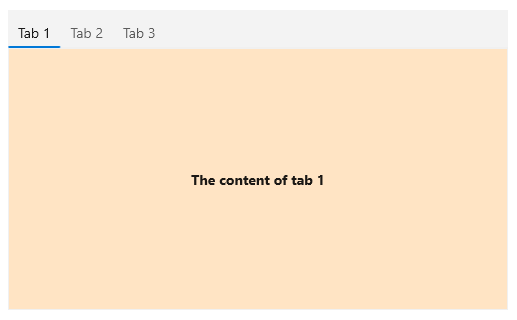
Data binding a RadTabControl