New to Telerik UI for WinUI? Start a free 30-day trial
Saving Files
Updated on Mar 26, 2026
The PdfViewer enables you to save the loaded document on the file system by wiring this functionality to the UI with the related command or through code execution.
To open a Save file dialog that allows you to choose a destination for the saved file on the file system, use the SaveAsCommandDescriptor and its command.
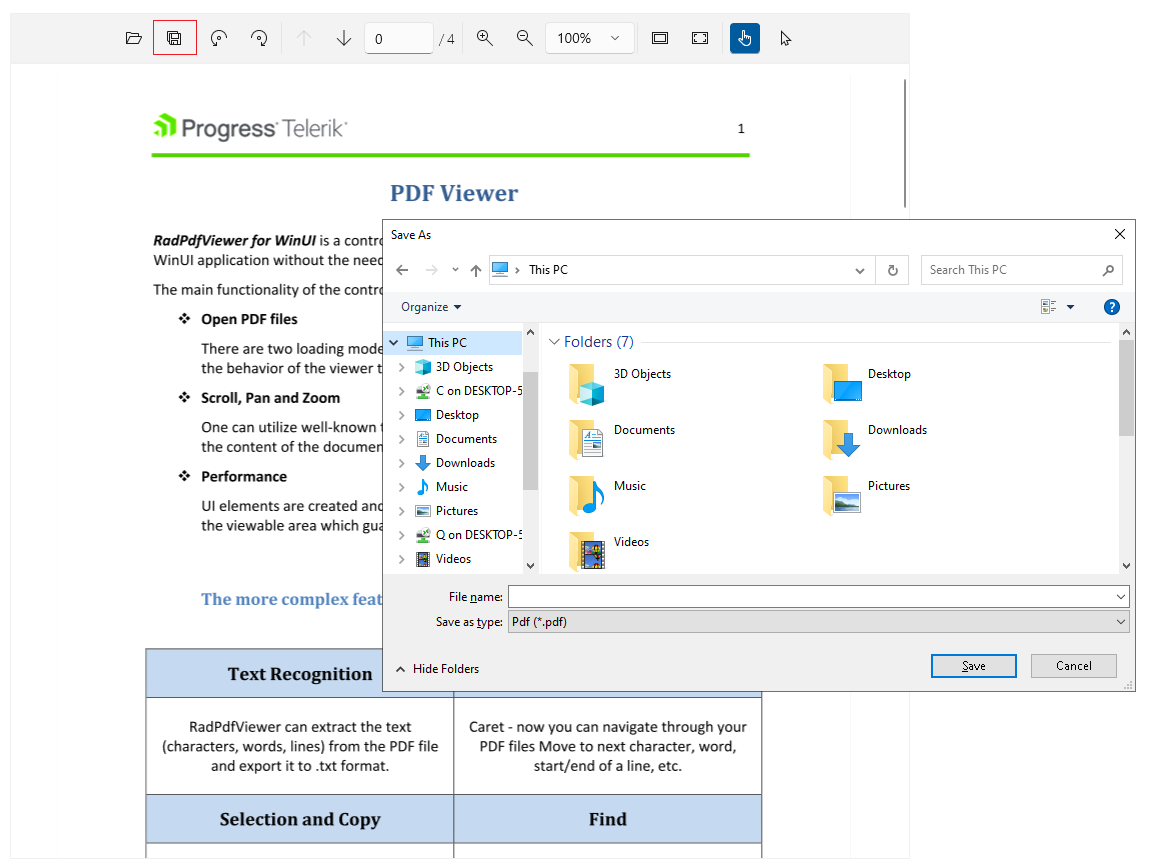
Execute the Save as command in code
C#
this.pdfViewer.CommandDescriptors.SaveAsCommandDescriptor.Command.Execute(null);You can wire the SaveAsCommandDescriptor to the UI by using the following approach. The example shows how to bind the command of the SaveAsCommandDescriptor to the Command property of a RadButton control.
Bind a command to a button in XAML
XAML
<telerik:RadButton Content="Save As"
				Command="{Binding ElementName=pdfViewer, Path=CommandDescriptors.SaveAsCommandDescriptor.Command}"/>
To save the file silently without opening the Save As dialog, call the Save method of RadPdfViewer.
Save a file by using the Save method
C#
this.pdfViewer.Save(new FileStream("C:\\temp\\Sample.pdf", FileMode.CreateNew));