New to Telerik UI for WinUI? Start a free 30-day trial
ArcGIS Online Map Provider
Updated on Mar 26, 2026
ArcGisMapProvider
The ArcGIS online services can be used via the ArcGisMapProvider class. Currently the ArcGIS map provider support six modes which can be set using the Mode property:
- Aeral
- Physical
- Shaded Relief
- Street
- Terrain
- Topographic
The Mode property specifies the appearance of the map.
The following example of the ArcGisMapProvider definition uses the Physical mode:
Example 1
XAML
<dataVisualization:RadMap x:Name="radMap" ZoomLevel="1">
	<dataVisualization:RadMap.Provider>
		<telerikMap:ArcGisMapProvider Mode="Physical" />
	</dataVisualization:RadMap.Provider>
</dataVisualization:RadMap>
Example 2
C#
ArcGisMapProvider provider = new ArcGisMapProvider();
provider.Mode = ArcGisMapMode.Physical;
this.radMap.Provider = provider;
Here is a snapshot of the map that appears:
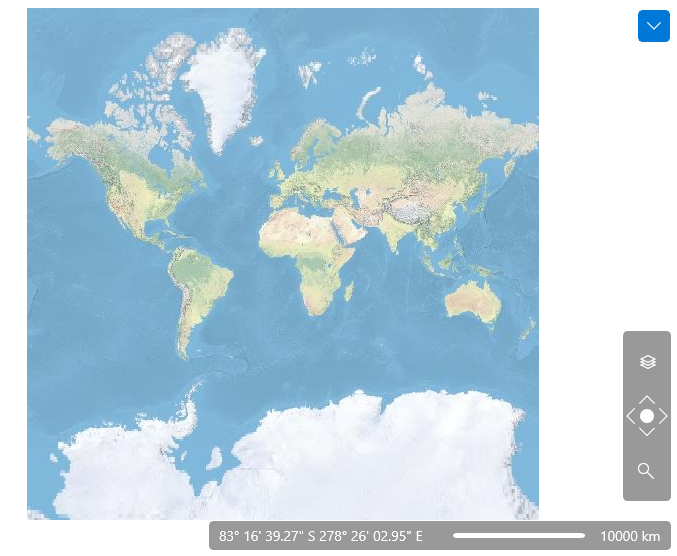
The following snapshot demonstrates the appearance of the map for the Street mode:

Also the ArcGisMapProvider allows the user to change the map mode using the Map View button of toolbar.
