New to Telerik UI for WinUI? Start a free 30-day trial
Header and Footer
Updated on Mar 26, 2026
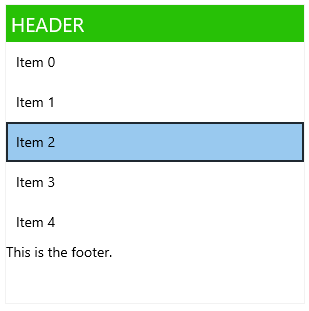
RadListView header and footer are specialized visual items that are displayed at the beginning and at the end of the scrollable list and bring additional information to the end-user.
To enable and define header and footer set the ListHeader and ListFooter properties of RadListView.
Example 1: Setting header and footer
XAML
<telerikDataControls:RadListView ListFooter="This is the footer.">
	<telerikDataControls:RadListView.ListHeader>
		<Border Background="#27C106">
			<TextBlock Text="HEADER" FontSize="20" Padding="5" Foreground="White"/>
		</Border>
	</telerikDataControls:RadListView.ListHeader>
</telerikDataControls:RadListView>