New to Telerik UI for WinUI? Start a free 30-day trial
Spline Area Series
Updated on Mar 26, 2026
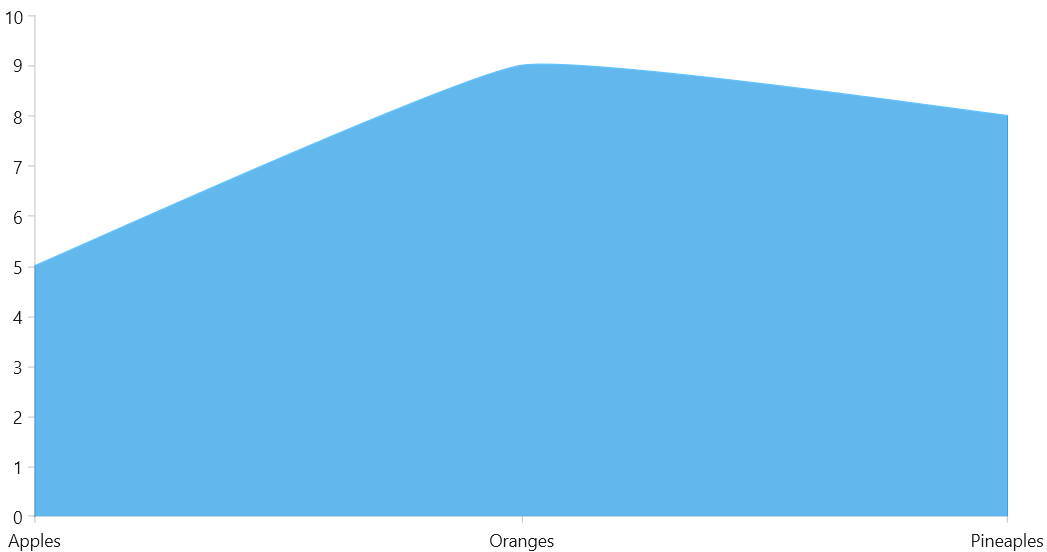
With a SplineAreaSeries the data points are connected with smooth line segments and the area enclosed by the line and the coordinate axis may be optionally stroked and/or filled.
SplineAreaSeriesclass inherits from theAreaSeriesclass -See the inherited properties.
Example
The following example shows how to create a RadCartesianChart with a SplineAreaSeries.
Defining the model
C#
public class Data
{
	public string Category { get; set; }

	public double Value { get; set; }
}
Populating with data
C#
public MainPage()
{
	this.InitializeComponent();

	List<Data> data = new List<Data>
	{
		new Data() { Category = "Apples", Value = 5 },
		new Data() { Category = "Oranges", Value = 9 },
		new Data() { Category = "Pineaples", Value = 8 }
	};

	this.radCartesianChart.DataContext = data;
}
Defining the RadCartesianChart and SplineAreaSeries
XAML
<Grid xmlns:telerikChart="using:Telerik.UI.Xaml.Controls.Chart">
	<telerikChart:RadCartesianChart x:Name="radCartesianChart">
		<telerikChart:RadCartesianChart.VerticalAxis>
			<telerikChart:LinearAxis/>
		</telerikChart:RadCartesianChart.VerticalAxis>
		<telerikChart:RadCartesianChart.HorizontalAxis>
			<telerikChart:CategoricalAxis/>
		</telerikChart:RadCartesianChart.HorizontalAxis>

		<telerikChart:SplineAreaSeries ItemsSource="{Binding}">
			<telerikChart:SplineAreaSeries.CategoryBinding>
				<telerikChart:PropertyNameDataPointBinding PropertyName="Category"/>
			</telerikChart:SplineAreaSeries.CategoryBinding>
			<telerikChart:SplineAreaSeries.ValueBinding>
				<telerikChart:PropertyNameDataPointBinding PropertyName="Value"/>
			</telerikChart:SplineAreaSeries.ValueBinding>
		</telerikChart:SplineAreaSeries>
	</telerikChart:RadCartesianChart>
</Grid>
RadCartesianChart with a SplineAreaSeries
Spline Tension
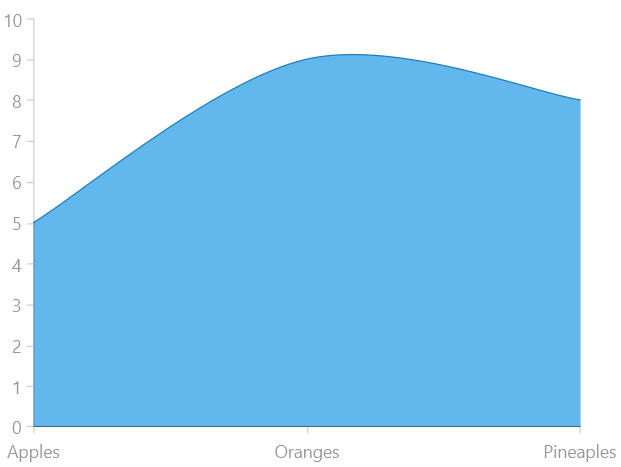
The spline-type series provides a property that allows you to control the tension of the spline. To do so, set the SplineTension property. The tension works with relative values between 0 and 1. The defualt tension is set to 0.5.
Setting the SplineTension property
XAML
<telerikChart:RadCartesianChart x:Name="radCartesianChart">
	<telerikChart:RadCartesianChart.VerticalAxis>
		<telerikChart:LinearAxis/>
	</telerikChart:RadCartesianChart.VerticalAxis>
	<telerikChart:RadCartesianChart.HorizontalAxis>
		<telerikChart:CategoricalAxis/>
	</telerikChart:RadCartesianChart.HorizontalAxis>

	<telerikChart:SplineAreaSeries ItemsSource="{Binding}" SplineTension="0.2">
		<telerikChart:SplineAreaSeries.CategoryBinding>
			<telerikChart:PropertyNameDataPointBinding PropertyName="Category"/>
		</telerikChart:SplineAreaSeries.CategoryBinding>
		<telerikChart:SplineAreaSeries.ValueBinding>
			<telerikChart:PropertyNameDataPointBinding PropertyName="Value"/>
		</telerikChart:SplineAreaSeries.ValueBinding>
	</telerikChart:SplineAreaSeries>
</telerikChart:RadCartesianChart>
SplineAreaSeries with modified SplineTension