New to Telerik UI for WPF? Start a free 30-day trial
Sticky Group Headers
Updated on Sep 23, 2026
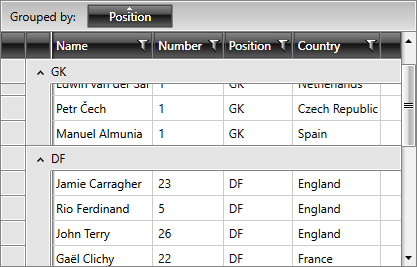
By default, RadGridView's group headers will go out of view once you scroll past them as illustrated in Figure 1.
Figure 1: RadGridView with Disabled Sticky Group Headers
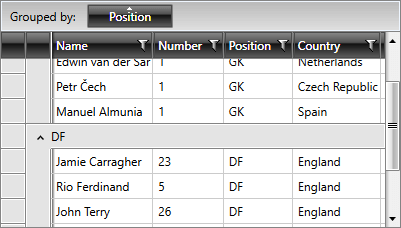
You can stick the headers of the group to the top until its items are scrolled out of view by setting the EnableStickyGroupHeaders property to true.
The EnableStickyGroupHeaders functionality is only supported when GroupRenderMode is Flat. If the Nested grouping mode is set, a NotSupportedException will be thrown.
Example 1: Enable Sticky Group Headers
XAML
<telerik:RadGridView EnableStickyGroupHeaders="True" />Figure 2: RadGridView with Enabled Sticky Group Headers