New to Telerik UI for WPF? Start a free 30-day trial
Paging
Updated on Sep 23, 2026
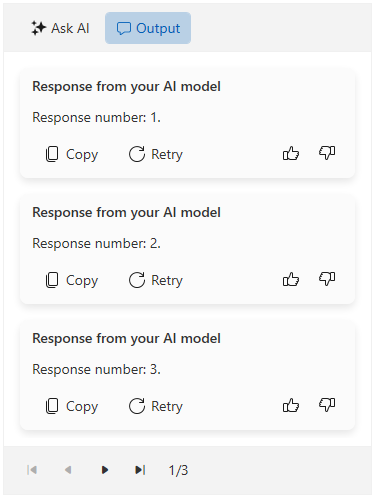
The RadAIPrompt supports paging on the output items from the output view. To enable this functionality, you can utilize the following properties:
IsPagingEnabled—Enables or disables the paging functionality.PageSize—Gets or sets the size of the page.CurrentPageIndex—Gets or sets the current page index.
Enabling the paging functionality
XAML
<telerik:RadAIPrompt x:Name="aiPrompt"
                         PromptRequest="OnPromptRequested"
                         IsPagingEnabled="True"
                         PageSize="3">
    <telerik:RadAIPromptInputItem />
    <telerik:RadAIPromptOutputItem />
</telerik:RadAIPrompt>
RadAIPrompt with paged data in the output view