New to Telerik UI for WinForms? Start a free 30-day trial
Add a Remove Button in ChatUI's messages
Updated over 1 year ago
Environment
| Product Version | Product | Author |
|---|---|---|
| 2019.2.508 | RadChat for WinForms | Desislava Yordanova |
Description
This article demonstrates how to remove a message in RadChat by adding a button in each message.
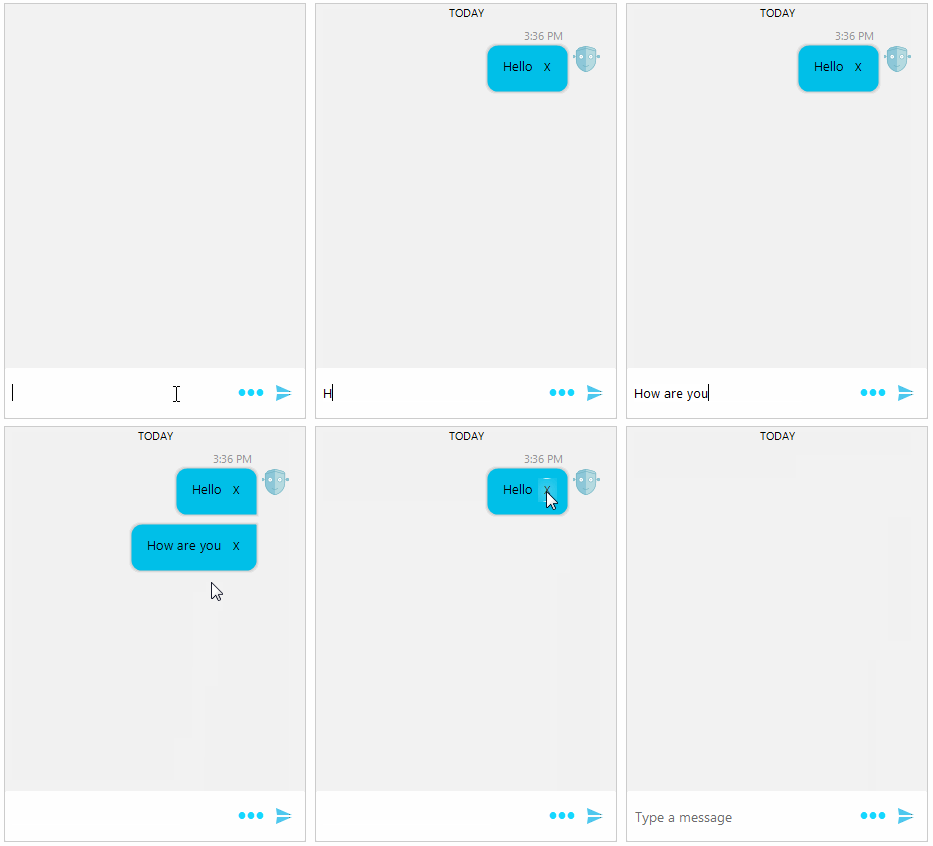
Solution
The ChatFactory class provides means for changing the default visual elements and data items in the RadChat control. If you need to customize any of the Chat UI's elements or items you can create a descendant of the ChatFactory class, override the corresponding methods and replace the default elements with custom ones.
To achieve the illustrated design, we will create a derivative of TextMessageItemElement and insert a RadButtonElement that will remove the associated message:
Custom TextMessageItemElement
C#
        public RadForm1()
        {
            InitializeComponent();

            this.radChat1.Author = new Author(Properties.Resources.bot, "Author");
            this.radChat1.ChatElement.ChatFactory = new CustomChatFactory();
        }

        public class CustomChatFactory : ChatFactory
        {
            public override BaseChatItemElement CreateItemElement(BaseChatDataItem item)
            {
                if (item.GetType() == typeof(TextMessageDataItem))
                {
                    return new CustomTextMessageItemElement();
                }

                return base.CreateItemElement(item);
            }
        }

        public class CustomTextMessageItemElement : TextMessageItemElement
        {
            StackLayoutElement container = new StackLayoutElement();
            LightVisualElement message = new LightVisualElement();

            protected override LightVisualElement CreateMainMessageElement()
            {
                LightVisualElement bubble = base.CreateMainMessageElement();

                container.Orientation = Orientation.Horizontal;
                container.StretchHorizontally = true;
                RadButtonElement removeButton = new RadButtonElement();
                removeButton.Text = "X";
                removeButton.ButtonFillElement.Visibility = ElementVisibility.Collapsed;
                removeButton.StretchVertically = false;
                removeButton.StretchHorizontally = false;
                bubble.Children.Add(removeButton);
                removeButton.Click += removeButton_Click;

                container.Children.Add(message);
                container.Children.Add(removeButton);
                bubble.Children.Add(container);
                return bubble;
            }

            public override void Synchronize()
            {
                base.Synchronize();
                this.MainMessageElement.DrawText = false;
                message.Text = ((ChatTextMessage)this.Data.Message).Message;
            }

            private void removeButton_Click(object sender, EventArgs e)
            {
                RadChat chatUI = this.ElementTree.Control as RadChat;
                chatUI.ChatElement.MessagesViewElement.Items.Remove(this.Data);
            }
        }