New to Telerik UI for WinForms? Start a free 30-day trial
Live Data in RadVirtualGrid
Updated on Aug 27, 2026
Environment
| Product Version | Product | Author |
|---|---|---|
| 2023.1.117 | RadVirtualGrid for WinForms | Desislava Yordanova |
Description
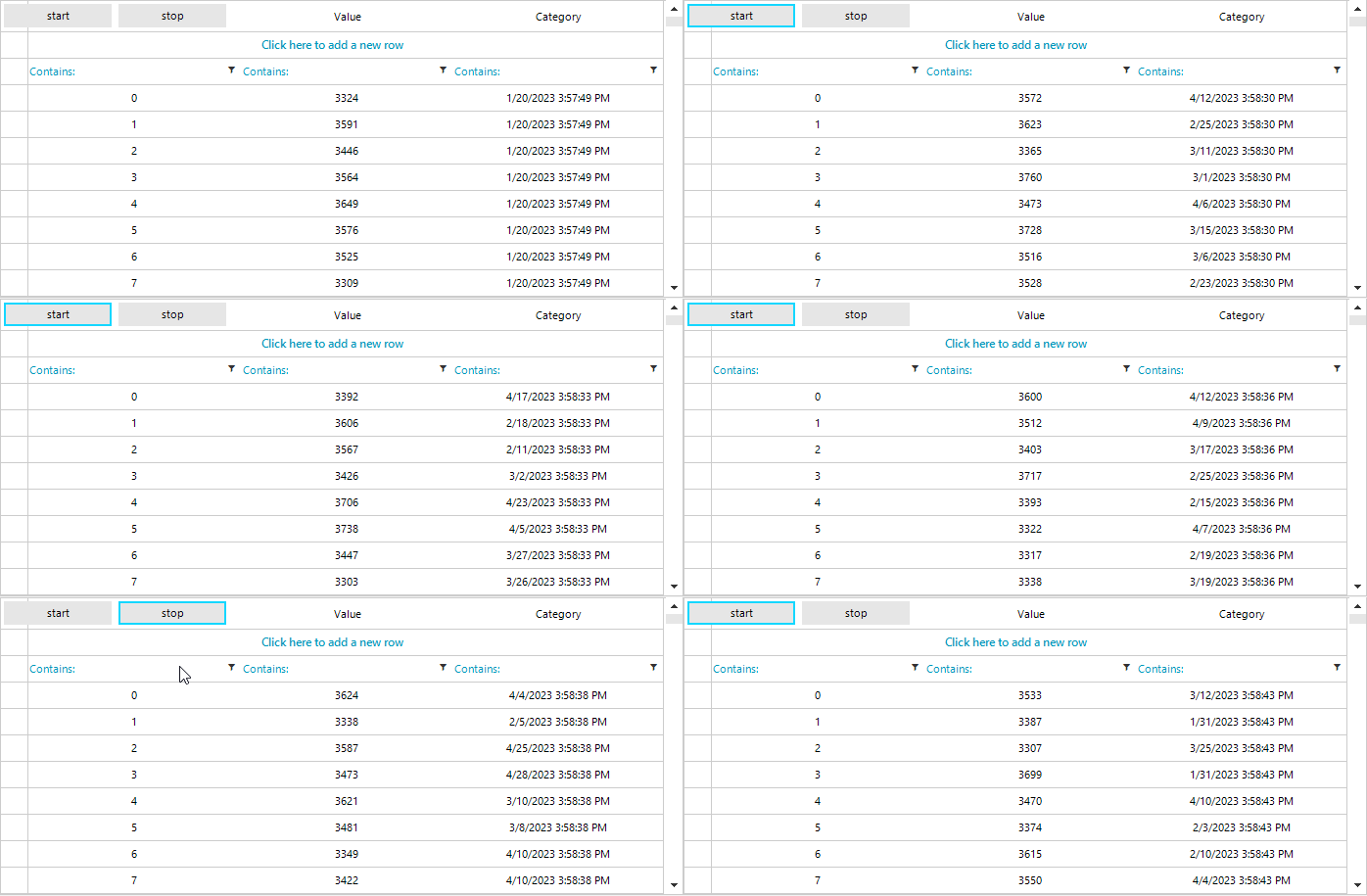
RadVirtualGrid is an appropriate control for loading big data with a high refresh rate. This article demonstrates how to use a timer for refreshing the external data collection and updating the virtual grid accordingly.
Solution
The CellValueNeeded event is the place for specifying what data to be displayed in the respective cell. Once the external collection is updated, it is necessary to force refresh the grid's content by calling the TableElement.SynchronizeRows method.
C#
BindingList<SampleBusinessObject> data = new BindingList<SampleBusinessObject>();

private string[] columnNames = new string[] {"#", "Value", "Category"};
Random random = new Random();
Timer timer = new Timer();
public RadForm1()
{
    InitializeComponent();
    timer.Interval = 100;
    timer.Tick += Timer_Tick;
    for (int i = 0; i < 1000; i++)
    {
        SampleBusinessObject obj = new SampleBusinessObject();

        obj.Value = this.random.Next(3300, 3800);
        obj.Category = DateTime.Now.AddMilliseconds(200);

        data.Add(obj);
    }
    this.radVirtualGrid1.RowCount = data.Count;
    this.radVirtualGrid1.ColumnCount = columnNames.Length;
    this.radVirtualGrid1.AutoSizeColumnsMode = VirtualGridAutoSizeColumnsMode.Fill;
    this.radVirtualGrid1.CellValueNeeded += RadVirtualGrid1_CellValueNeeded;
}

private void Timer_Tick(object sender, EventArgs e)
{
    SampleBusinessObject obj = new SampleBusinessObject();

    obj.Value = this.random.Next(3300, 3800);
    obj.Category = DateTime.Now.AddDays(this.random.Next(10, 100));

    data.Add(obj);
    this.radVirtualGrid1.RowCount = data.Count;
    this.radVirtualGrid1.ColumnCount = columnNames.Length;

    for (int i = 0; i < data.Count; i++)
    {
        data[i].Value = this.random.Next(3300, 3800);
        data[i].Category = DateTime.Now.AddDays(this.random.Next(10, 100));
    }
    this.radVirtualGrid1.TableElement.SynchronizeRows();
}

private void RadVirtualGrid1_CellValueNeeded(object sender, VirtualGridCellValueNeededEventArgs e)
{
    if (e.ColumnIndex < 0)
        return;
    if (e.RowIndex == RadVirtualGrid.HeaderRowIndex)
    {
        e.Value = columnNames[e.ColumnIndex];
    }

    if (e.RowIndex < 0)
    {
        e.FieldName = columnNames[e.ColumnIndex];
    }

    if (e.RowIndex >= 0 && e.RowIndex < data.Count)
    {
        switch (e.ColumnIndex)
        {
            case 0: e.Value = e.RowIndex; break;
            case 1: e.Value = data[e.RowIndex].Value; break;
            case 2: e.Value = data[e.RowIndex].Category; break;

            default:
                break;
        }
    }
}

class SampleBusinessObject
{
    private double value;
    private DateTime category;

    public double Value
    {
        get
        {
            return this.value;
        }
        set
        {
            this.value = value;
        }
    }

    public DateTime Category
    {
        get
        {
            return this.category;
        }
        set
        {
            this.category = value;
        }
    }
}

private void radButton1_Click(object sender, EventArgs e)
{
    timer.Start();
}

private void radButton2_Click(object sender, EventArgs e)
{
    timer.Stop();
}