New to Telerik UI for WinForms? Start a free 30-day trial
How to Show DateTime Values Stored in a UNIX Format with Filtering Still Working in RadGridView
Updated on Aug 27, 2026
Environment
| Product Version | Product | Author |
|---|---|---|
| 2022.1.222 | RadGridView for WinForms | Desislava Yordanova |
Description
The UNIX format is storing DateTime values as a Int64 number representing milliseconds after 1.1.1970. This will generate a GridViewDecimalColumn if you have such a field in the DataSource collection applied to the RadGridView control.
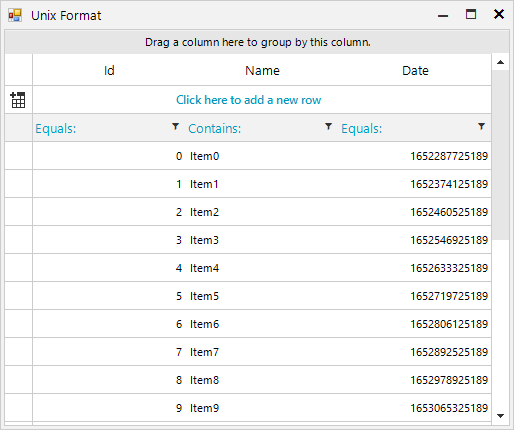
This article demonstrates a sample approach how to convert this value to a DateTime and use a GridViewDateTimeColumn.
Solution
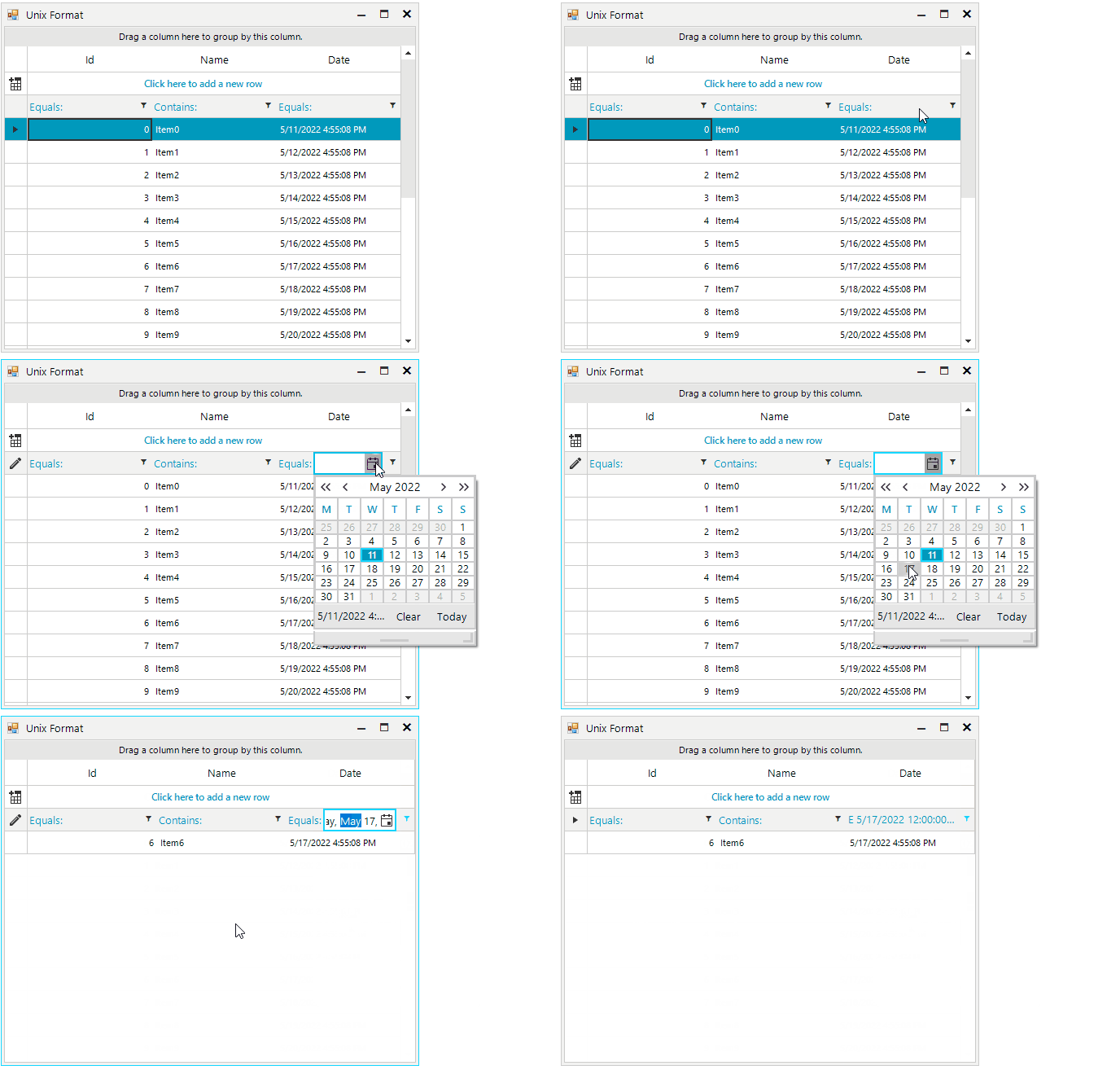
In order to make this display correctly inside a GridViewDateTimeColumn you will have to create a TypeConverter and assign it to the column's DataTypeConverter property.
C#
public partial class RadForm1 : Telerik.WinControls.UI.RadForm
{
    public RadForm1()
    {
        InitializeComponent();
        DataTable dt = new DataTable();
        dt.Columns.Add("Id", typeof(int));
        dt.Columns.Add("Name", typeof(string));
        dt.Columns.Add("Date", typeof(long));

        for (int i = 0; i < 20; i++)
        {
            dt.Rows.Add(i, "Item" + i, (DateTime.Now.AddDays(i) - new DateTime(1970, 1, 1)).TotalMilliseconds);
        }

        this.radGridView1.DataSource = dt;
        this.radGridView1.Columns.Remove("Date");
        GridViewDateTimeColumn dateColumn = new GridViewDateTimeColumn();
        dateColumn.FieldName = "Date";
        dateColumn.FilteringMode = GridViewTimeFilteringMode.Date;
        dateColumn.DataTypeConverter = new CustomDateTimeConverter();
        this.radGridView1.Columns.Add(dateColumn);

        this.radGridView1.AutoSizeColumnsMode = GridViewAutoSizeColumnsMode.Fill;
        this.radGridView1.EnableFiltering = true;
    }
}

public class CustomDateTimeConverter : TypeConverter
{
    public override bool CanConvertTo(ITypeDescriptorContext context, Type destinationType)
    {
        return destinationType == typeof(long) || destinationType == typeof(DateTime) || destinationType == typeof(string);
    }

    public override object ConvertTo(ITypeDescriptorContext context, CultureInfo culture, object value, Type destinationType)
    {
        if (destinationType == typeof(long) && value is long)
        {
            return value;
        }

        if (destinationType == typeof(long) && value is DateTime)
        {
            return (long)((DateTime)value - new DateTime(1970, 1, 1)).TotalMilliseconds;
        }

        if (destinationType == typeof(DateTime) && value is long)
        {
            return new DateTime(1970, 1, 1).AddMilliseconds((long)value);
        }

        if (destinationType == typeof(string))
        {
            return (new DateTime(1970, 1, 1).AddMilliseconds((long)value)).ToString();
        }

        if (destinationType == typeof(DateTime) && value is DateTime)
        {
            return value;
        }

        return base.ConvertTo(context, culture, value, destinationType);
    }

    public override bool CanConvertFrom(ITypeDescriptorContext context, Type sourceType)
    {
        return sourceType == typeof(DateTime) || sourceType == typeof(long);
    }

    public override object ConvertFrom(ITypeDescriptorContext context, CultureInfo culture, object value)
    {
        if (value is DateTime)
        {
            return (long)((DateTime)value - new DateTime(1970, 1, 1)).TotalMilliseconds;
        }
        else if (value is long)
        {
            return new DateTime(1970, 1, 1).AddMilliseconds((long)value);
        }

        return base.ConvertFrom(context, culture, value);
    }
}