New to Telerik UI for WinForms? Start a free 30-day trial
Restricting Drag Direction in RadDiagram
Updated on Aug 27, 2026
Environment
| Product Version | 2018.1 220 |
| Product | RadDiagram for WinForms |
Description
The shapes displayed in RadDiagram can be dragged in all directions. This article will suggest a custom implementation how dragging can be restricted to a horizontal or vertical direction. The default behavior with both directions being active at the same time is also preserved.
Solution
The animation below demonstrates the end result with the restricted direction.
Figure 1: Restrict Dragging
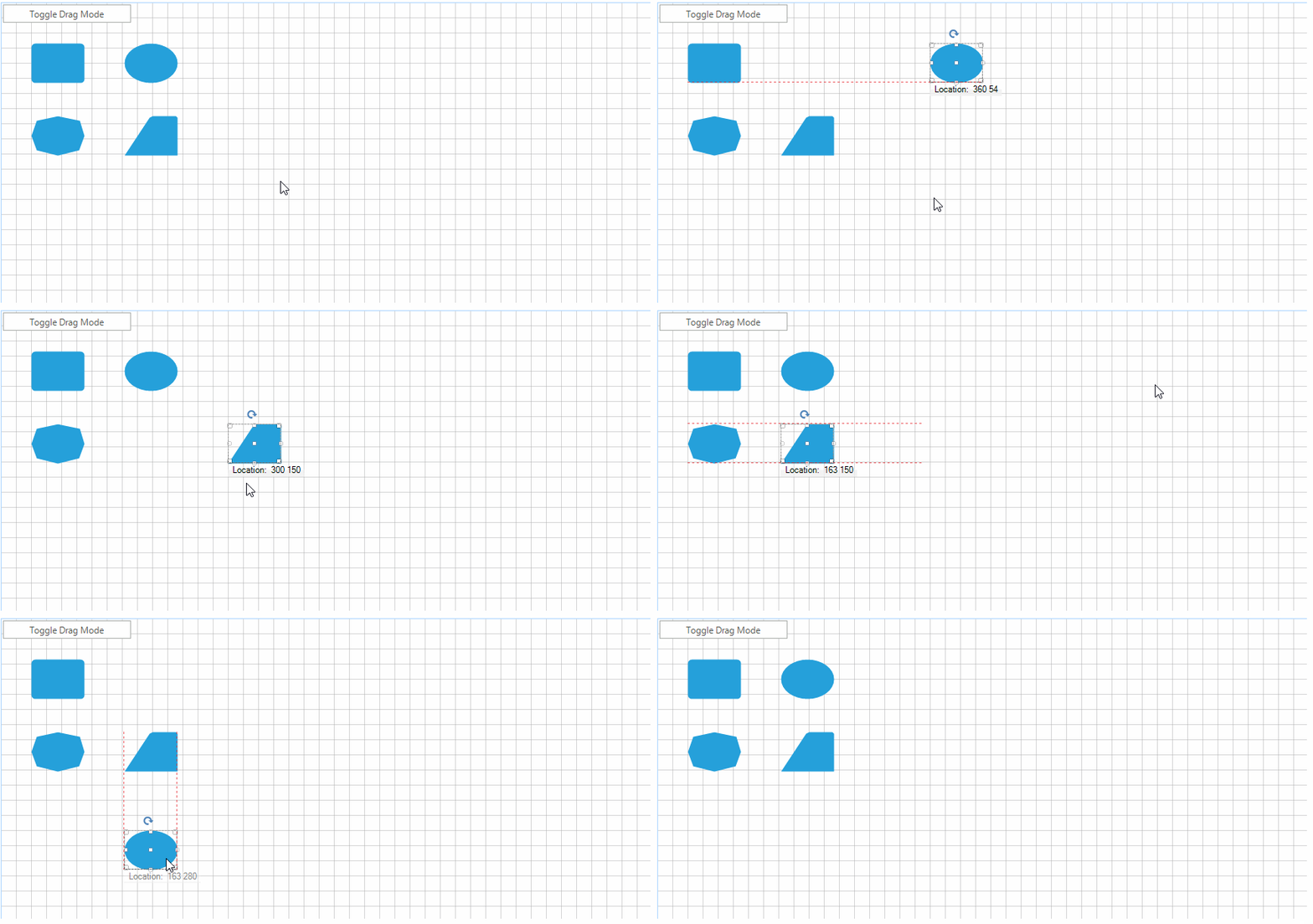
The custom functionality will be achieved with the help of a special drag service class.
1. Create a DragMode enumeration responsible for controlling the allowed drag direction.
Drag Mode Enumeration
C#
public enum DragMode
{
    Both,
    Horizontal,
    Vertical,
}
2. Inherit the DraggingService class.
- Add two fields to be used for saving the drag start point and the currently selected drag mode.
- Override the InitializeDrag method and set the initial drag start point.
- Override the Drag method and depending on the current DragMode create a new drag point.
CustomDraggingService Implementation
C#
public class CustomDraggingService : DraggingService
{
    private Telerik.Windows.Diagrams.Core.Point startDragPoint;
    private DragMode dragMode = DragMode.Both;
    public CustomDraggingService(IGraphInternal graph)
        : base(graph)
    { }
    public DragMode DragMode
    {
        get
        {
            return this.dragMode;
        }
        set
        {
            this.dragMode = value;
        }
    }
    public override void InitializeDrag(Telerik.Windows.Diagrams.Core.Point point)
    {
        this.startDragPoint = point;
        base.InitializeDrag(point);
    }
    public override void Drag(Telerik.Windows.Diagrams.Core.Point newPoint)
    {
        Telerik.Windows.Diagrams.Core.Point dragPoint = newPoint;
        if (this.DragMode == DragMode.Horizontal)
        {
            dragPoint = new Telerik.Windows.Diagrams.Core.Point(newPoint.X, this.startDragPoint.Y);
        }
        else if (this.DragMode == DragMode.Vertical)
        {
            dragPoint = new Telerik.Windows.Diagrams.Core.Point(this.startDragPoint.X, newPoint.Y);
        }
        base.Drag(dragPoint);
    }
}
3. Instantiate the custom dragging service class.
Use the Custom Solution
C#
public partial class CustomDraggingServiceForm : Telerik.WinControls.UI.RadForm
{
    private CustomDraggingService dragService;
    public CustomDraggingServiceForm()
    {
        InitializeComponent();
        this.dragService = new CustomDraggingService(this.radDiagram1.DiagramElement)
        {
            DragMode = DragMode.Horizontal
        };
        this.radDiagram1.DiagramElement.ServiceLocator.Register<IDraggingService>(this.dragService);
    }
    private void radButton1_Click(object sender, System.EventArgs e)
    {
        this.dragService.DragMode = this.dragService.DragMode == DragMode.Horizontal ? DragMode.Vertical : DragMode.Horizontal;
    }
}
A complete solution providing a C# and VB.NET project is available here.