New to Telerik UI for WinForms? Start a free 30-day trial
How to Delete Diagram Shapes with All Related Connections
Updated over 1 year ago
Environment
| Product Version | Product | Author |
|---|---|---|
| 2022.3.913 | RadDiagram for WinForms | Desislava Yordanova |
Description
When a shape is selected in RadDiagram and the user hits the Delete key, only the RadDiagramShape is removed. All connections related to the shape remain. This article demonstrates how to delete the connections together with the shape after pressing Delete.
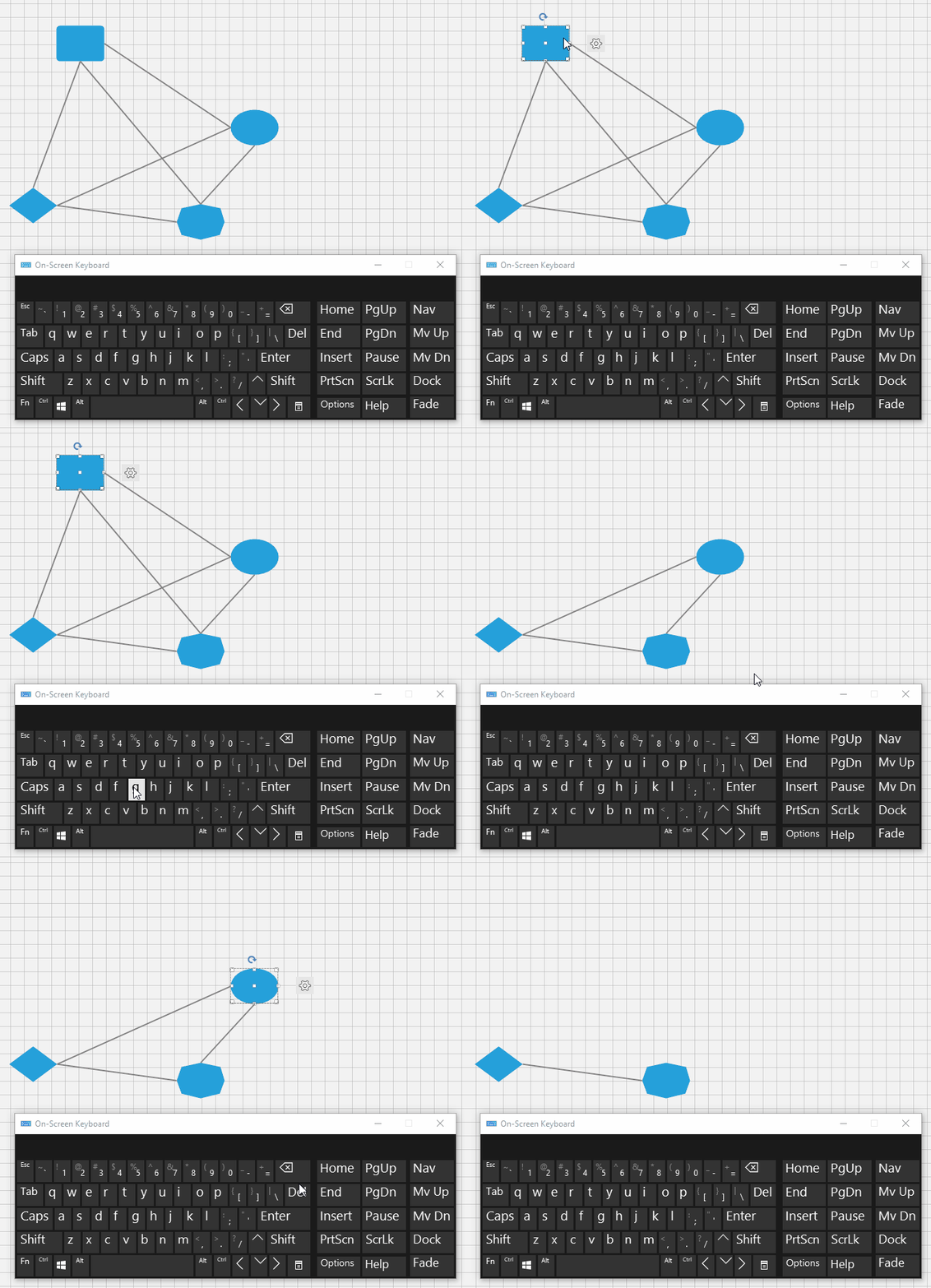
Solution
DiagramInputBehavior is responsible for handling the user's input. Hence, we should create a derivative of DiagramInputBehavior and override its HandleKeyDown. When the Delete key is pressed, all selected shapes are iterated, their connections are removed. In the end, the selected shape is also deleted:
C#
public RadForm1()
{
    InitializeComponent();

    this.radDiagram1.SelectionMode = Telerik.Windows.Diagrams.Core.SelectionMode.Multiple;
    this.radDiagram1.DiagramElement.InputBehavior = new CustomDiagramInputBehavior(this.radDiagram1.DiagramElement);
}

public class CustomDiagramInputBehavior : DiagramInputBehavior
{
    public CustomDiagramInputBehavior(RadDiagramElement diagramElement) : base(diagramElement)
    {
    }

    public override bool HandleKeyDown(KeyEventArgs e)
    {
        if (e.KeyData== Keys.Delete)
        {
            Console.WriteLine(DateTime.Now.ToLongTimeString());
            if (!this.DiagramElement.SelectedItems.Any(d => d.IsInEditMode == true))
            {
                List<RadDiagramShape> shapesToDelete = new List<RadDiagramShape>();
                foreach (RadDiagramItem item in this.DiagramElement.SelectedItems)
                {
                    RadDiagramShape shape = item as RadDiagramShape;
                    if (item == null)
                    {
                        continue;
                    }

                    List<RadDiagramConnection> connectionsToDelete = new List<RadDiagramConnection>();
                    foreach (RadDiagramConnection connection in this.DiagramElement.Connections)
                    {
                        if (connection.Source == shape || connection.Target == shape)
                        {
                            connectionsToDelete.Add(connection);
                        }
                    }
                    while (connectionsToDelete.Count > 0)
                    {
                        this.DiagramElement.Items.Remove(connectionsToDelete.First());
                        connectionsToDelete.RemoveAt(0);
                    }
                    shapesToDelete.Add(shape);
                }
                while (shapesToDelete.Count > 0)
                {
                    this.DiagramElement.Items.Remove(shapesToDelete.First());
                    shapesToDelete.RemoveAt(0);
                }
                return true;
            }

        }
        return base.HandleKeyDown(e);
    }
}