New to Telerik UI for WinForms? Start a free 30-day trial
How to Confirm Appointment's Resizing in RadScheduler
Updated over 1 year ago
Environment
| Product Version | 2021.3.1123 |
| Product | RadScheduler for WinForms |
Description
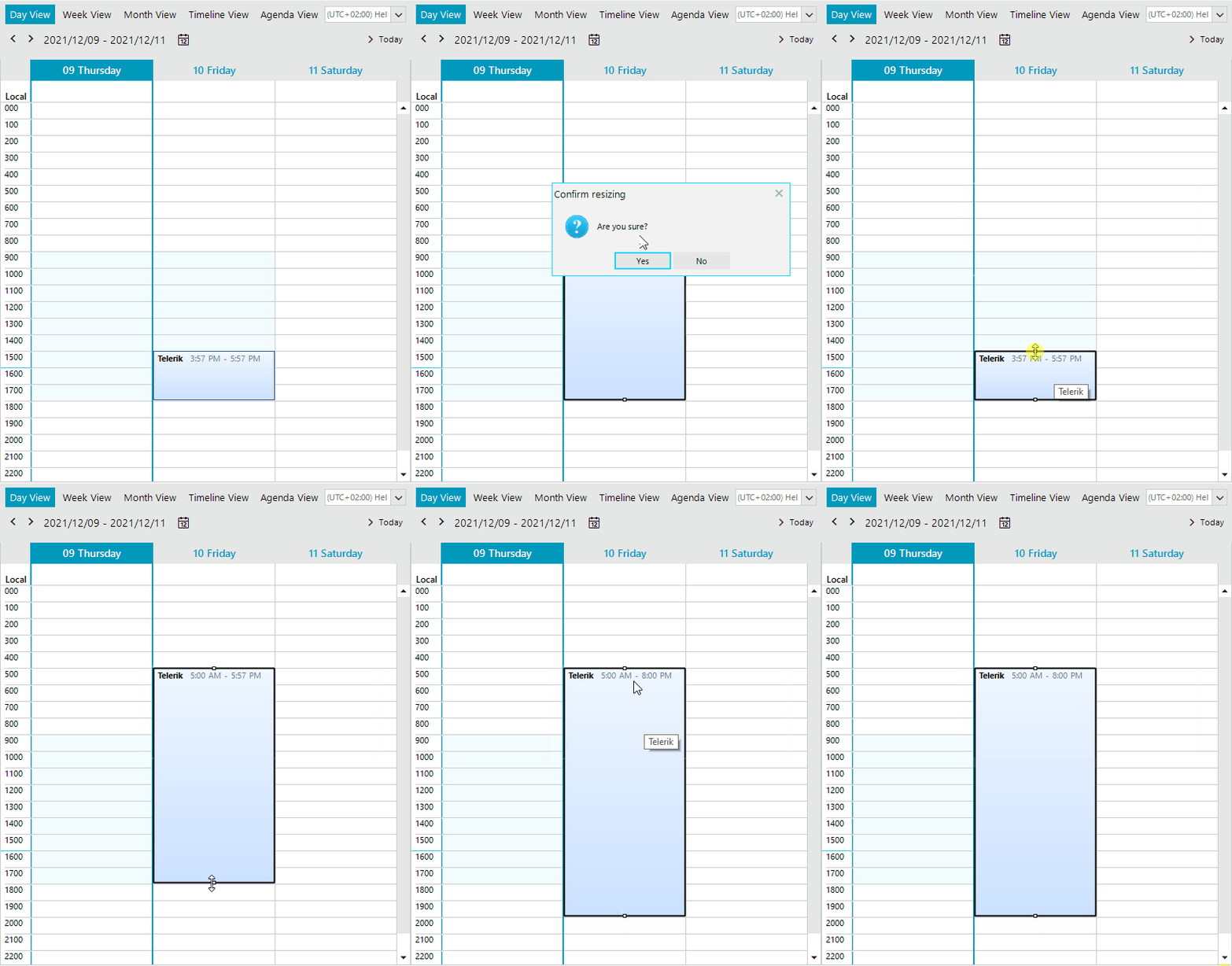
This tutorial demonstrates how to show a confirmation message box when the appointment resizing has finished. If the end user confirms the changes, they will be applied to the appointment respectively.
Solution
Create a custom AppointmentResizingBehavior and override its EndResize method. If the changes are not confirmed, you should restore the initial start/end. Here is a sample implementation which result is illustrated on the below gif file:
C#
public RadForm1()
{
    InitializeComponent();

    this.radScheduler1.Appointments.Add(new Appointment(DateTime.Now.AddDays(1),TimeSpan.FromHours(2),"Telerik"));
    this.radScheduler1.SchedulerElement.ResizeBehavior = new CustomAppointmentResizingBehavior(this.radScheduler1.SchedulerElement);
}

public class CustomAppointmentResizingBehavior : AppointmentResizingBehavior
{
    public CustomAppointmentResizingBehavior(SchedulerVisualElement activeOwner) : base(activeOwner)
    {
        owner = activeOwner;
    }

    DateTime start;
    DateTime end;
    bool startResize = false;
    SchedulerVisualElement owner;

    public override bool Resize(Point mousePosition, IEvent appointment)
    {
        if (! this.owner.Scheduler.SelectionBehavior.IsAppointmentSelected(appointment) || startResize == false)
        {
            startResize = true;
            start = appointment.Start;
            end = appointment.End;
        }
        return base.Resize(mousePosition, appointment);
    }

    public override bool EndResize(IEvent appointment)
    {
        startResize = false;
        if (appointment!=null && (appointment.Start != start || appointment.End != end))
        {
            DialogResult dr = RadMessageBox.Show("Are you sure?", "Confirm resizing",
                MessageBoxButtons.YesNo, RadMessageIcon.Question);
            if (dr == DialogResult.No)
            {
                appointment.Start = start;
                appointment.End = end;
            }
        }
        return base.EndResize(appointment);
    }
}