New to Telerik UI for WinForms? Start a free 30-day trial
Wrap Legend Items in RadChartView
Updated over 1 year ago
Environment
| Product Version | Product | Author |
|---|---|---|
| 2019.2.508 | RadChartView for WinForms | Desislava Yordanova |
Description
The ChartLegendElement displays the legend items in a StackLayoutElement which can be either vertical or horizontal.
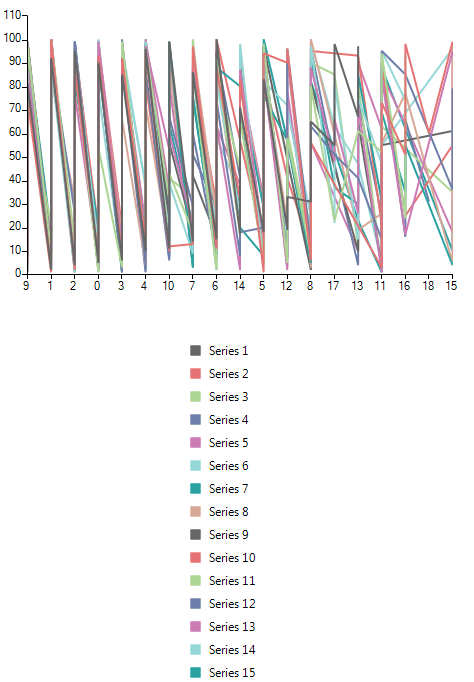
The purpose of this article is to demonstrate a sample approach how to wrap the legend item and use the space more efficiently.
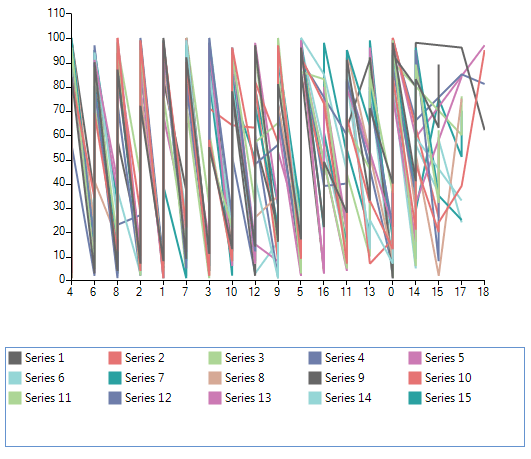
Solution
It is possible to insert a RadListViewElement in the ChartLegendElement to achieve wrapping the legend items:
Wrap Legend Items
C#
        public RadForm1()
        {
            InitializeComponent();

            Random rand = new Random();
            List<LineSeries> list = new List<LineSeries>();
            for (var index = 1; index <= 15; index++)
            {
                LineSeries ls = new LineSeries();
                ls.LegendTitle = "Series " + index;
                list.Add(ls);
            }

            for (int index = 1; index <= 100; index++)
            {
                foreach (LineSeries s in list)
                    s.DataPoints.Add(new CategoricalDataPoint(index, rand.Next(0, rand.Next(5, 20))));
            }
            this.radChartView1.Series.AddRange(list.ToArray());
            this.radChartView1.ShowLegend = true;
            this.radChartView1.ChartElement.LegendPosition = LegendPosition.Bottom;
        }

        internal class MyChart : RadChartView
        {
            protected override RadChartElement CreateChartElement()
            {
                return new MyChartElement();
            }
        }

        internal class MyChartElement : RadChartElement
        {
            protected override ChartLegendElement CreateChartLegendElement()
            {
                return new MyLegendElement(this);
            }

            protected override Type ThemeEffectiveType
            {
                get
                {
                    return typeof(RadChartElement);
                }
            }
        }

        internal class MyLegendElement : ChartLegendElement
        {
            private RadListViewElement panel;

            public MyLegendElement(RadChartElement chartElement) : base(chartElement)
            {
            }

            protected override void OnLegendInfosCollectionChanged(Telerik.WinControls.Data.NotifyCollectionChangedEventArgs e, bool providerChange)
            {
                base.OnLegendInfosCollectionChanged(e, providerChange);
                if (e.Action == Telerik.WinControls.Data.NotifyCollectionChangedAction.Add)
                {
                    LegendItem li = e.NewItems[0] as LegendItem;
                    panel.Items.Add(li.Title);
                    panel.Items.Last().Tag = li.Element;
                }
                panel.SelectedIndex = -1;
            }

            protected override void CreateChildElements()
            {
                base.CreateChildElements();
                panel = new RadListViewElement();
                panel.VisualItemFormatting += ListView_VisualItemFormatting;
                panel.ShowCheckBoxes = true;
                panel.StretchHorizontally = true;
                panel.StretchVertically = false;
                panel.ViewType = ListViewType.IconsView;
                panel.ItemSize = new System.Drawing.Size(100, 20);
                panel.ShouldHandleMouseInput = true;
                panel.NotifyParentOnMouseInput = false;
                panel.MaxSize = new System.Drawing.Size(int.MaxValue, 100);
                this.StackElement.Visibility = Telerik.WinControls.ElementVisibility.Collapsed;
                this.Children.Add(panel);
            }

            protected override Type ThemeEffectiveType
            {
                get
                {
                    return typeof(ChartLegendElement);
                }
            }

            private void ListView_VisualItemFormatting(object sender, ListViewVisualItemEventArgs e)
            {
                ListViewItemCheckbox checkBox = e.VisualItem.ToggleElement as ListViewItemCheckbox;
                if (checkBox != null)
                {
                    e.VisualItem.ToggleElement.ShouldHandleMouseInput = false;
                    e.VisualItem.ToggleElement.NotifyParentOnMouseInput = false;
                    checkBox.CheckMarkPrimitive.Fill.BackColor = ((LineSeries)(e.VisualItem.Data.Tag)).BorderColor;
                    checkBox.CheckMarkPrimitive.Fill.GradientStyle = Telerik.WinControls.GradientStyles.Solid;
                    checkBox.CheckMarkPrimitive.Border.Visibility = Telerik.WinControls.ElementVisibility.Collapsed;
                }
            }
        }