Input Behavior
The SchedulerInputBehavior is responsible for processing the keyboard and mouse input in RadScheduler.
Below are the methods which handle the respective events:
-
HandleMouseDown
-
HandleMouseMove
-
HandleMouseUp
-
HandleNavigationKey
-
HandleMouseWheel
-
HandleMouseEnter
-
HandleMouseLeave
-
HandleCellElementDoubleClick
-
HandleAppointmentElementDoubleClick
-
HandleCellElementKeyPress
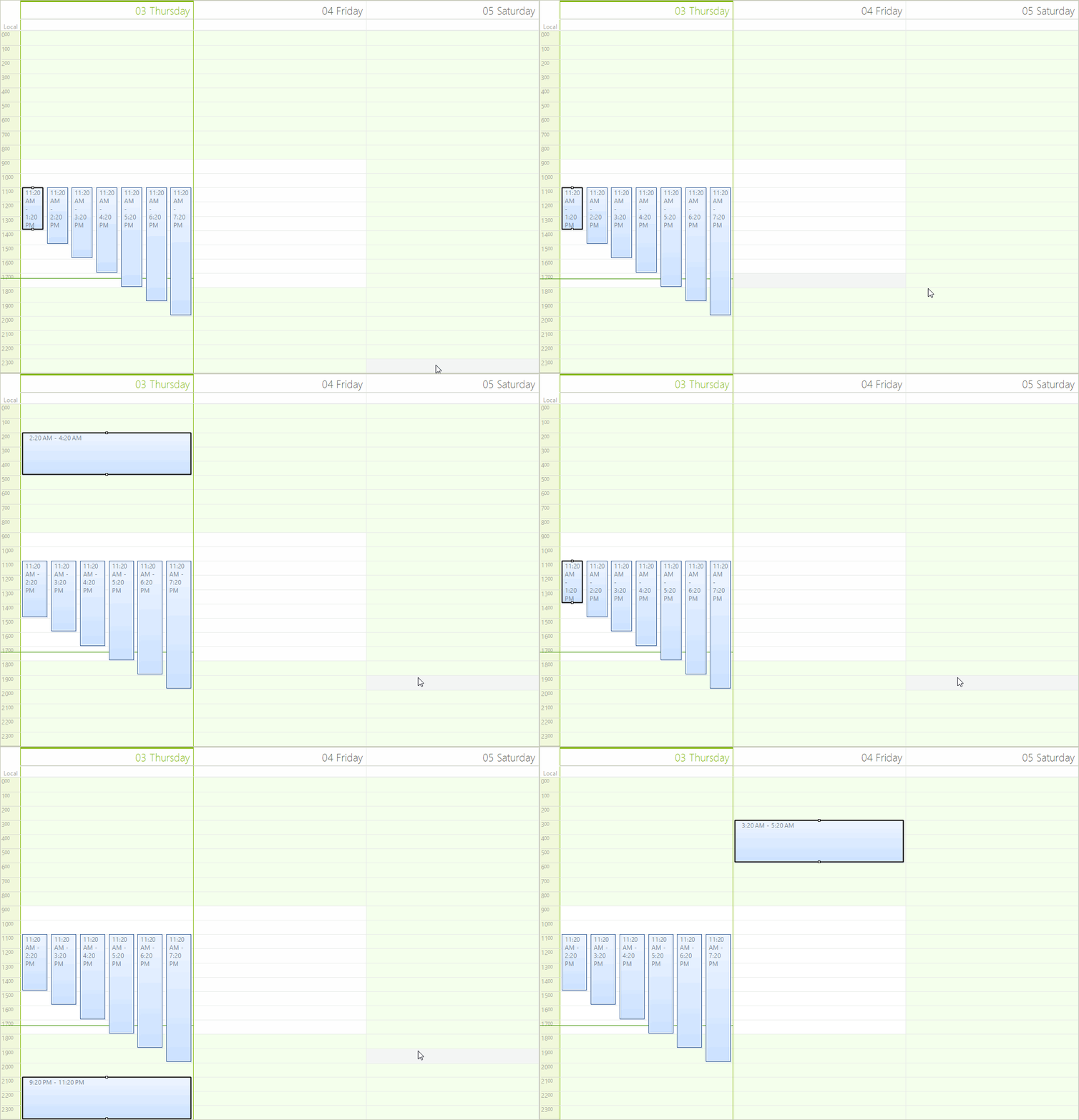
Each of these methods can be overridden and the instance of the SchedulerInputBehavior used in RadScheduler can be replaced with a custom one. This allows you to modify the default behavior of the control. The following example demonstrates how to alter the default behavior and allow moving appointments via CTRL + arrow keys. In order to accomplish this, we need to inherit the SchedulerInputBehavior class and override the HandleKeyDown method:
Custom Input Behavior
public class MySchedulerInputBehavior : SchedulerInputBehavior
{
    public MySchedulerInputBehavior(RadScheduler scheduler)
        : base(scheduler)
    {
    }

    public override bool HandleKeyDown(KeyEventArgs args)
    {
        bool isControl = (args.Modifiers & Keys.Control) == Keys.Control;
        IEvent selectedAppointment = this.Scheduler.SelectionBehavior.SelectedAppointment;
        if (isControl && selectedAppointment != null)
        {
            if ((args.KeyData & Keys.Up) == Keys.Up)
            {
                selectedAppointment.Start = selectedAppointment.Start.AddHours(-1);
                selectedAppointment.End = selectedAppointment.End.AddHours(-1);
            }
            else if ((args.KeyData & Keys.Down) == Keys.Down)
            {
                selectedAppointment.Start = selectedAppointment.Start.AddHours(1);
                selectedAppointment.End = selectedAppointment.End.AddHours(1);
            }
        }

        return base.HandleKeyDown(args);
    }
}Now we need to assign this new input behavior to the SchedulerInputBehavior property of RadScheduler:
Set Behavior
scheduler.SchedulerInputBehavior = new MySchedulerInputBehavior(scheduler);You can see the result below:
Figure 1: Custom Input Behavior