Custom Keyboard Handling
The key strokes are captured by RadPropertyGrid and later passed onto the RadPropertyGridTableElement which has its own logic for handling the keys. The following keys are considered special and they are handled by the table element:
- Keys.End
- Keys.Home
- Keys.Left
- Keys.Right
- Keys.Up
- Keys.Down
- Keys.Enter
- Keys.Escape
For any other keys the RadPropertyGrid does not take any actions.
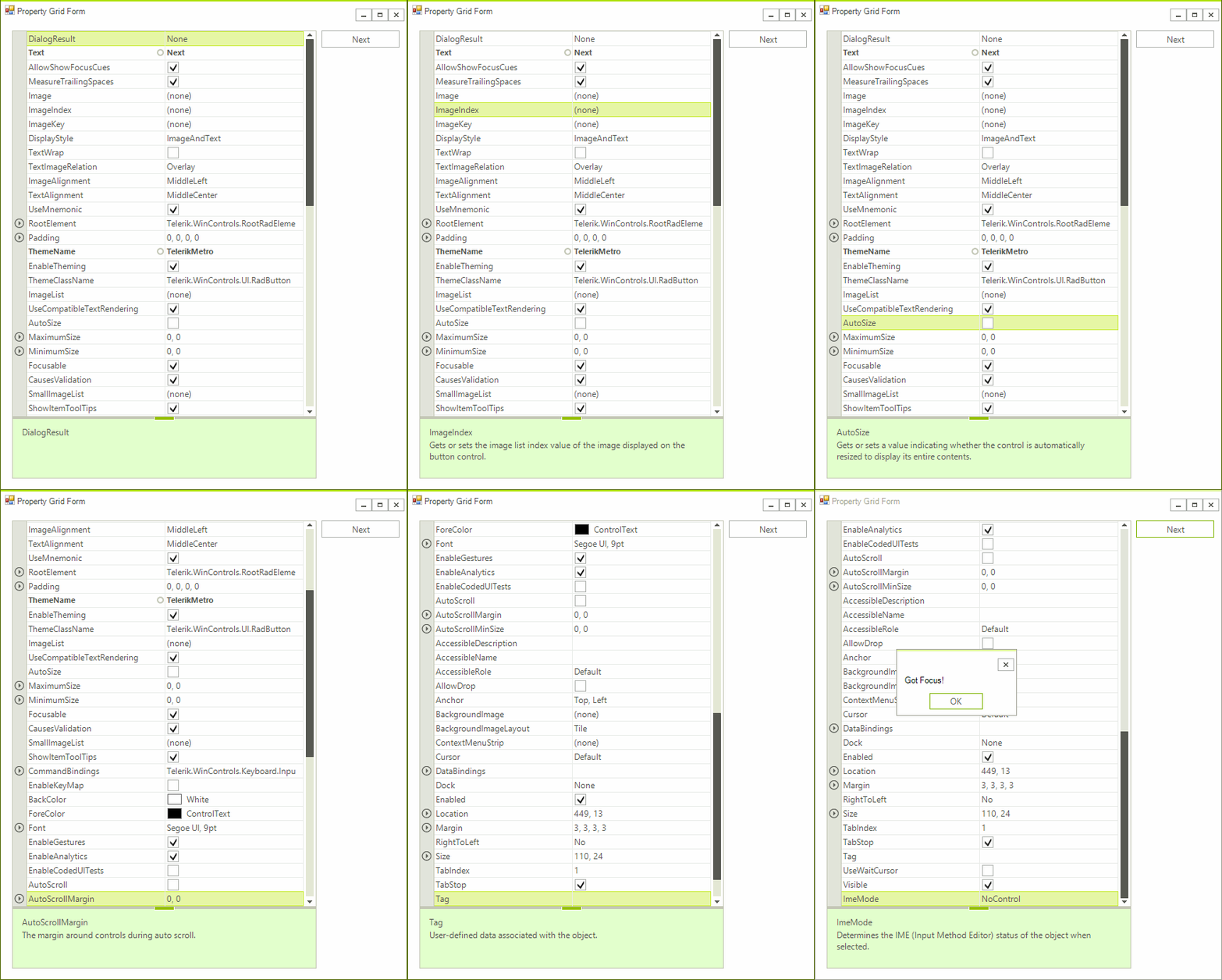
The example below will handle a scenario in which the Tab key is captured and later used to navigate the property grid in a forward direction. Once the last item is reached then the next Tab key press will move the focus out of the control.
This approach can be used to modify the current implementation for any of the input keys or new keys be added and handled in a special way. Eventually the key message will reach the ProcessKeyDown method in the PropertyGridTableElement class. This method is virtual and its implementation can be modified.
Figure 1: Custom Tab Key Behavior
Custom RadPropertyGrid Control
We need to create a custom RadPropertyGrid control so that we can override the initialization of the table element and substitute it with a custom one handling the Tab key according to our own logic.
The ThemeClassName property needs to be overridden so that the new control can be styled using the base control`s theme settings.
Control`s Implementation
public class CustomRadPropertyGrid : RadPropertyGrid
{
    public override string ThemeClassName
    {
        get
        {
            return typeof(RadPropertyGrid).FullName;
        }
    }

    protected override PropertyGridElement CreatePropertyGridElement()
    {
        return new CuistomPropertyGridElement();
    }

    protected override bool IsInputKey(Keys keyData)
    {
        PropertyGridTraverser traverser = new PropertyGridTraverser(this.PropertyGridElement.PropertyTableElement);
        traverser.MoveTo(this.SelectedGridItem);
        if (keyData == Keys.Tab && traverser.MoveNext())
        {
            return true;
        }

        return base.IsInputKey(keyData);
    }
}
Custom Elements
The various elements building the control are created in special virtual methods allowing easy substitutions.
The ThemeEffectiveType property needs to be overridden so that the custom elements can be styled using their base element`s theme settings.
Elements` Implementation
public class CuistomPropertyGridElement : PropertyGridElement
{
    protected override Type ThemeEffectiveType
    {
        get
        {
            return typeof(PropertyGridElement);
        }
    }

    protected override PropertyGridSplitElement CreateSplitElement()
    {
        return new CustomPropertyGridSplitElement();
    }
}

public class CustomPropertyGridSplitElement : PropertyGridSplitElement
{
    protected override Type ThemeEffectiveType
    {
        get
        {
            return typeof(PropertyGridSplitElement);
        }
    }

    protected override PropertyGridTableElement CreateTableElement()
    {
        return new CustomPropertyGridTableElement();
    }
}

public class CustomPropertyGridTableElement : PropertyGridTableElement
{
    protected override Type ThemeEffectiveType
    {
        get
        {
            return typeof(PropertyGridTableElement);
        }
    }

    public override bool ProcessKeyDown(KeyEventArgs e)
    {
        if (e.KeyCode == Keys.Tab)
        {
            if (this.SelectedGridItem == null)
            {
                PropertyGridTraverser traverser = new PropertyGridTraverser(this);
                if (traverser.MoveNext())
                {
                    this.ProcessSelection(traverser.Current, false);
                }
            }
            else
            {
                PropertyGridTraverser traverser = new PropertyGridTraverser(this);
                traverser.MoveTo(this.SelectedGridItem);
                if (traverser.MoveNext())
                {
                    this.ProcessSelection(traverser.Current, false);
                }
            }

            return true;
        }

        return base.ProcessKeyDown(e);
    }
}