Sorting group rows
By default, when you perform grouping, RadGridView sorts the created group rows alphabetically. This article demonstrates how to customize the groups sort order.
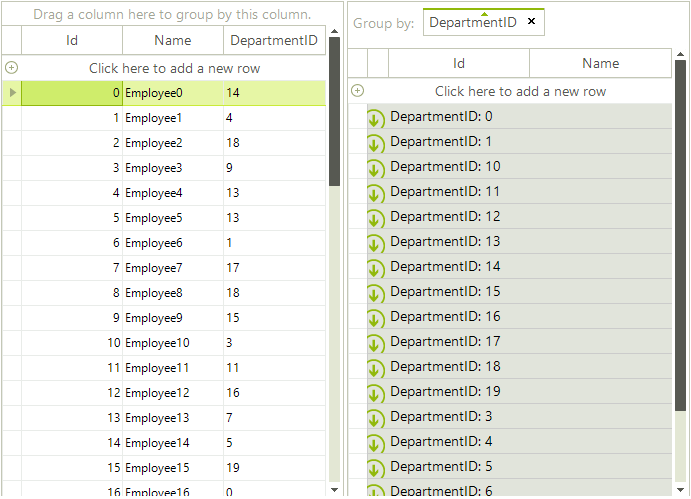
Consider the RadGridView is bound to a list of custom objects. If you group by DepartmentId you will notice that the group rows are sorted alphabetically as this property is typeof(string).
Figure 1: Alphabetical sort order
However, you can change this sort order by using a group comparer. It is necessary to create a class that implements the IComparer<Group<GridViewRowInfo>> interface where you should return an integer number in the implemented Compare method. The following code snippet illustrates how to order the group rows considering the integer value, not the string:
Custom group comparer
public class GroupComparer : IComparer<Group<GridViewRowInfo>>
{
    public int Compare(Group<GridViewRowInfo> x, Group<GridViewRowInfo> y)
    {
        int parsedX;
        int parsedY;
        if (int.TryParse(((object[])x.Key).First().ToString(), out parsedX) &&
            int.TryParse(((object[])y.Key).First().ToString(), out parsedY))
        {
            int result = parsedX.CompareTo(parsedY);
            DataGroup xGroup = x as DataGroup;
            if (xGroup != null && ((DataGroup)x).GroupDescriptor.GroupNames.First().Direction == ListSortDirection.Descending)
            {
                 result *= -1;
            }
            return result;
        }
        return ((object[])x.Key)[0].ToString().CompareTo(((object[])y.Key)[0].ToString());
    }
}
The last thing you need to do is to replace the default MasterTemplate.GroupComparer with your custom one:
Custom group comparer
this.radGridView1.MasterTemplate.GroupComparer = new GroupComparer();
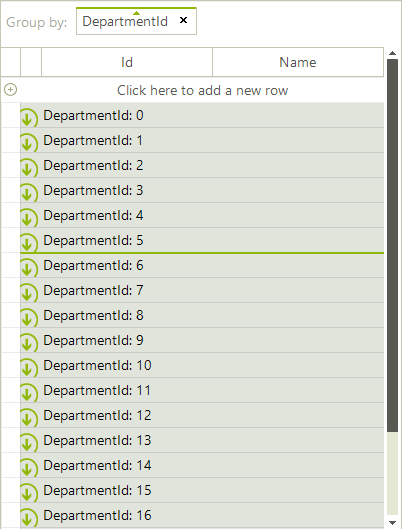
Figure 2: Custom Sort Order of Group Rows