Custom Task Elements
RadGanttView provides a convenient API to customize the task elements displayed in the graphical view. In this article we will create a custom GanttViewTaskElement which will host two additional children. Our special scenario requires that a certain part of the whole task be painted with one color and the remaining part with another. The actual size of the newly created elements will be calculated so that the first element always occupies a fixed number of days of the task while the second element will be arranged in the remaining space.
Figure 1: Custom Task Elements
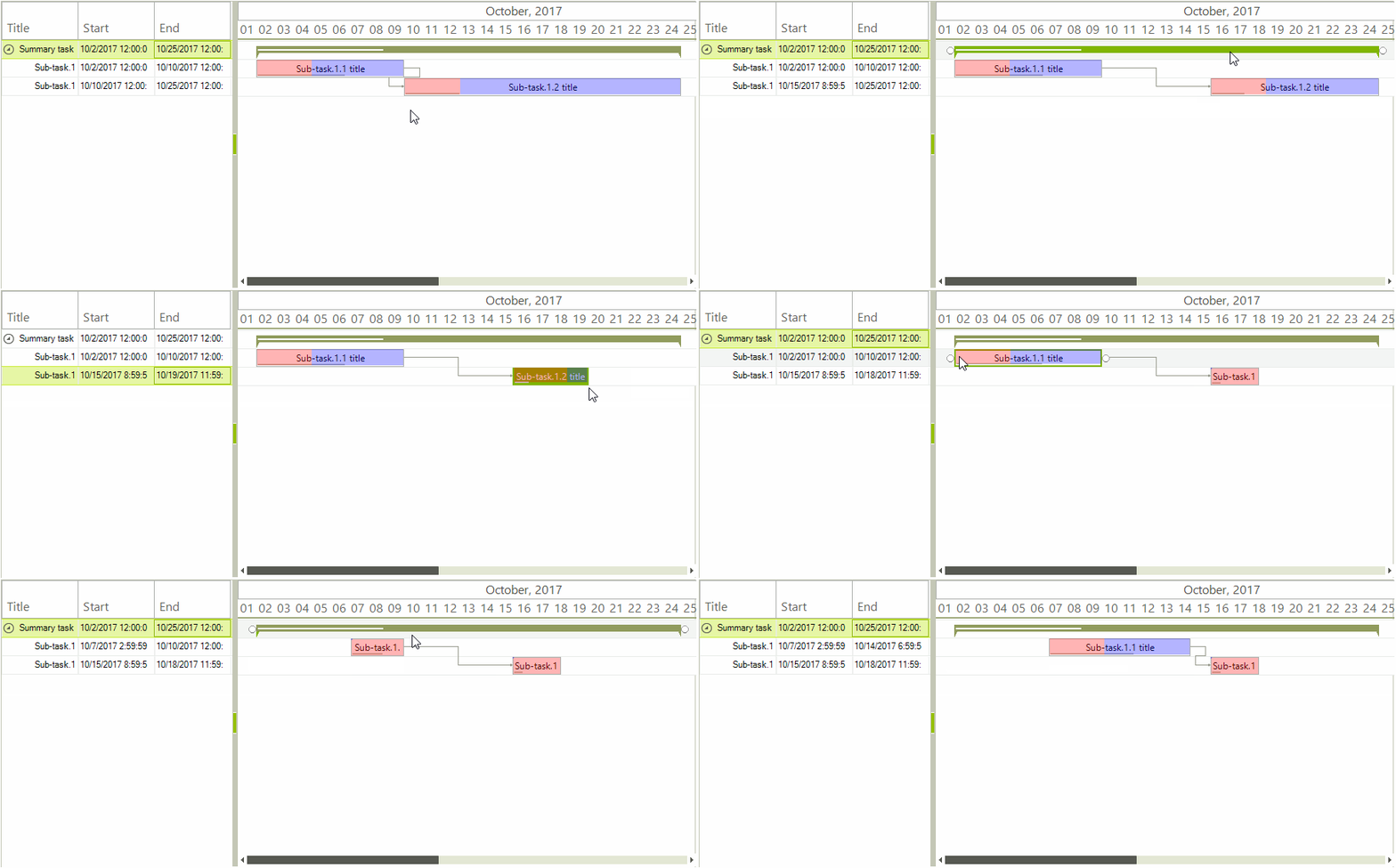
The methods which need to be overridden in the derived custom class are:
- CreateChildElements: This method is responsible for initializing the child elements.
- ArrangeOverride: This method is called whenever the layout of the GanttViewTaskElement needs to be updated. Our special logic for arranging the two newly added LightVisualElements will also be executed here.
Custom Task Element Implementation
public class MyGanttViewTaskItemElement : GanttViewTaskItemElement
{
    private int dayCount;

    public MyGanttViewTaskItemElement(GanttViewGraphicalViewElement ganttViewBaseViewElement, int dayCount)
        : base(ganttViewBaseViewElement)
    {
        this.dayCount = dayCount;
    }

    internal int DayCount
    {
        get
        {
            return this.dayCount;
        }
    }

    protected override Type ThemeEffectiveType
    {
        get
        {
            return typeof(GanttViewTaskItemElement);
        }
    }

    protected override GanttGraphicalViewBaseTaskElement CreateTaskElement()
    {
        return new MyGanttViewTaskElement();
    }
}

public class MyGanttViewTaskElement : GanttViewTaskElement
{
    private LightVisualElement start;
    private LightVisualElement end;
    protected override Type ThemeEffectiveType
    {
        get
        {
            return typeof(GanttViewTaskElement);
        }
    }

    protected override void CreateChildElements()
    {
        base.CreateChildElements();

        this.DrawFill = false;
        this.start = new LightVisualElement();
        this.start.ShouldHandleMouseInput = false;
        this.start.GradientStyle = Telerik.WinControls.GradientStyles.Solid;
        this.start.BackColor = Color.FromArgb(75, Color.Red);
        this.start.DrawFill = true;

        this.end = new LightVisualElement();
        this.end.ShouldHandleMouseInput = false;
        this.end.GradientStyle = Telerik.WinControls.GradientStyles.Solid;
        this.end.DrawFill = true;
        this.end.BackColor = Color.FromArgb(75, Color.Blue);

        this.Children.Add(start);
        this.Children.Add(end);
    }

    protected override SizeF ArrangeOverride(SizeF finalSize)
    {
        SizeF size = base.ArrangeOverride(finalSize);

        RectangleF rect = this.GetClientRectangle(finalSize);
        int dayCount = ((MyGanttViewTaskItemElement)this.Parent).DayCount;
        GanttViewDataItem data = ((GanttViewBaseItemElement)this.Parent).Data;
        if ((data.End - data.Start).TotalDays > dayCount)
        {
            double span = (data.End - data.Start).TotalSeconds;
            double pivot = (data.Start.AddDays(dayCount) - data.Start).TotalSeconds;
            double res = pivot / span;
            float desiredWidth = rect.Width * (float)res;

            RectangleF startRect = new RectangleF(rect.X, 0, desiredWidth, rect.Height);
            this.start.Arrange(startRect);
            RectangleF endRect = new RectangleF(rect.X + desiredWidth, 0, rect.Width - desiredWidth, rect.Height);
            this.end.Arrange(endRect);
        }
        else
        {
            this.start.Arrange(rect);
            this.end.Arrange(RectangleF.Empty);
        }

        return size;
    }
}The custom elements can be initialized in the handler of the RadGanttView.ItemElementCreating event. This event is part of API allowing the default elements to be substituted with custom ones.
Handling Events
private void RadGanttView1_ItemElementCreating(object sender, GanttViewItemElementCreatingEventArgs e)
{
    if (e.Item.Items.Count == 0 && e.ViewElement is GanttViewGraphicalViewElement)
    {
        e.ItemElement = new MyGanttViewTaskItemElement((GanttViewGraphicalViewElement)e.ViewElement, 3);
    }
}