Overlays
RadChat offers different overlays to present the user a selection of choices either as a pop up, or over the messages' view. The overlay is visible until the user selects a certain choice.
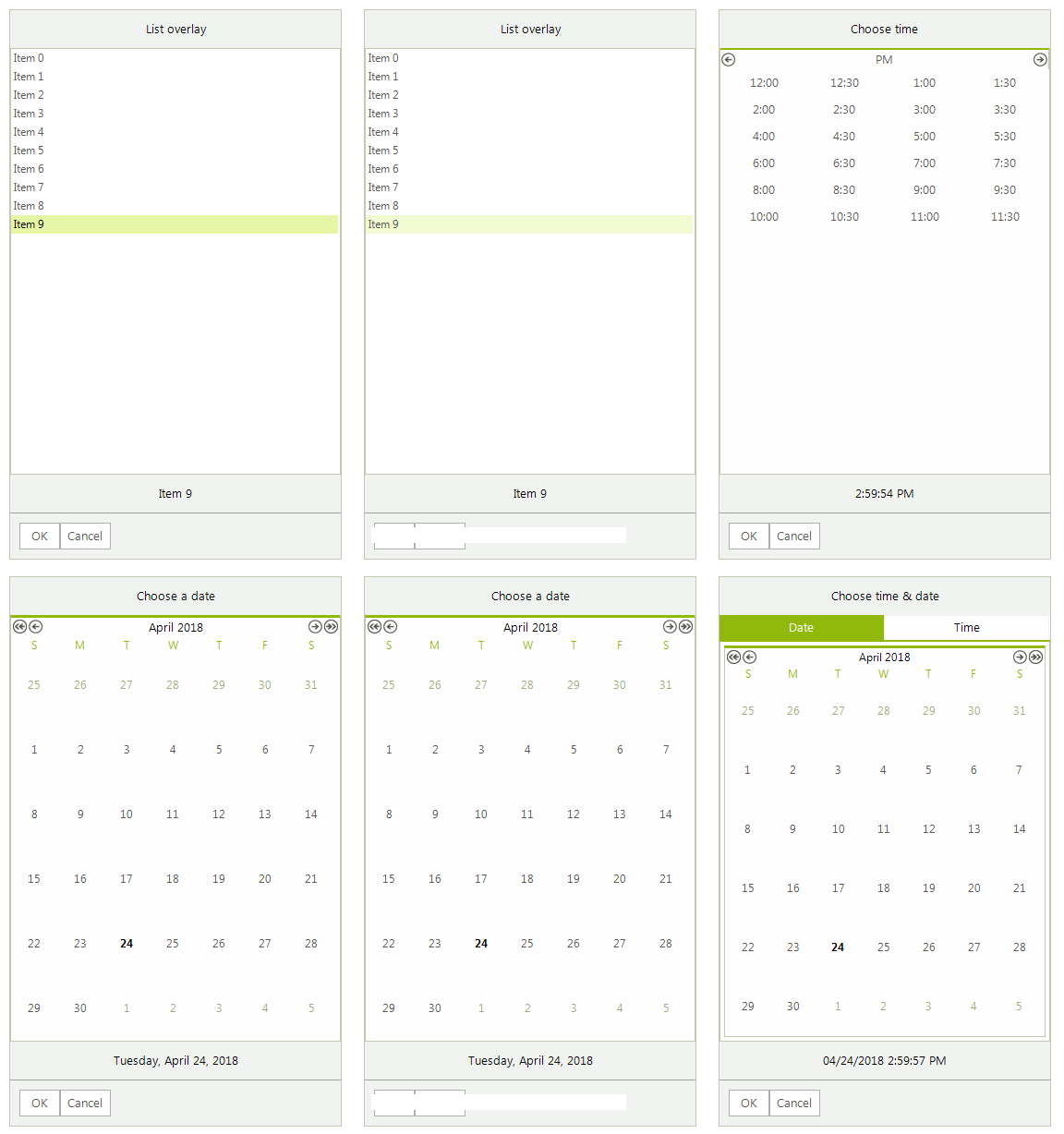
Depending on the information that is presented and the choice that should be made, the overlays can be one of the types listed below.
When you press the OK button, a new message will be automatically added with the selected option. The SendMessage event will be fired with the respective message as well. In the event handler you can change the message itself, e.g. modify its text.
ChatCalendarOverlay
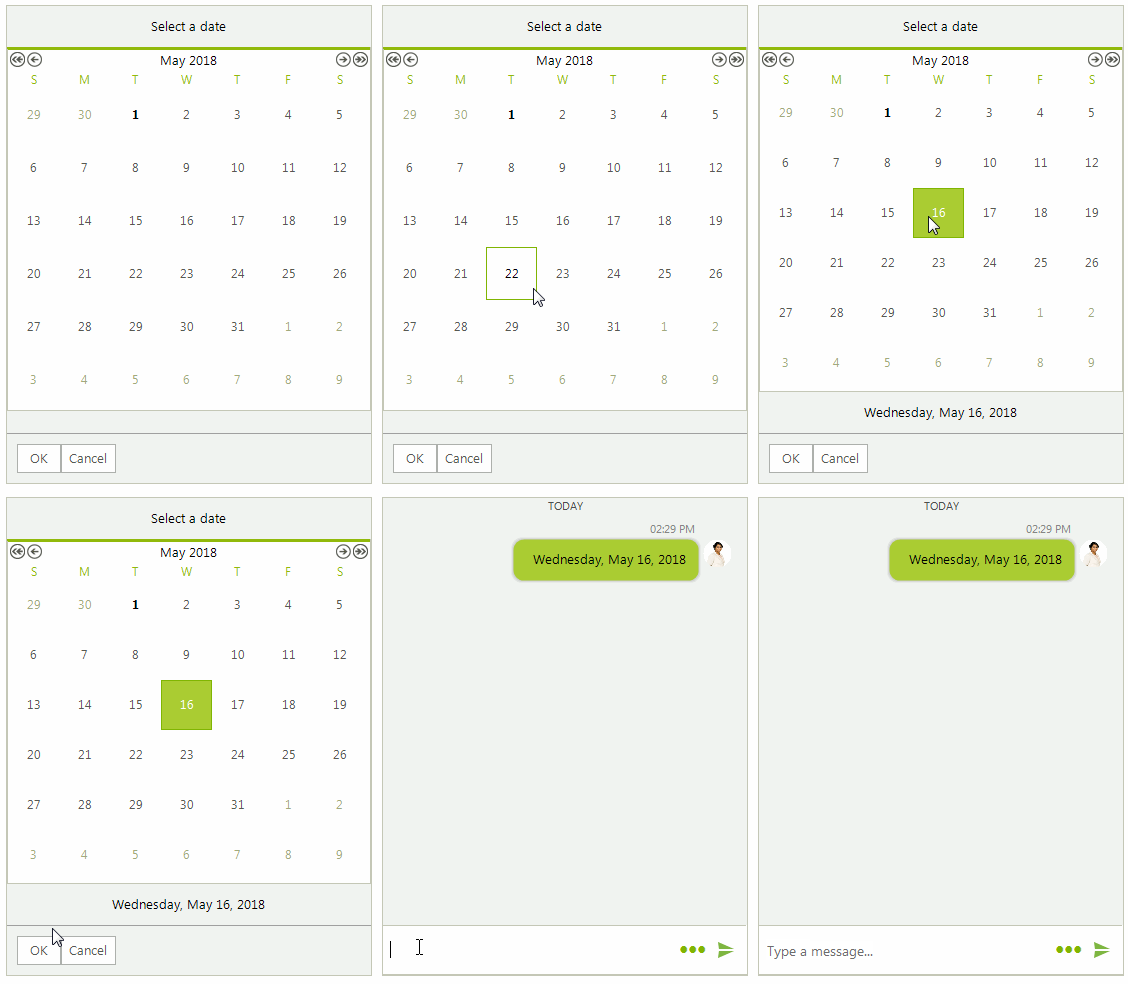
ChatCalendarOverlay offers to the user the ability to select a date from the calendar.
Figure 1: ChatCalendarOverlay
Adding a ChatCalendarOverlay
ChatCalendarOverlay calendarOverlay = new ChatCalendarOverlay("Select a date");
bool showAsPopup = false;
Author author = new Author(Properties.Resources.andrew1, "Andrew");
ChatOverlayMessage overlayMessage = new ChatOverlayMessage(calendarOverlay, showAsPopup, author, DateTime.Now);
this.radChat1.AddMessage(overlayMessage);
You have access to the calendar itself by the ChatCalendarOverlay.Calendar property.
ChatDateTimeOverlay
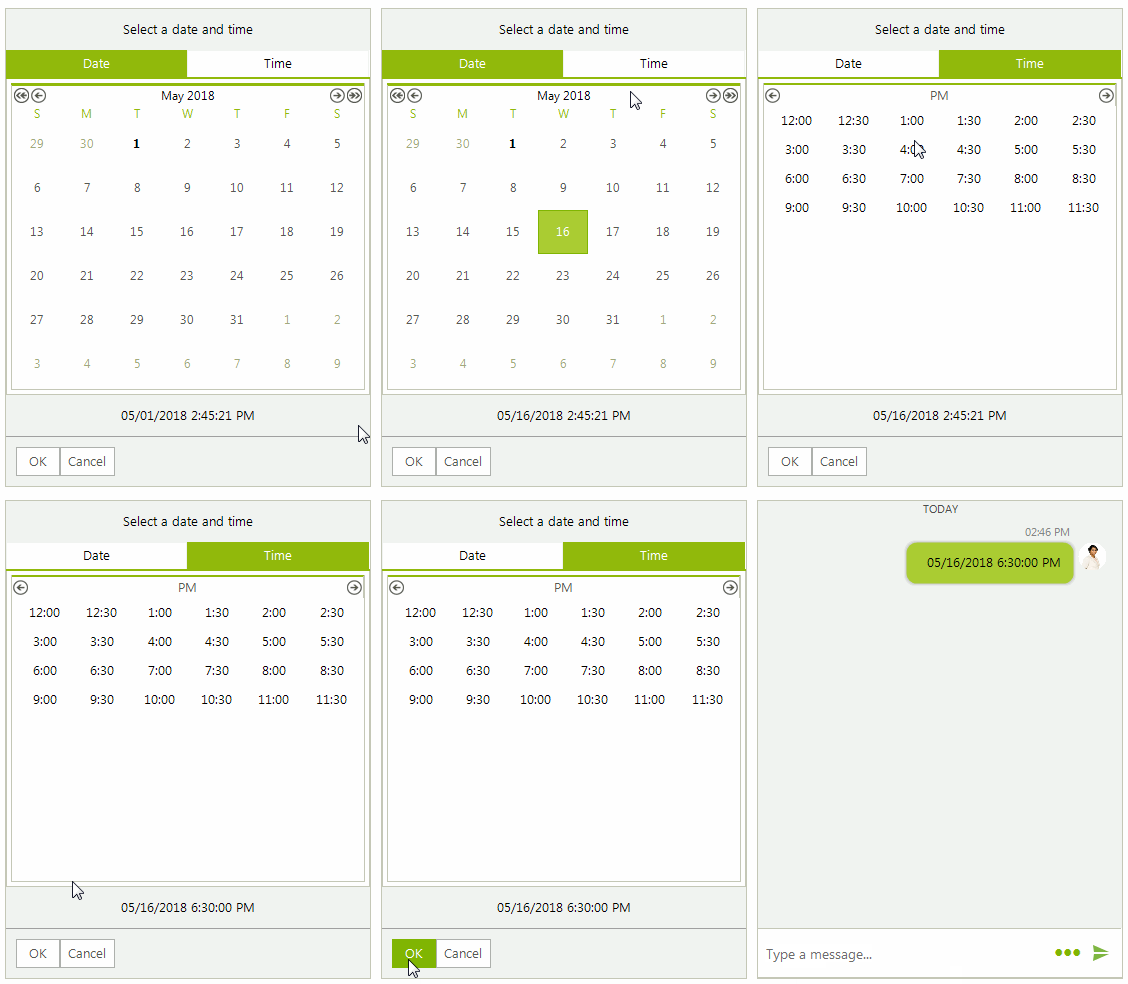
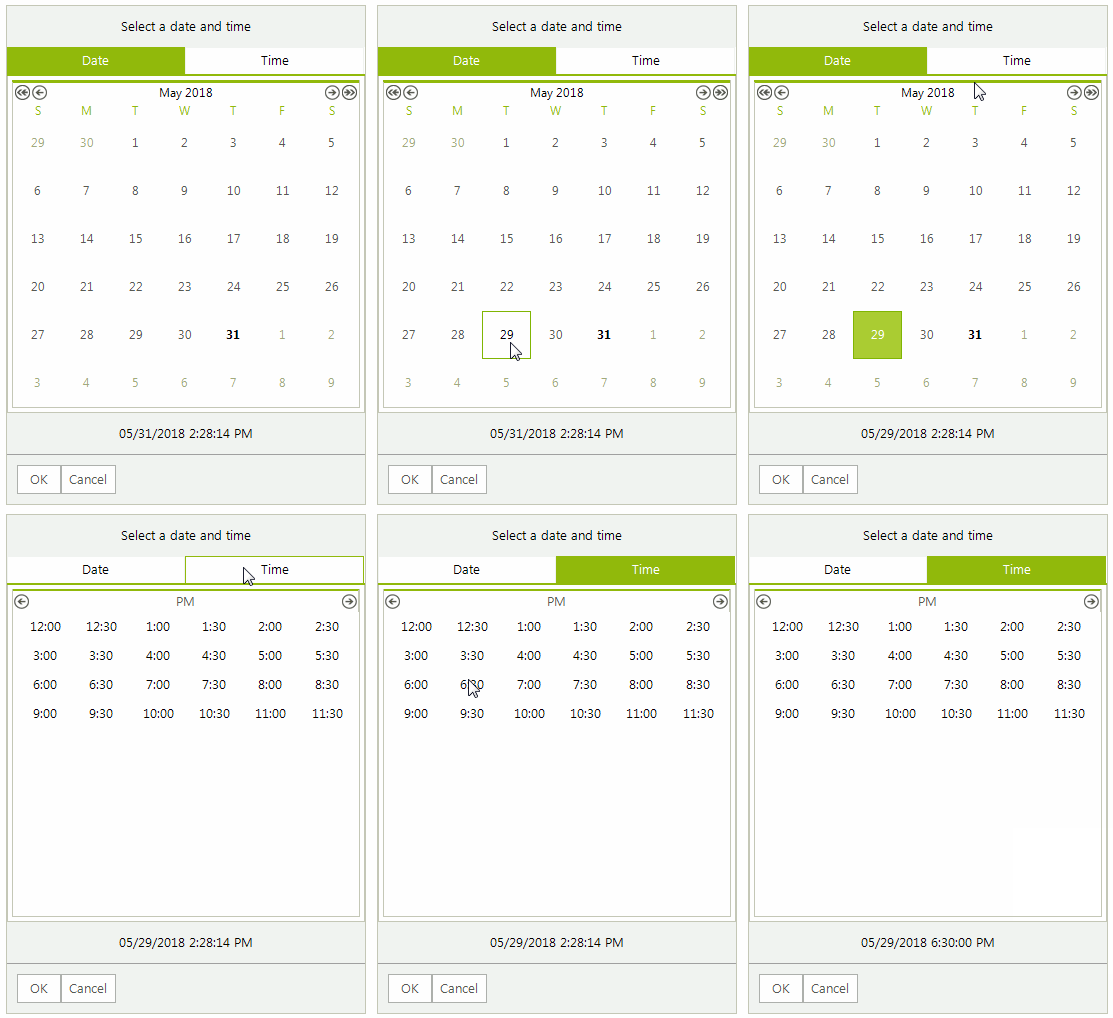
ChatDateTimeOverlay offers to the user the ability to select date and time from the picker.
Figure 2: ChatDateTimeOverlay
Adding a ChatDateTimeOverlay
ChatDateTimeOverlay dateTimerOverlay = new ChatDateTimeOverlay("Select a date and time", DateTime.Now);
bool showAsPopup = false;
Author author = new Author(Properties.Resources.andrew1, "Andrew");
ChatOverlayMessage overlayMessage = new ChatOverlayMessage(dateTimerOverlay, showAsPopup, author, DateTime.Now);
this.radChat1.AddMessage(overlayMessage);
ChatListOverlay
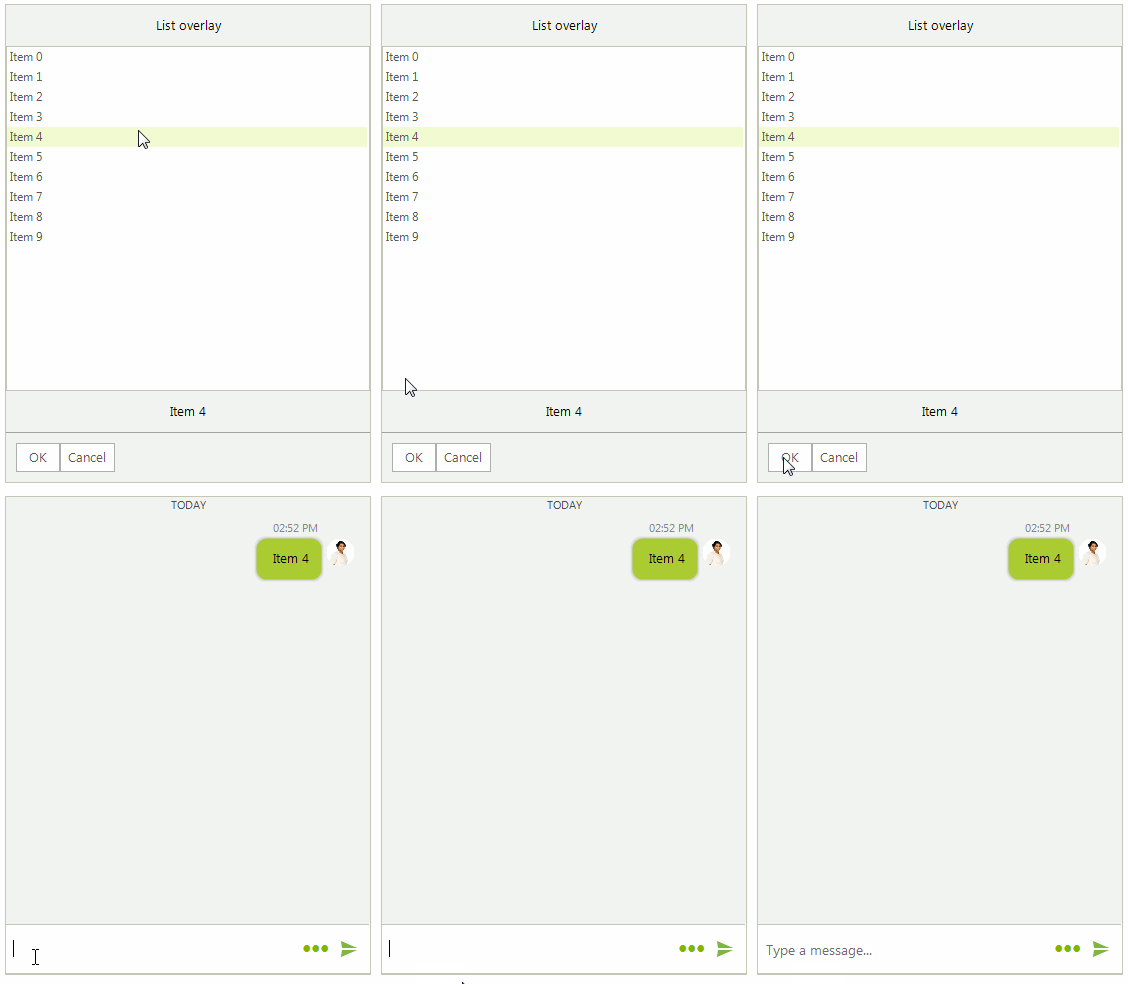
ChatListOverlay offers to the user the ability to select an item from a predefined list of choices.
Figure 3: ChatListOverlay
Adding a ChatListOverlay
ChatListOverlay listOverlay = new ChatListOverlay("List overlay");
for (int i = 0; i < 10; i++)
{
    listOverlay.ListView.Items.Add("Item " + i);
}
bool showAsPopup = false;
Author author = new Author(Properties.Resources.andrew1, "Andrew");
ChatOverlayMessage overlayMessage = new ChatOverlayMessage(listOverlay, showAsPopup, author, DateTime.Now);
this.radChat1.AddMessage(overlayMessage);
You have access to the list view by the ChatListOverlay.ListView property.
ChatTimeOverlay
ChatTimeOverlay offers to the user the ability to select time from the picker.
Figure 4: ChatTimeOverlay
Adding a ChatTimeOverlay
ChatTimeOverlay calendarOverlay = new ChatTimeOverlay("Select a date and time", DateTime.Now);
bool showAsPopup = false;
Author author = new Author(Properties.Resources.andrew1, "Andrew");
ChatOverlayMessage overlayMessage = new ChatOverlayMessage(calendarOverlay, showAsPopup, author, DateTime.Now);
this.radChat1.AddMessage(overlayMessage);