Lasso Selection
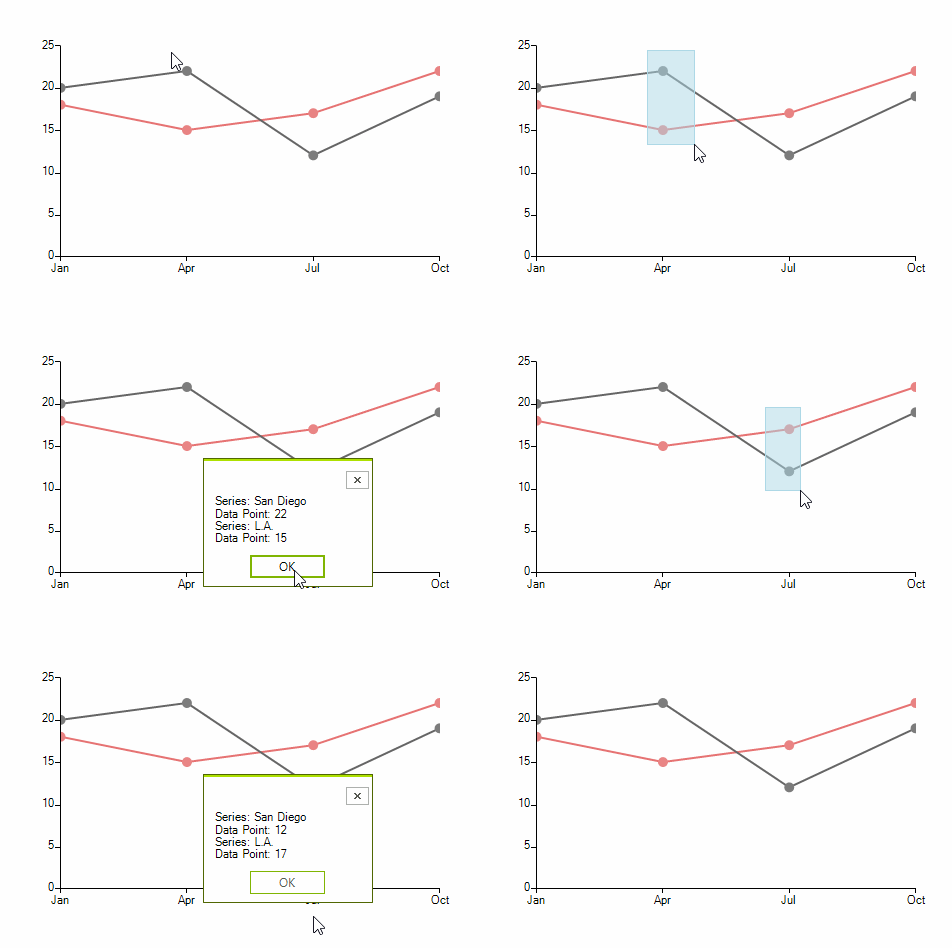
RadChartView provides lasso selection functionality allowing data points to be selected upon creating a lasso rectangle with the mouse. The functionality is defined in the LassoSelectionController class and it is only supported in the Cartesian Area.
Figure 1: Selecting Data Points
Add Sample Data and a Controller
private void AddLassoSelectionController()
{
    LineSeries lineSeries = new LineSeries() { Name = "San Diego"};
    lineSeries.DataPoints.Add(new CategoricalDataPoint(20, "Jan"));
    lineSeries.DataPoints.Add(new CategoricalDataPoint(22, "Apr"));
    lineSeries.DataPoints.Add(new CategoricalDataPoint(12, "Jul"));
    lineSeries.DataPoints.Add(new CategoricalDataPoint(19, "Oct"));
    lineSeries.PointSize = new SizeF(10, 10);
    this.radChartView1.Series.Add(lineSeries);

    LineSeries lineSeries2 = new LineSeries() { Name = "L.A." }; ;
    lineSeries2.DataPoints.Add(new CategoricalDataPoint(18, "Jan"));
    lineSeries2.DataPoints.Add(new CategoricalDataPoint(15, "Apr"));
    lineSeries2.DataPoints.Add(new CategoricalDataPoint(17, "Jul"));
    lineSeries2.DataPoints.Add(new CategoricalDataPoint(22, "Oct"));
    lineSeries2.PointSize = new SizeF(10, 10);
    this.radChartView1.Series.Add(lineSeries2);

    LassoSelectionController lassoSelectionController = new LassoSelectionController();
    lassoSelectionController.LassoSelectedPointsChanged += LassoSelectionController_LassoSelectedPointsChanged;
    this.radChartView1.Controllers.Add(lassoSelectionController);
}
The LassoSelectionController exposes a LassoSelectedPointsChanged event providing access to the data points within the bounds of the selection rectangle. In a scenario with multiple series, each of the series can be extracted from the Presenter property of the data point object
The LassoSelectedPointsChanged Event
private void LassoSelectionController_LassoSelectedPointsChanged(object sender, ChartDataPointsEventArgs args)
{
    StringBuilder sb = new StringBuilder();
    foreach (DataPoint dp in args.SelectedDataPoints)
    {
        CategoricalDataPoint categoricalData = dp as CategoricalDataPoint;
        if (dp == null)
        {
            continue;
        }

        CartesianSeries series = dp.Presenter as CartesianSeries;
        sb.AppendLine("Series: " + series.Name);
        sb.AppendLine("Data Point: " + categoricalData.Value);
    }

    RadMessageBox.Show(sb.ToString());
}
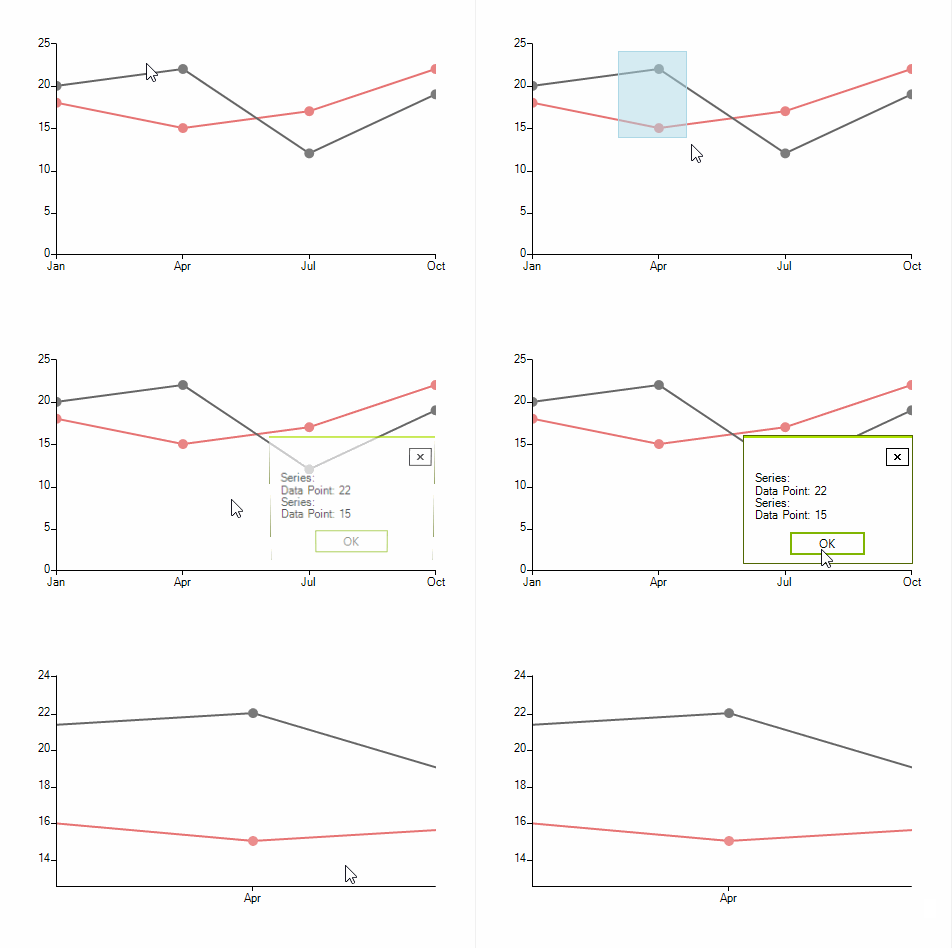
The controllers added in RadChartView are invoked in the order at which they have been added. In case a LassoZoomController is to be used together with a LassoSelectionController, the selection controller needs to be added first.
Figure 2: Lasso and Zoom
Lasso and Zoom Selection Controllers
private void AddLassoZoomControllers()
{
    //Setup series

    LassoSelectionController lassoSelectionController = new LassoSelectionController();
    lassoSelectionController.LassoSelectedPointsChanged += LassoSelectionController_LassoSelectedPointsChanged;
    this.radChartView1.Controllers.Add(lassoSelectionController);

    LassoZoomController lassoZoomController = new LassoZoomController();
    this.radChartView1.Controllers.Add(lassoZoomController);
}
Using this approach you can zoom any area in the chart using the 0-100 percentage scale.