Jenkins CI
In this article we will show you how to integrate Telerik JustMock with Jenkins-CI.
Integrating JustMock within Jenkins CI using Windows Batch Command
Another approach for integrating TelerikJustMock with Jenkins is provided by the Execute Windows batch command build step in the Jenkins job configuration. To see how to execute JustMock test DLLs via the Command Prompt, refer to Windows Batch Command.
Below you will find steps to follow for running JustMock test DLLs in the Jenkins build process:
-
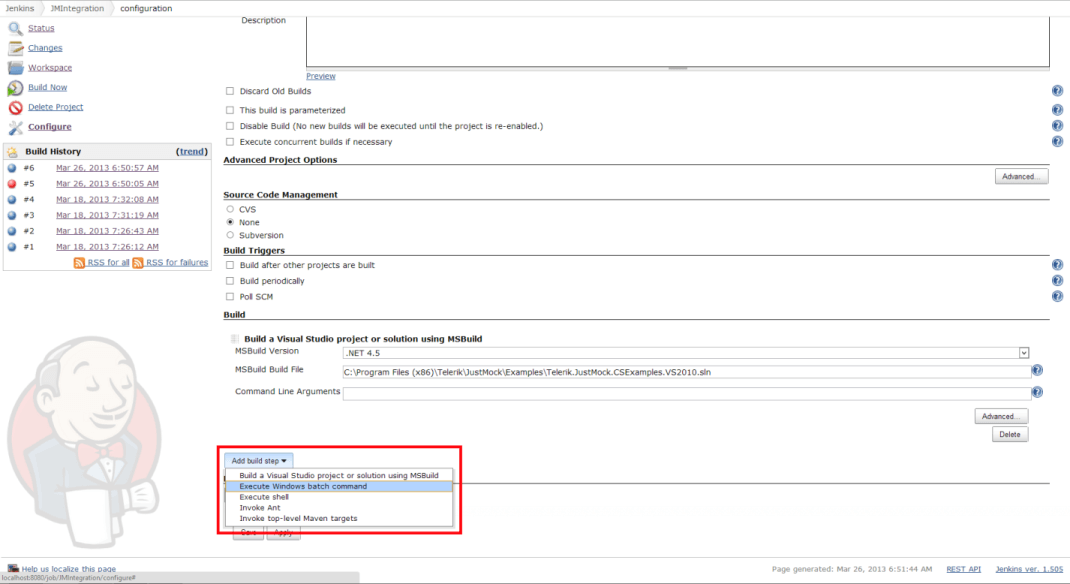
Start by adding Execute Windows batch command build step into your configuration.
-
Having this, you are now able to configure it to execute test DLLs via the cmd.exe as shown in Windows Batch Command.
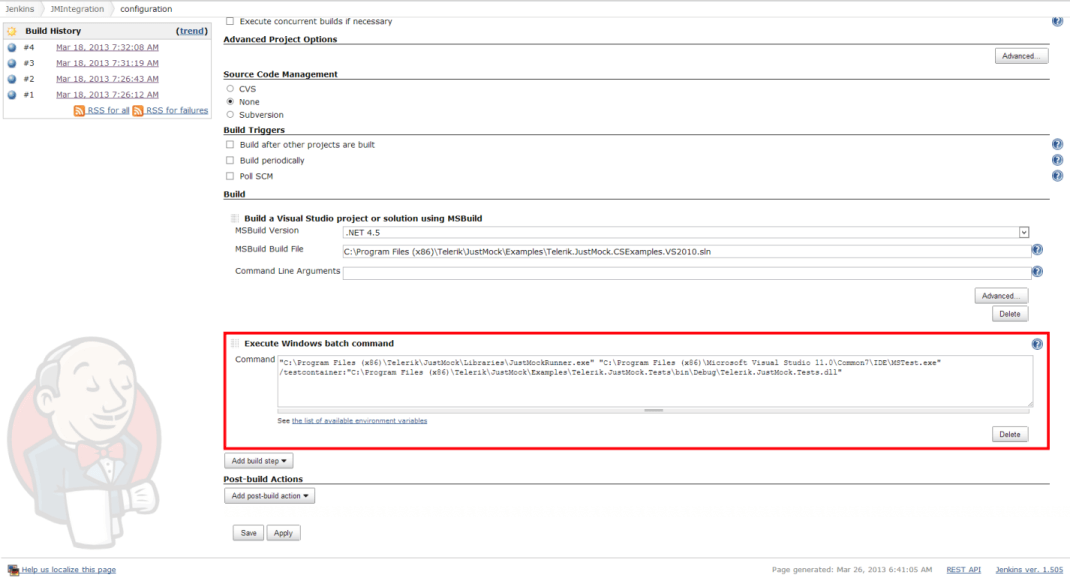
You will simply need to pass an appropriate test execution command through the JustMockRunner.exe, which will configure the rest of the environment automatically.
For example:
"C:\Program Files (x86)\Telerik\JustMock\Libraries\JustMockRunner.exe" "C:\Program Files (x86)\Microsoft Visual Studio 11.0\Common7\IDE\MSTest.exe" /testcontainer:"C:\Program Files (x86)\Telerik\JustMock\Examples\Telerik.JustMock.Tests\bin\Debug\Telerik.JustMock.Tests.dll"