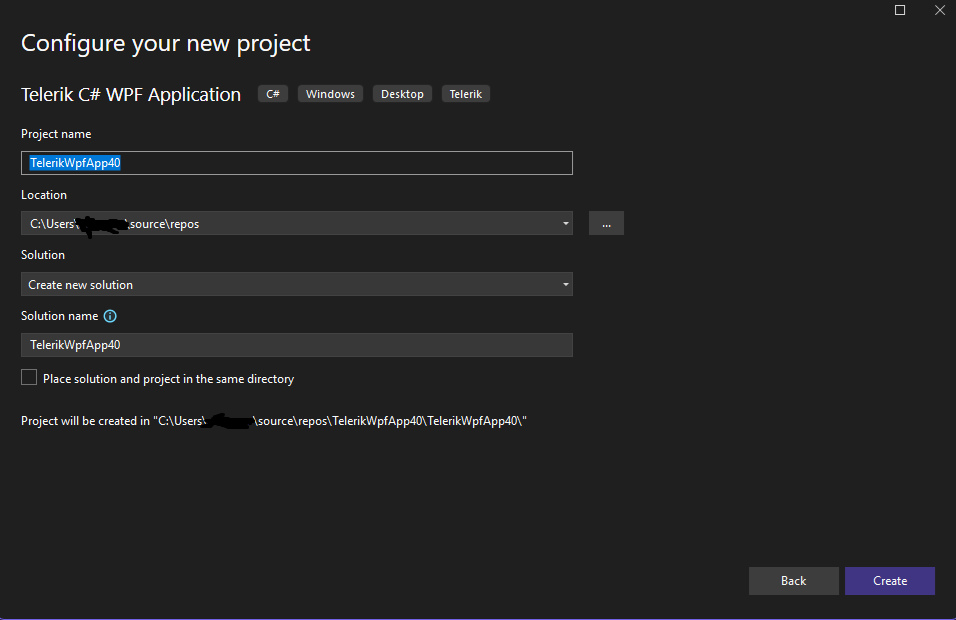
This is from VS 2026 and selecting the (.NET Framework template).
If I select the non .NET Framework, there is no .NET option, puzzled?
My understanding is WPF supports .NET 10 so how do I select it?
So how do we select .NET 10 framework for a Telerik WPF project?
Rob.
Martin Ivanov
Telerik team
commented on 24 Nov 2025, 09:43 AM
Hi Rob, the (.NET Framework) project template will allow you to create a .NET Framework 4.6.2 and later project. For .NET 8 and later, you should use the project template without .NET Framework in its name:
In this case, you will go through the Visual Studio project creation dialog where no .NET version selection is available. And on the next step you should see the Telerik dialog where you can select the .NET version.
Thanks for the response and sorry I posted this question.
I did experiment and discovered that I do indeed need to select the template that does NOT have (.NET Framework) even though the other template is using .NET framework ... very bizarre choice of wording from Microsoft ... should really just say use .NET 4.8.1 or lower on one template and the other say .NET 10 or higher (or something along those lines since they both use .NET framework).





Hi Rob, the (.NET Framework) project template will allow you to create a .NET Framework 4.6.2 and later project. For .NET 8 and later, you should use the project template without .NET Framework in its name:
In this case, you will go through the Visual Studio project creation dialog where no .NET version selection is available. And on the next step you should see the Telerik dialog where you can select the .NET version.
Hi Martin,
Thanks for the response and sorry I posted this question.
I did experiment and discovered that I do indeed need to select the template that does NOT have (.NET Framework) even though the other template is using .NET framework ... very bizarre choice of wording from Microsoft ... should really just say use .NET 4.8.1 or lower on one template and the other say .NET 10 or higher (or something along those lines since they both use .NET framework).
Sorry to bother.
Rob.