Using Fiddler
Updated on Oct 5, 2026
Commercial Use Is Moving to Fiddler Everywhere (effective September 17, 2026). As of August 3, 2026, Fiddler Classic is licensed for non-commercial use only — personal use and internal business operations. Commercial, business, organizational, or revenue-generating use requires Fiddler Everywhere. See the Fiddler Classic License Agreement for full terms.
- Download the Fiddler product:
- Download the latest version of Fiddler Classic (Windows only).
- Download the latest version of Fiddler Everywhere supported on Windows, macOS, and Linux
- Install Fiddler Classic
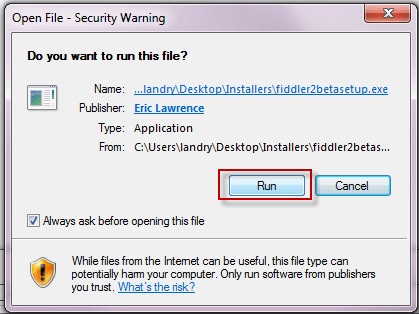
- Select Run from any Security Warning dialog.
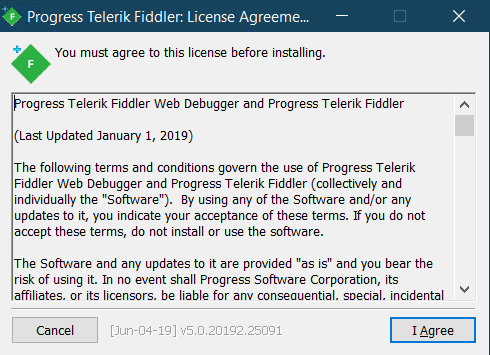
- Agree to the License Agreement.
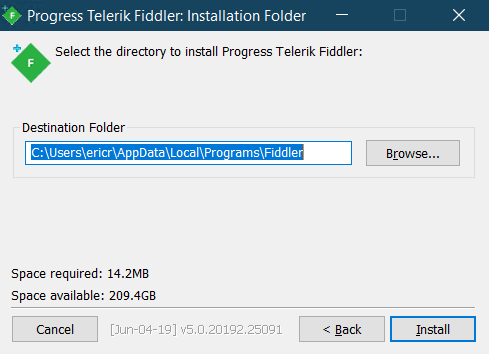
- Select the install directory for Fiddler.
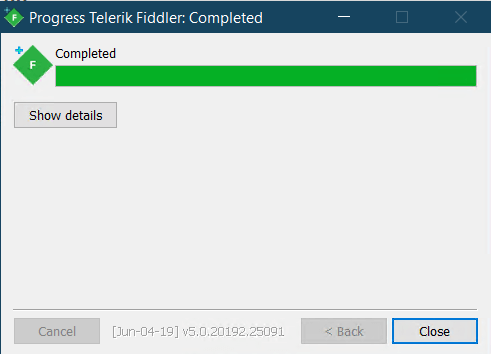
- Click Close when installation completes.
- Select Run from any Security Warning dialog.
- Install Fiddler Everywhere
- Fiddler Everywhere is a modern proxy tool with cross-platform Windows, macOS, and Linux support. Apart from being a local MITM proxy, it also provides collaboration functionalities, capabilities to save and store data in the cloud, HTTP/2 and TLS 1.3 support, and many more! Learn more on how to install and use Fiddler Everywhere here...
- Start the desired Fiddler application and begin your network debugging journey.