Action Collections
Depending on the document element associated with the actions, different collection types store the actions and provide the appropriate public API.
ActionCollection
Represents a basic collection of Action objects. The collection allows you to manipulate items through the following public methods:
| Method Name | Description |
|---|---|
Add | Adds the specified Action to the end of the collection. |
AddRange | Adds the elements of the specified collection to the end of the current collection. |
Insert | Inserts an Action into the collection at the specified index. |
Clear | Removes all elements from the collection. |
Remove | Removes the first occurrence of a specific Action from the collection. |
RemoveRange | Removes a range of elements from the collection. |
RemoveAt | Removes the element at the specified index of the collection. |
Find | Finds the first Action that matches the conditions defined by the specified predicate. |
FindAll | Finds all Action objects that match the conditions defined by the specified predicate. |
Reverse | Reverses the order of the elements in the collection. |
GetRange | Returns a range of elements from the collection. |
AnnotationActionCollection
An abstract class that represents a collection of Action objects. It is the base class for the WidgetActionCollection and exposes the following API:
| Property Name | Description |
|---|---|
MouseEnter | Gets the collection of actions triggered when the mouse enters the annotation area. |
MouseExit | Gets the collection of actions triggered when the mouse exits the annotation area. |
MouseDown | Gets the collection of actions triggered when the mouse button is pressed within the annotation area. |
MouseUp | Gets the collection of actions triggered when the mouse button is released within the annotation area. |
WidgetActionCollection
Represents a collection of Action objects for widget annotations.
| Property Name | Description |
|---|---|
OnFocus | Gets or sets the collection of actions triggered when the widget gains the input focus. |
OnBlur | Gets or sets the collection of actions triggered when the widget loses the input focus. |
OnPageOpen | Gets or sets the collection of actions triggered when the page containing the widget is opened. |
OnPageClose | Gets or sets the collection of actions triggered when the page containing the widget is closed. |
OnPageVisible | Gets or sets the collection of actions triggered when the page containing the widget becomes visible. |
OnPageInvisible | Gets or sets the collection of actions triggered when the page containing the widget becomes invisible. |
FormFieldActionCollection
Represents a collection of JavaScriptAction objects associated with a FormField.
| Property Name | Description |
|---|---|
Keystroke | Gets or sets the JavaScript action performed when the user types a keystroke into a text field or combo box or modifies the selection in a scrollable list box. |
Format | Gets or sets the JavaScript action performed before the field is formatted to display its current value. |
Validate | Gets or sets the JavaScript action performed when the field value is changed. |
Calculate | Gets or sets the JavaScript action performed to recalculate the value of this field when another field changes. |
Use this collection when a calculation must run after the user enters values. A sample approach is demonstrated in the Multiplying TextBoxField Values with JavaScript Actions article.
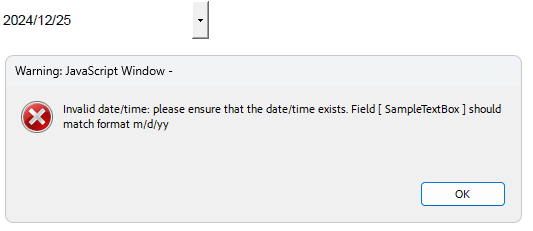
A common case is restricting the user input, for example, when entering a date in a specific format:
RadFixedDocument document = new RadFixedDocument();
document.Pages.AddPage();

TextBoxField textField = new TextBoxField("SampleTextBox");
textField.Actions.Format =
    new Telerik.Documents.Fixed.Model.Actions.JavaScriptAction("AFDate_FormatEx(\"m/d/yy\");");
textField.Actions.Keystroke =
    new Telerik.Documents.Fixed.Model.Actions.JavaScriptAction("AFDate_KeystrokeEx(\"m/d/yy\");");

VariableContentWidget widget = textField.Widgets.AddWidget();
widget.Rect = new Rect(0, 0,250, 50);

document.AcroForm.FormFields.Add(textField);
document.Pages[0].Annotations.Add(widget);
The following image shows the result:
PageActionCollection
Represents a collection of Action objects associated with a RadFixedPage.
| Property Name | Description |
|---|---|
OnPageOpen | Gets or sets the collection of actions triggered when the page is opened. |
OnPageClose | Gets or sets the collection of actions triggered when the page is closed. |
The following example shows how to use the JavaScript Actions feature to show an alert when the second page in a document is closed:
RadFixedDocument document = new RadFixedDocument();
document.Pages.AddPage(); //first page
RadFixedPage page = document.Pages.AddPage(); //second page
JavaScriptAction action = new JavaScriptAction("app.alert('JS Action when second page is closed!');");
page.Actions.OnPageClose.Add(action);
document.Pages.AddPage(); //third page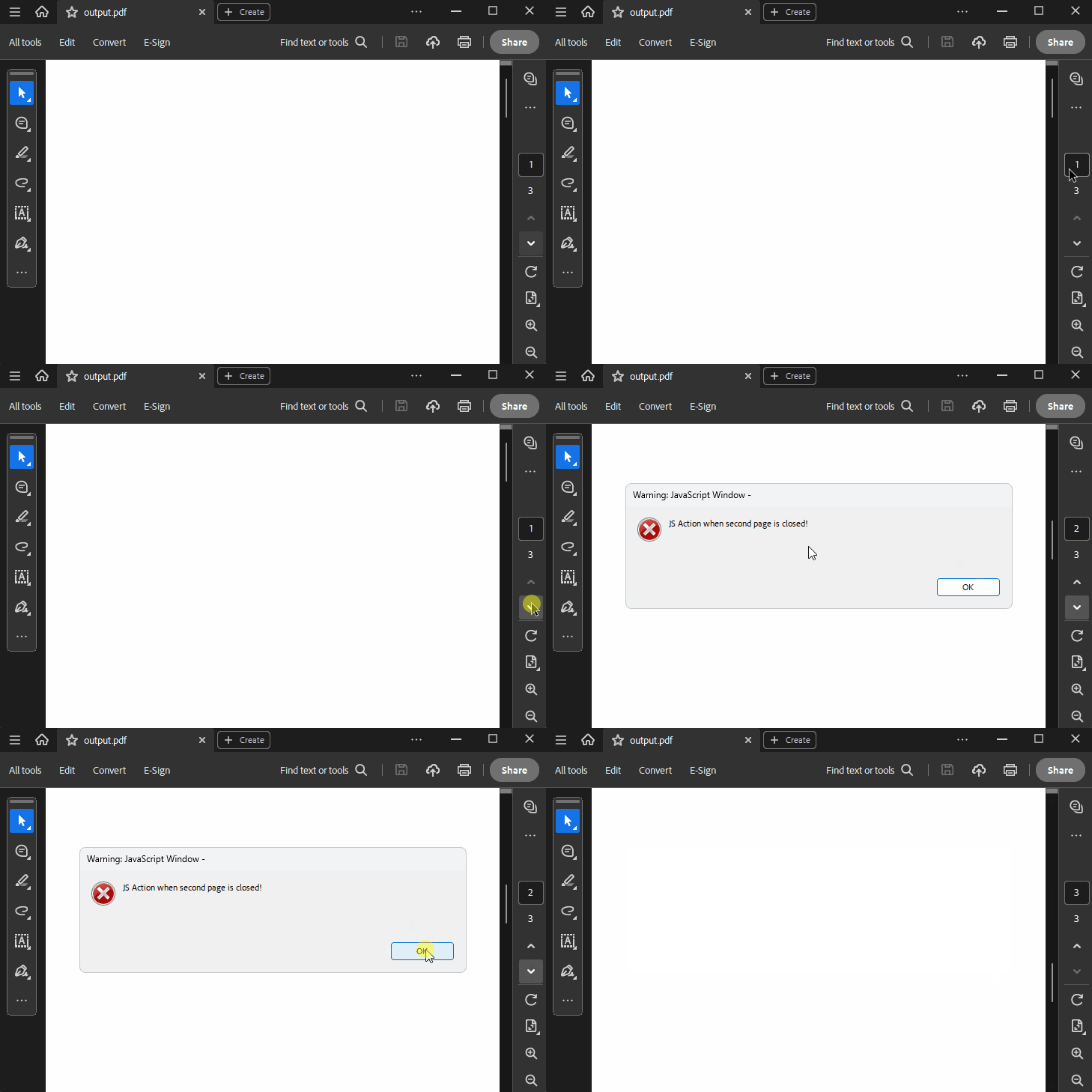
DocumentActionCollection
Represents a collection of JavaScriptAction objects associated with RadFixedDocument.
| Property Name | Description |
|---|---|
DocumentWillClose | Gets or sets the JavaScript action triggered before the document is closed. |
DocumentWillSave | Gets or sets the JavaScript action triggered before the document is saved. |
DocumentDidSave | Gets or sets the JavaScript action triggered after the document is saved. |
DocumentWillPrint | Gets or sets the JavaScript action triggered before the document is printed. |
DocumentDidPrint | Gets or sets the JavaScript action triggered after the document is printed. |