Resolving Telerik UI for Blazor NuGet Restore Failures Due to Missing Dependencies
Environment
| Version | Product | Author |
|---|---|---|
| 2026.1.210 | Telerik Document Processing | Desislava Yordanova |
| 13.1.0 (Trial) | Telerik.UI.for.Blazor |
Description
When you have an active Blazor trial license and attempt to restore the Telerik.UI.for.Blazor package, the process may fail due to missing dependencies in Telerik Document Processing libraries, such as Telerik.Documents.Spreadsheet, Telerik.Documents.SpreadsheetStreaming, and Telerik.Zip.
Solution
Activate a trial for DevCraft. This enables the Document Processing Downloads section in your Telerik account.
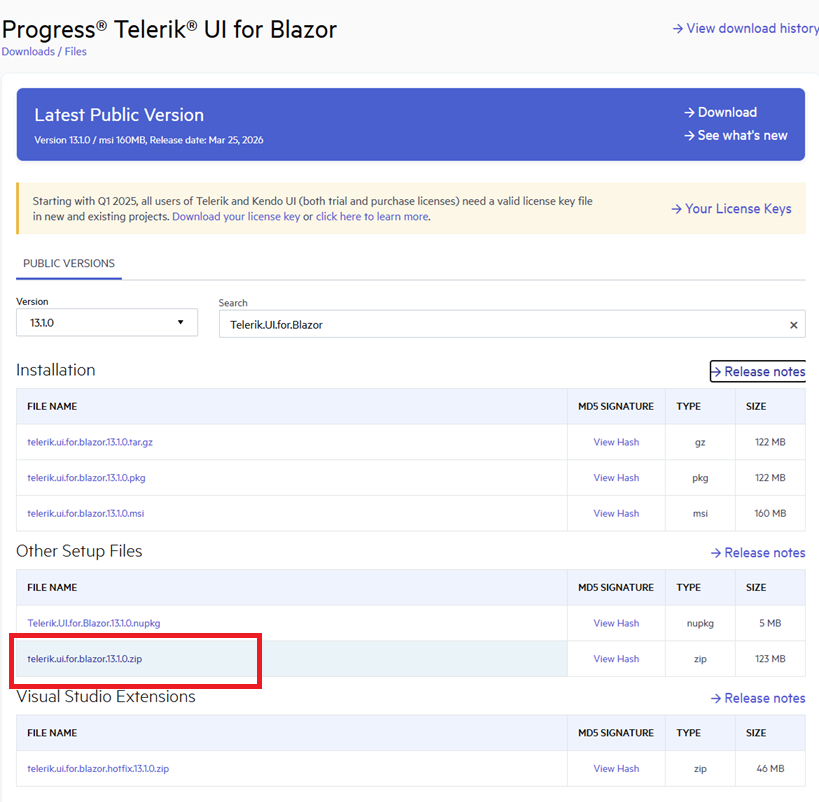
Alternatively, instead of using the NuGet packages, download the zip (for example, telerik.ui.for.blazor.13.1.0.zip) from your Telerik account:
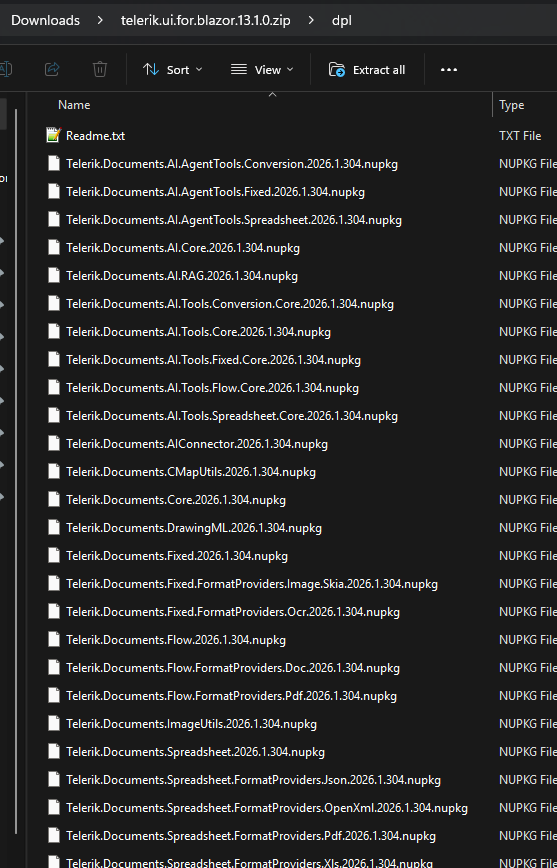
It contains all necessary DPL assemblies:
To ensure that the Telerik NuGet server is set up correctly on your machine, follow the steps:
-
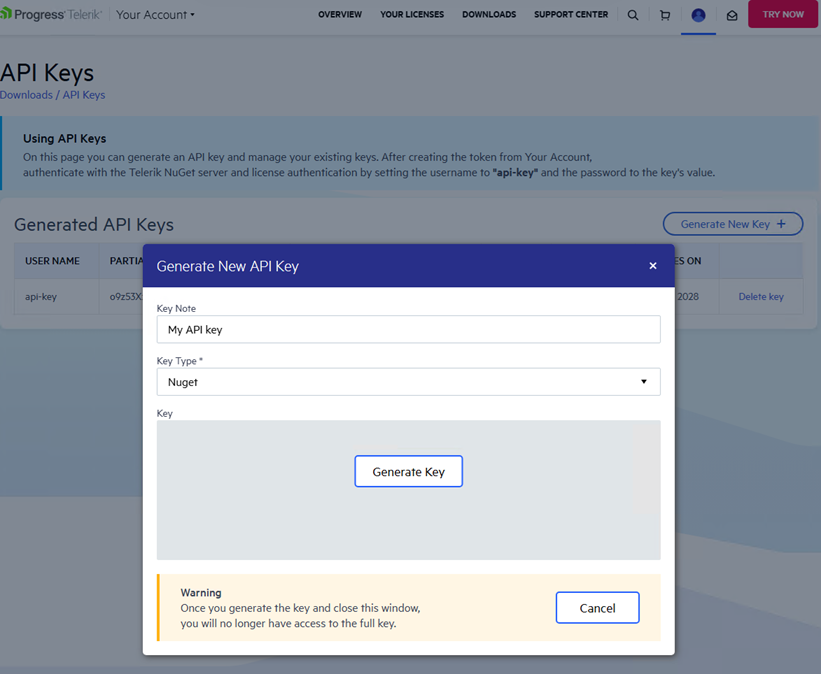
Generate a new NuGet API Key from your Telerik account. Use this key for authenticating with the trial account. An API key instead of a password is a more secure approach:
-
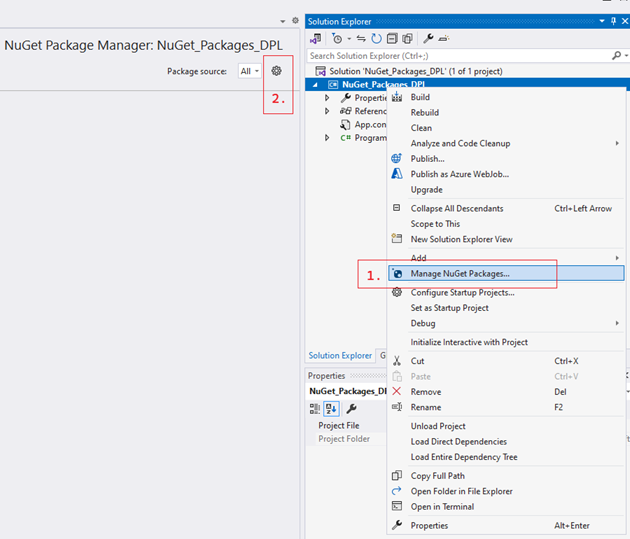
Configure the Telerik NuGet server as a package source in Visual Studio:
-
Delete any existing package sources that contain Telerik NuGet packages. Add a new package source and enter
https://nuget.telerik.com/v3/index.jsonin the Source field:
-
Specify the credentials by using the generated API key in the NuGet Config File:
xml<?xml version="1.0" encoding="utf-8"?> <configuration> <packageSources> <clear /> <add key="nuget.org" value="https://api.nuget.org/v3/index.json" /> <add key="TelerikNuGetServer" value="https://nuget.telerik.com/v3/index.json" /> </packageSources> <packageSourceCredentials> <TelerikNuGetServer> <add key="Username" value="api-key" /> <add key="ClearTextPassword" value="Your API KEY" /> </TelerikNuGetServer> </packageSourceCredentials> </configuration>
This ensures that you have added the Telerik NuGet feed as a package source associated with your trial license.
If you previously stored credentials for the Telerik NuGet server, reset them to authenticate with your new API key. Remove the saved credentials in the Windows Credential Manager. These credentials appear as
nuget.telerik.comorVSCredentials_nuget.telerik.comentries.