New to Telerik Document Processing? Start a free 30-day trial
How to Extract Assemblies Contained inside a NuGet Package
Updated on Jun 5, 2026
Environment
| Version | Product | Author |
|---|---|---|
| Q1 2025 | Document Processing Libraries | Desislava Yordanova |
Description
This article demonstrates how to extract the signed Tesseract.dll from the Telerik.Windows.Documents.TesseractOcr NuGet package.
You can follow a similar approach for any other NuGet package to extract the assemblies contained inside the
.nupkgfile.
Solution
-
Right-click the
Telerik.Windows.Documents.TesseractOcrNuGet package and select Extract with 7-Zip: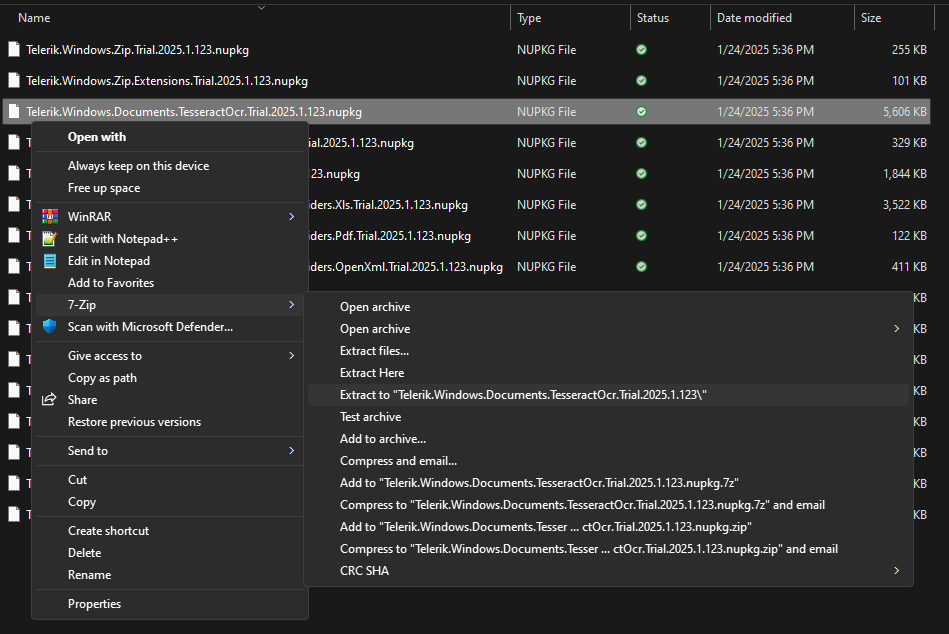
-
Find the contained assemblies in the
libfolder: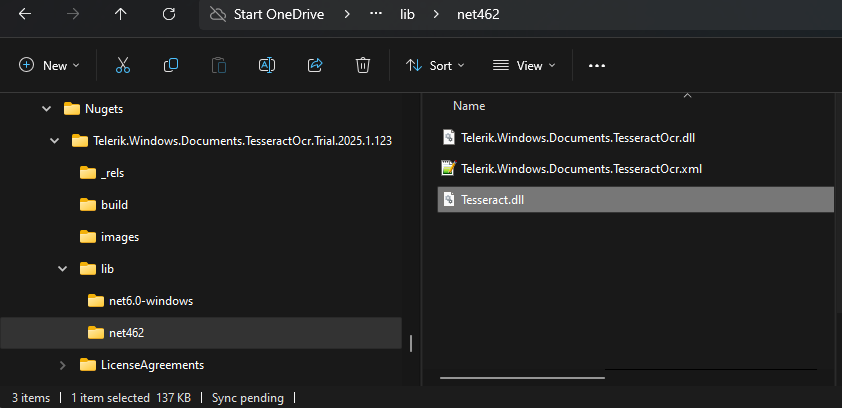
-
Reference the extracted
Tesseract.dllin your project.