New to Telerik Document Processing? Start a free 30-day trial
Adding a Barcode to a PDF Document using PdfProcessing and the WinForms BarcodeView
Updated on Jun 5, 2026
Environment
| Version | Product | Author |
|---|---|---|
| 2024.2.426 | RadPdfProcessing | Desislava Yordanova |
Description
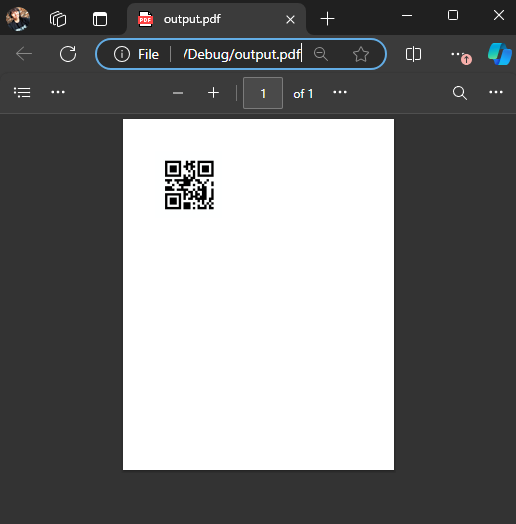
Learn how to generate a PDF document and add a barcode to it.
Starting with Q1 2025, RadPdfProcessing provides support for adding barcodes (1D and 2D) to a PDF document: Adding Barcode into a Document.
Solution
To add a barcode to a PDF document, consider using the WinForms BarcodeView:
-
Add the image to the PDF document. The following example demonstrates this approach:
csharp
   Telerik.WinControls.UI.Barcode.QRCode qrCode1 = new Telerik.WinControls.UI.Barcode.QRCode();
   RadBarcodeView radBarcodeView = new RadBarcodeView();
   radBarcodeView.BindingContext = new BindingContext();
   qrCode1.Version = 1;
   radBarcodeView.Symbology = qrCode1;
   radBarcodeView.Text = "radBarcodeView1";
   radBarcodeView.Value = "1234567";
   radBarcodeView.Invalidate();
   System.Drawing.Image img = radBarcodeView.ExportToImage(200, 200);
   string imageFilePath = "barcodeImage.png";
   img.Save(imageFilePath, System.Drawing.Imaging.ImageFormat.Png);

   RadFixedDocument fixedDocument = new RadFixedDocument();
   RadFixedDocumentEditor documentEditor = new RadFixedDocumentEditor(fixedDocument);
   FileStream fileStream = new FileStream(imageFilePath, FileMode.Open);
   Telerik.Windows.Documents.Fixed.Model.Resources.ImageSource _imageSource = new Telerik.Windows.Documents.Fixed.Model.Resources.ImageSource(fileStream);
   documentEditor.InsertImageInline(_imageSource);
   documentEditor.InsertLineBreak();
   documentEditor.Dispose();
   PdfFormatProvider provider = new PdfFormatProvider();
   string outputFilePath = "output.pdf";
   File.Delete(outputFilePath);
   using (Stream output = File.OpenWrite(outputFilePath))
   {
       provider.Export(fixedDocument, output);
   }
   Process.Start(new ProcessStartInfo() { FileName = outputFilePath, UseShellExecute = true });
Notes
- The WinForms BarcodeView method is suitable for applications where a barcode image can be generated and saved before adding it to the PDF: Generating a Bar Code Image outside WinForms.