Download Product Files
Starting with Q2 2025, the Telerik Document Processing libraries are available as a separate distribution in the Downloads section of your Telerik account.
The Telerik Document Processing libraries are part of several Telerik product bundles and follow the installation steps for the suite with which you have obtained the product. When you purchase a Telerik license, you can download the following files:
-
Latest Public version
-
Assemblies available as NuGet packages
-
Previous versions
-
Source code
-
Documentation files
To download these files, follow the steps below:
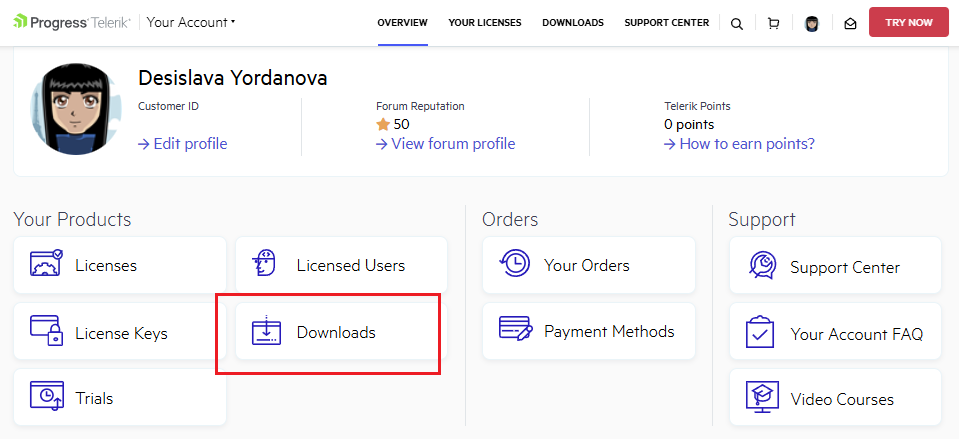
1. Log into your Telerik account and click the Downloads option:
Telerik account Downloads section
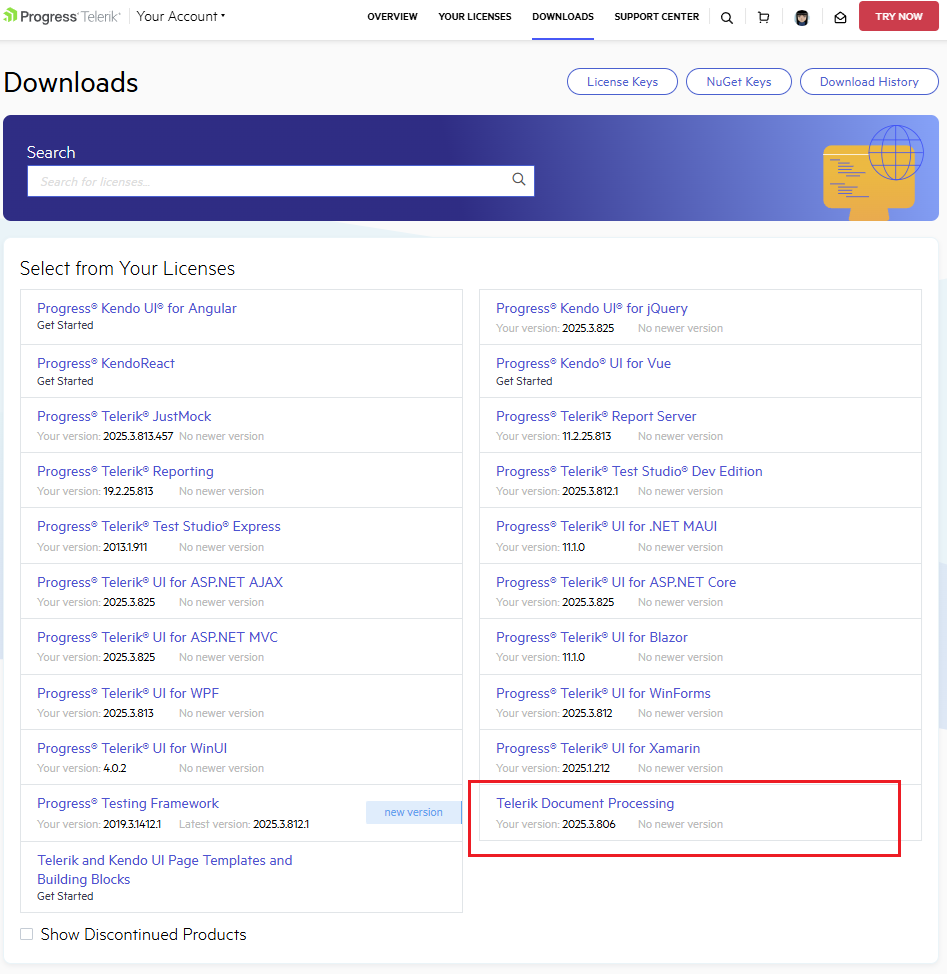
2. Select Telerik Document Processing:
Telerik account download page for Telerik Document Processing product files
3. Select an asset you want to download: DLLs, PDB files, NuGet Packages, documentation files, or Source code:
Telerik Document Processing download options for binaries, NuGet packages, documentation, and source code
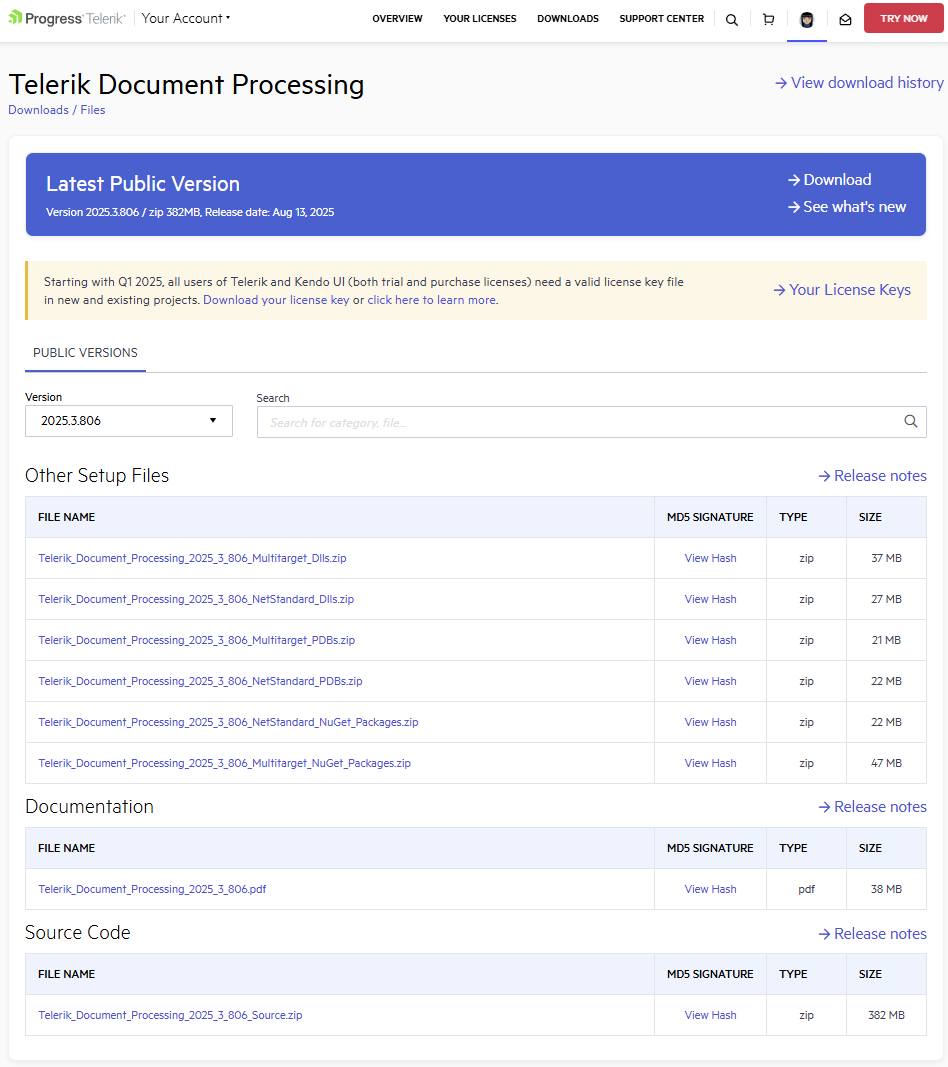
4. You can choose between official Public versions or Preview versions (if such exist) according to the activation date of your license. From the Version dropdown list, you can also select which specific version to download.
If you are looking for a specific version, but it is not listed in the Version list, contact the sales team: sales@telerik.com. They will make the required version available for download.