New to Telerik UI for WinUI? Start a free 30-day trial
Set Today
Updated on Mar 26, 2026
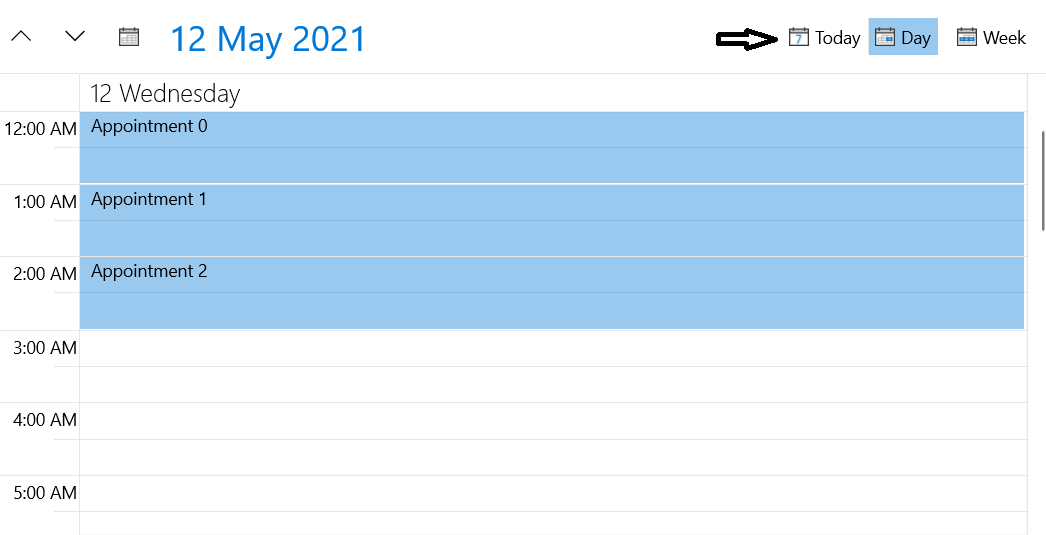
The Scheduler control allows you to easily navigate to the current day. You can do this via the Today button shown in Figure 1 or by executing the RadSchedulerCommands.SetToday command.
Showing the Today button
The Today button is hidden by default. To show it in the navigation header you can set the TodayButtonVisibility property.
Example 1: Showing the Today button
XAML
<telerik:RadScheduler x:Name="scheduler" TodayButtonVisibility="Visible" />Figure 1: Today button
Set Today in Code
You can navigate to the current day in the view using the RadSchedulerCommands.SetToday command.
Example 2: Set today in code
C#
RadSchedulerCommands.SetToday.Execute(null, this.scheduler);Read more about the available commands in the Commands article.