New to Telerik UI for WinUI? Start a free 30-day trial
Printing
Updated on Mar 26, 2026
The printing feature of PdfViewer allows you to open a dialog and print the current document.
The printing feature may not work on OS versions lower than Windows 10 (21H2) due to limitation in the WinUI printing API.
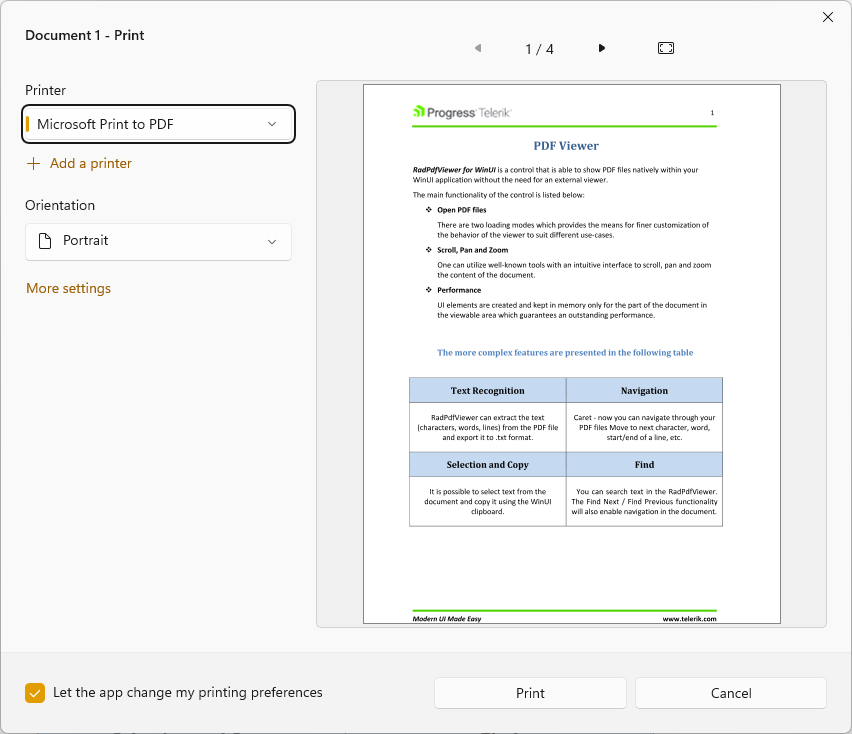
To print a document, call the Print method of RadPdfViewer. This will open a print dialog with printing settings and preview of the document.
Using the Print method
C#
this.pdfViewer.Print();Print Dialog
The printing action can be executed also with the built-in print button of the RadPdfViewerToolBar. To display the additional button, set the HasPrintButton property of the toolbar to true.
Showing the print button of the toolbar
C#
telerik:RadPdfViewerToolBar RadPdfViewer="{Binding ElementName=pdfViewer, Mode=OneTime}" HasPrintButton="True"/>Print Button and Print Dialog
